Google Flights: How to find the best flights and fares

Loading article…
Google Flights is probably the most widely used tool by our team for shopping for flights. Free, fast, with no intermediary: it’s the first step in almost all our searches for airline tickets, whether we pay with cash or points. In this guide, you’ll find everything you need to know to master Google Flights: search, advanced filters, price tracking, Explorer mode, and the Points Path extension that displays point rates alongside cash rates.
Another useful tool: Midway finds a common destination that can be reached on a direct flight from several departure cities.
Google Flights is Google's free flight search tool. It compares fares from hundreds of airlines and online travel agencies, shows how prices change by date, and sends you to the airline or booking site to buy your ticket. It works in any browser and in the Google app, with no separate app to install.

Google Flights faces stiff competition in the flight and travel comparison market. There are a multitude of other popular tools (Skyscanner, Hopper, Expedia, etc.) that can be compared to Google Flights. Each of these platforms offers unique features such as date flexibility, personalized price alerts, and price predictions based on algorithms.
However, searching for airline tickets on Google Flights is easy to use and the tool offers a serious advantage, a direct service with airlines; but several lesser-known features can also help you optimize your searches, including:
Google has improved its tool to allow you to plan your trips and book the cheapest flights. You now know whether it’s better to book right away or wait for prices to drop thanks to the recommendations provided.
Enter your destination, your dates, and there you go! Google Flights quickly searches through hundreds of options to give you an overview of available flights. Ready to go? Here’s how to do it.
To search for a flight with Google Flights, go to :
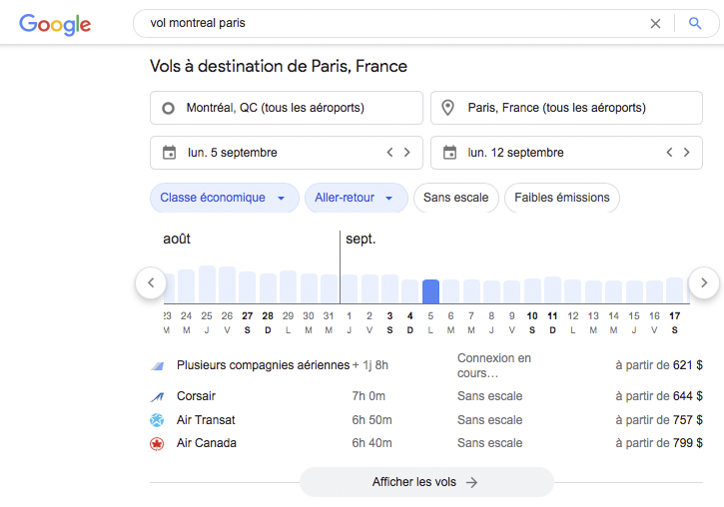
Google Flights search allows you to search among more than 300 travel partners (airlines, online travel agencies and other booking sites). Once you’ve found your low-cost ticket, book directly on the airline’s website.
Since it’s not an online travel agency (unlike other booking sites), you avoid intermediary sites and therefore the risks of not being reimbursed in case of unforeseen circumstances.
Updates are regular since airlines provide their airfares directly to the platform.
In the top menu, you have the option to choose:
These options are also found in the left menu if you click on the three bars, as well as the price of tracked flights if you have activated the function for certain destinations.
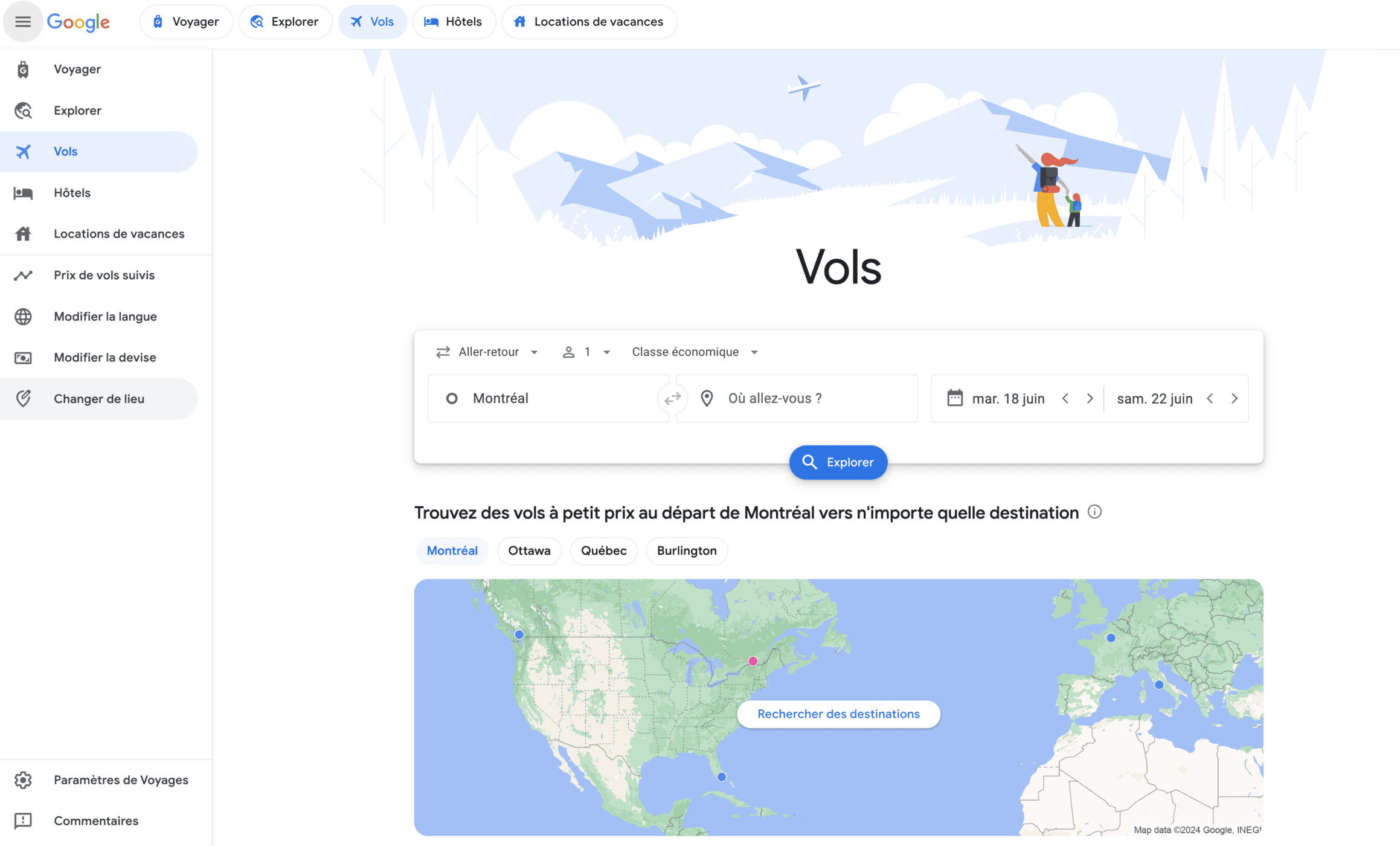
Language, location, and currency options are available in the left menu or at the bottom of the screen.
Changing the language and currency: open the left menu (the three bars) or scroll to the bottom of the page, then pick your language, Canada as your location and the Canadian dollar as your currency. Fares then show in CA$, and search, filters and price alerts work exactly the same way.
By default, Google Flights will use your position as the origin for the departure city and let you fill in the following fields:
Don’t know where to go? Let yourself be inspired by the geographic map or other suggestions that will lead you to the Google Flights Explorer page that we will detail below.
Google Flights quickly begins the search once the destination is completed and offers a calendar view for dates with airline ticket options indicating in green the prices where the cheapest days are observed, an ideal tool for travelers with flexible dates. Example for a Paris – Bali flight:

Google Flights offers a feature that guides you to the ideal time to make your reservations, with the goal of guaranteeing the most economical rates.
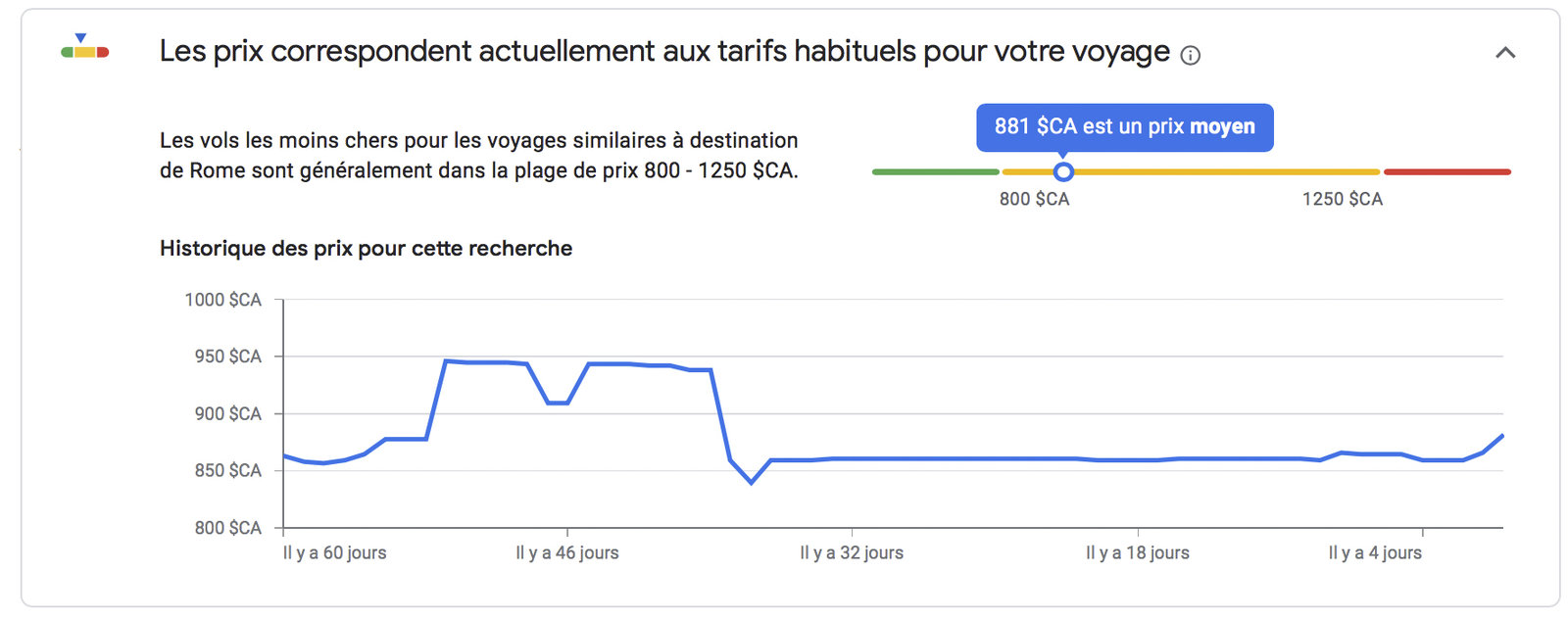
When you enter your departure and destination location on the platform, at the bottom of the same page, in the “Good to know” section, you will find a graph illustrating the price evolution for the flight in question. This graph will indicate whether the current rate is considered affordable, standard, or high compared to usual prices.
Based on an adult ticket in economy class, you are shown:
Google Flights also includes the destination airport, a section of the most frequently asked questions about flights to the destination, and more departure cities in the surrounding area. We’ll go into more detail below.

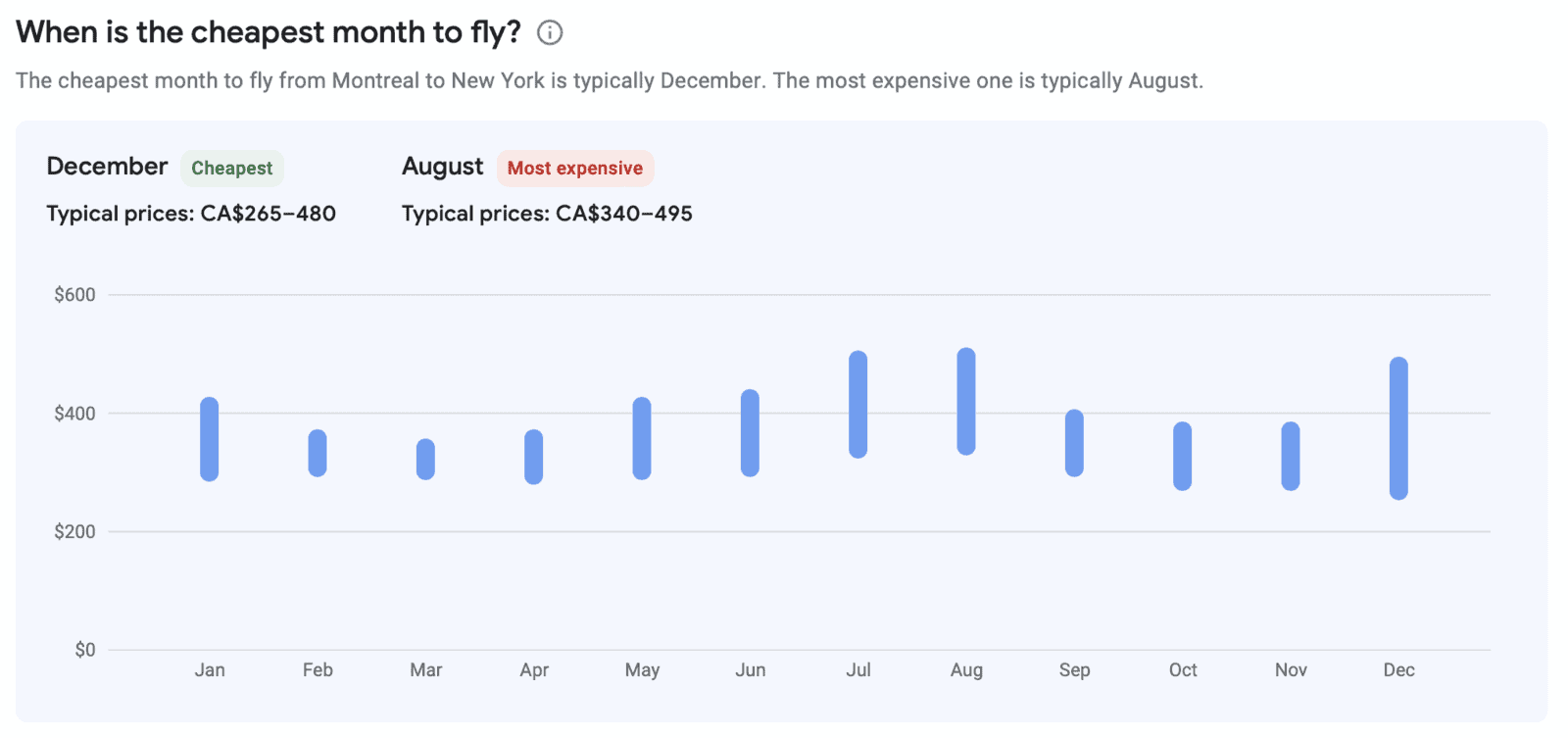
Google Flights also offers an assessment of the optimal time to make your reservation. The tool will recommend that you book now or wait, based on analysis of rates from previous years.
Based on the price history for your route, Google Flights can show one of three insights: prices are unlikely to drop, prices are less than usual, or prices are likely to increase. Pair that insight with a price alert rather than aiming for a fixed number of months before departure.
Once you tap Search, Google Flights sorts results into two tabs:
To use the tool to its full potential and find the cheap flight that suits you, use the advanced filters! You’ll be able to refine your results. Then activate price alerts to monitor price fluctuations.
You should know that the destination box is not limited to a single location! Indeed, you can enter multiple cities and Google Flights will help you determine the most affordable way to reach your destination.
For example, for a trip to Italy, you don’t have to restrict yourself to Rome airport if your trip encompasses several corners of the country. Also, don’t neglect airports in neighboring countries to save on your trip; a bus connects Nice and Genoa in 3 hours for as little as €15.
The Google Flights platform allows you to search from multiple airports at the same time. It helps you find the cheapest departure airport or flight for your destination (up to 7 airports or locations).

Once you have established a destination, if you are flexible, Google Flights will show you the cheapest days to travel to your destination.
The Google Flights availability calendar appears by default when you enter information about your travel dates. When you search for a round-trip ticket, the tool gives you an overview of costs based on the number of days you want. Sometimes, leaving or returning a few days apart can represent significant savings.
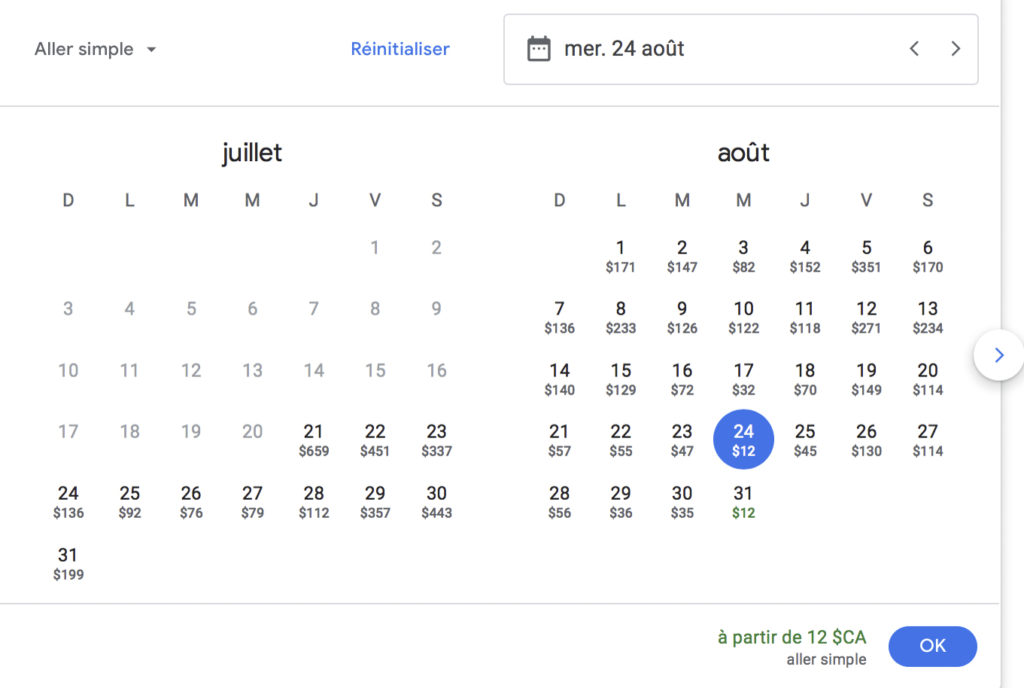
If you request a one-way ticket, Google Flights will show the lowest price for each date on the availability calendar. Since Google Flights includes lower costs in the results, they can be easily spotted. Indeed, these carriers do not operate flights every day and it’s a good way to quickly determine the frequency of their connections.
Then, it is possible to view flexible rates according to a table like the following:
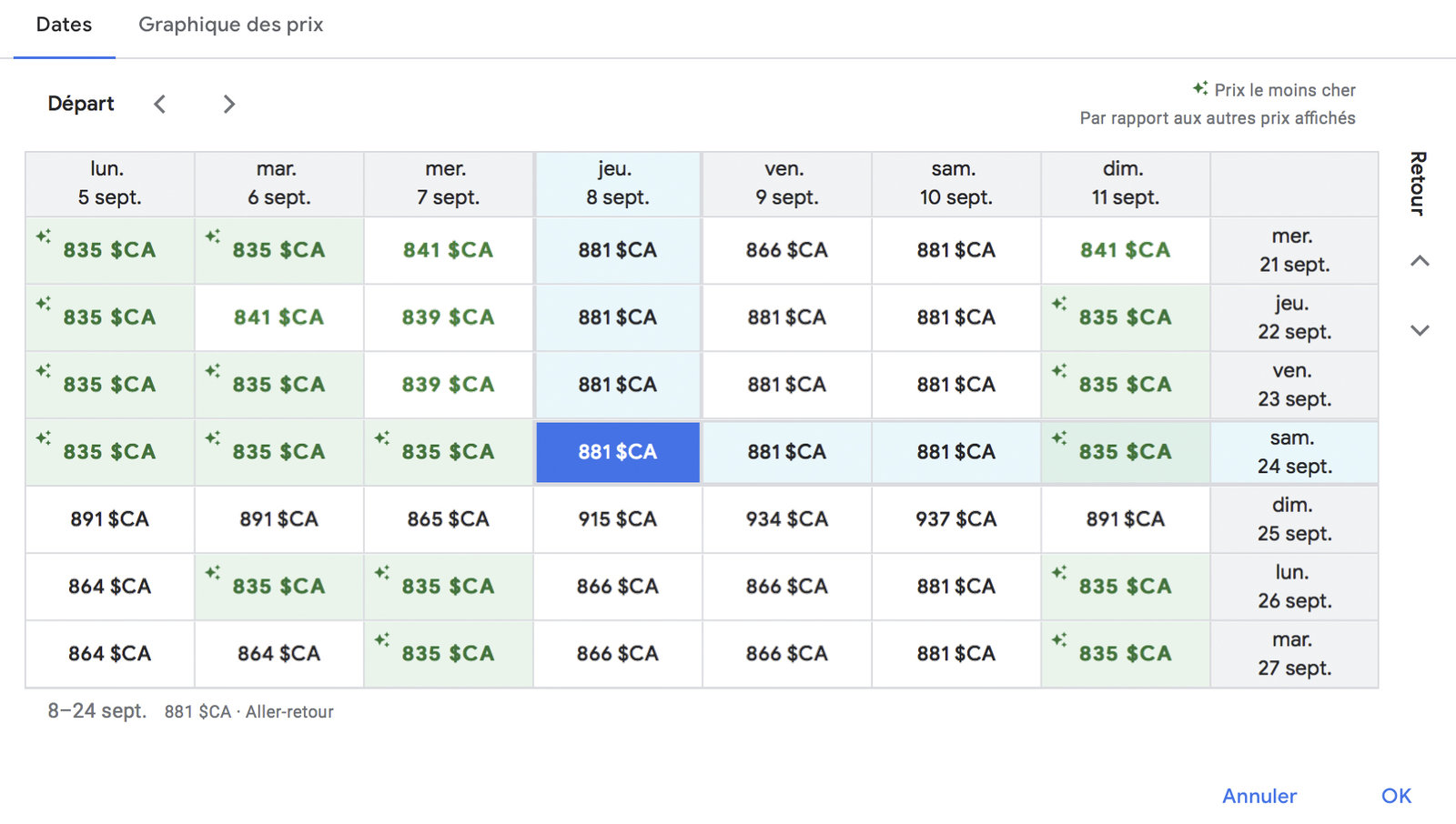
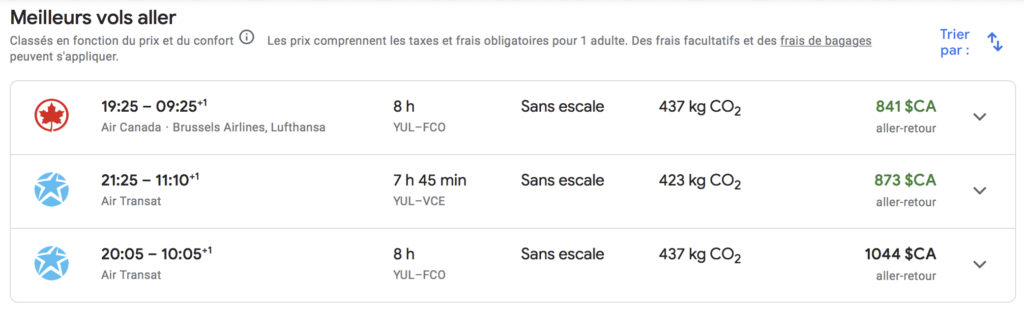
Subsequently, Google Flights will present you with the results; the “best flights” will be displayed first according to criteria based on price, flight times, connections, etc.
Then, you can scroll down the list of more results if you can’t find your account. For example, the “best flight” is generally not the one with a 6-hour layover in Toronto, but it might be more suitable depending on your situation.
You can then separately select the outbound and return flights that suit you.
Google Flights also presents you with a multitude of very useful information such as the type of aircraft you will be flying on. This can be very convenient for people who want to choose their plane.
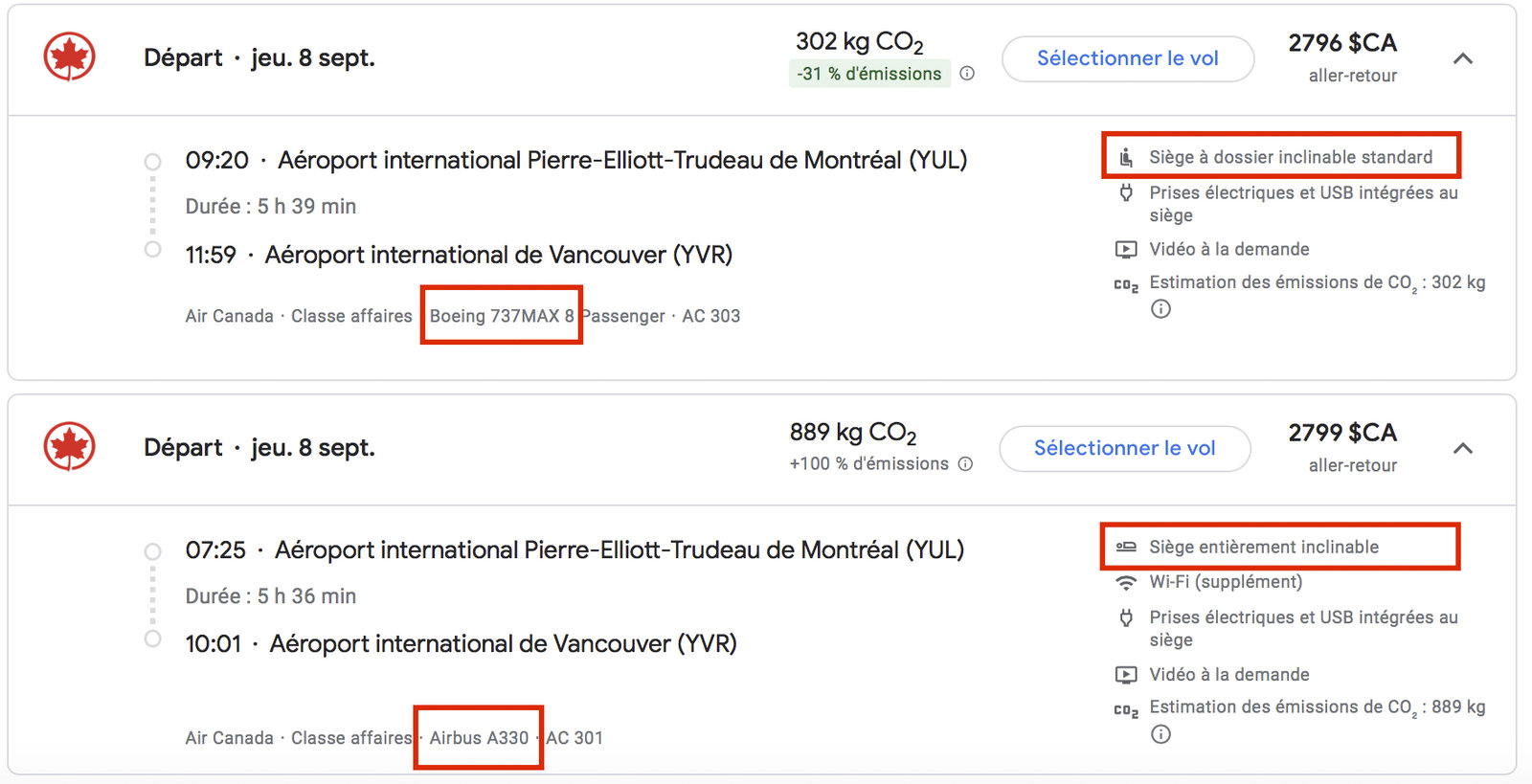
Then, Google Flights shows the type of seat available on the flight. This doesn’t have much importance when traveling in economy class, but when you treat yourself to business class, you usually want to make sure you have the best product for your money or points!
There is a huge difference between a “standard reclining seat” and a “fully reclining seat.”


Finally, we can also determine availability in general. For example, the first class suites on Singapore Airlines’ A-380 can accommodate up to 6 passengers.
So, in the event that you would like to know the number of available tickets, you can perform a search for 4-6 passengers; if Google Flights displays results, it implies that you have a good chance of being able to book these seats with points since they are mostly not yet sold.
However, ExpertFlyer is superior to Google Flights for this type of availability information. Since it is sometimes necessary to make point transfers and these are irreversible, it is preferable to double-check the information with ExpertFlyer which is a more precise tool.
Since May 2024, Google has been displaying Southwest Airlines flights and fares. The airline, which long kept its fares on its own website, has since also joined Kayak (2024) and Expedia (2025).
Travelers can now compare flight options and click directly on Southwest.com to book their future flight.
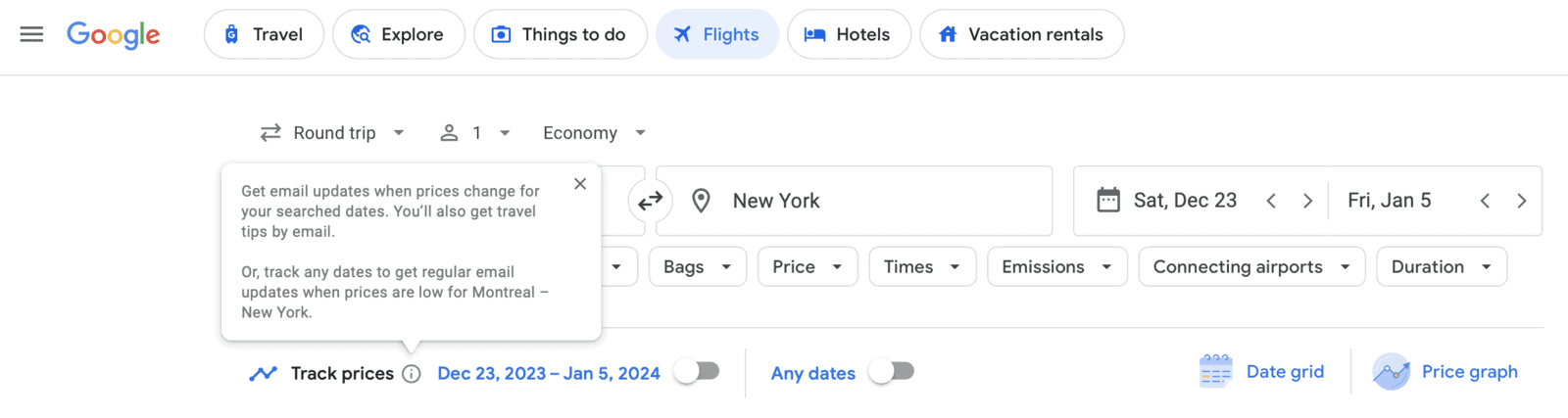
You can monitor prices and receive notifications when rates change. An excellent way to seize a good deal!
Google Flights can, therefore, help you determine whether the ticket price you have selected is a reasonable price or not. Indeed, it’s a search engine that analyzes billions of data points and presents them to you in the form of graphs with costs for a trip similar to yours:
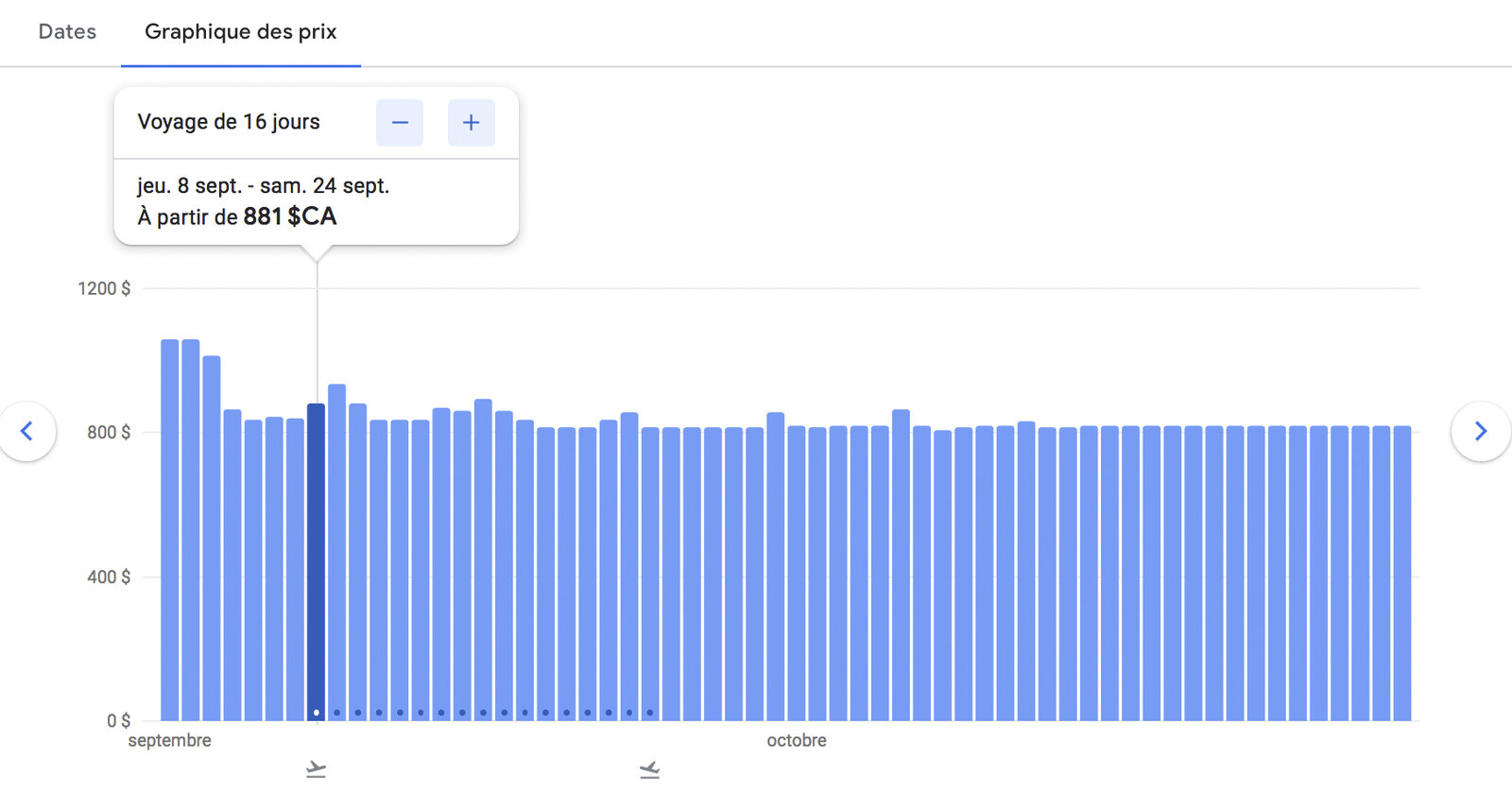
Or a simple summary on the confirmation and purchase page:
To ensure you don’t miss discount opportunities, Google Flights also offers a real-time price tracking feature. You will receive a notification (by e-mail) as soon as a significant fare reduction is detected for a specific route and date.
On the last page, you will find a summary of the chosen itinerary as well as links to places to make the reservation. That’s right, Google Flights only does the search for you; you don’t make the purchase with them: once you have chosen, Google Flights redirects you to the airline’s website or to a travel agency to finalize your reservation.
Also, the conditions specific to the ticket you have selected are also summarized regarding the different fare options such as baggage allowance or cancellation terms.
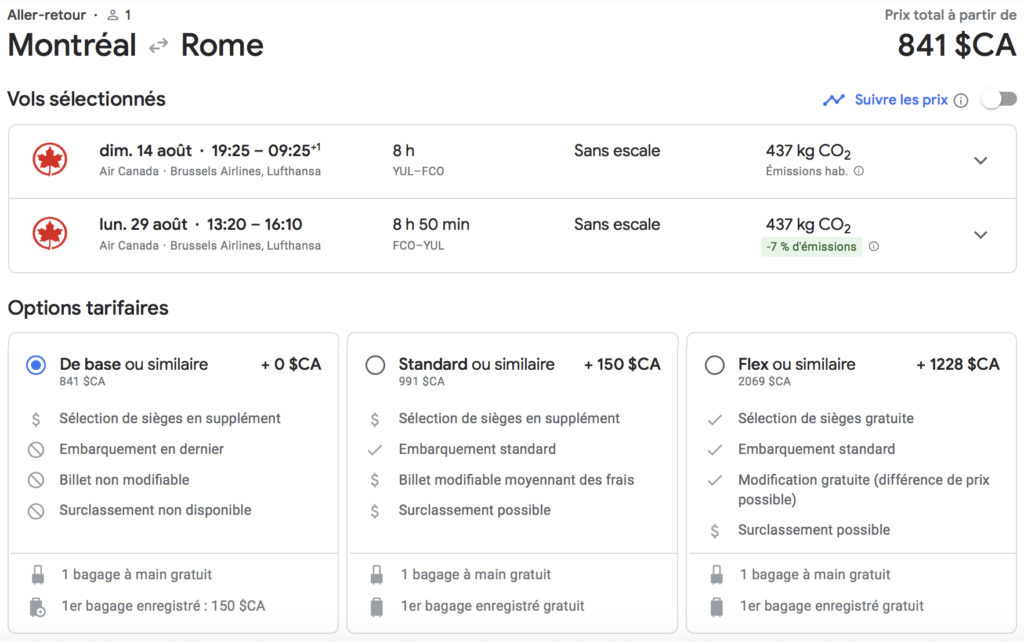

It can be noted that there are as many third-party sites as official sites that appear in the choices for purchasing the flight.
These links are very practical since they will take you directly to the payment page to book your airline ticket. Thus, you don’t need to enter the data again to proceed with the purchase.
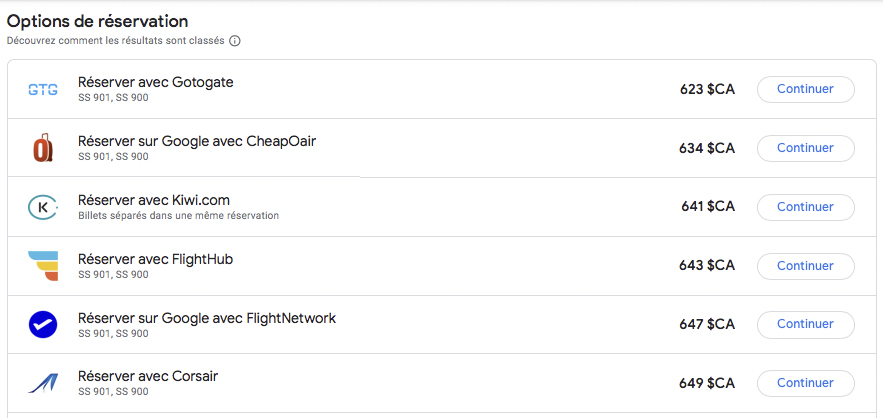
Be careful with third-party sites; it is always easier to manage a problem when the reservation is made with the airline.
Personally, I try to avoid third-party sites; if I have no choice, I would only proceed with a credit card having excellent travel insurance like the National Bank World Elite Mastercard for Canadians.
| Credit card | Annual fee | Welcome offer | |
|---|---|---|---|
| $0 |
Don’t know where to go? Google Flights Explorer lets you explore destinations based on your criteria: beach, adventure, culture…
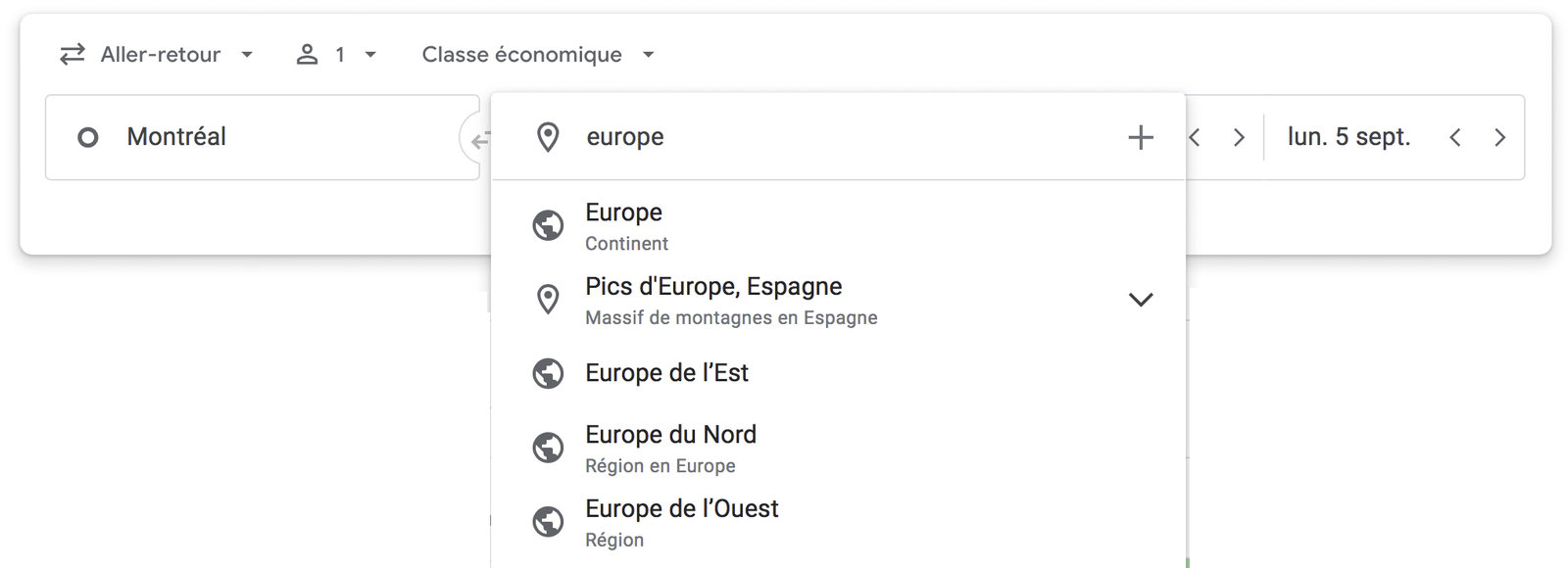
The “destination” box is not reduced only to airports; you can perform a broader search such as “Europe” or “Oceania” in the same way. This Google Flights feature is particularly interesting for visualizing the least expensive options as entry points into the region or to simply spot a place for cheaper vacations.
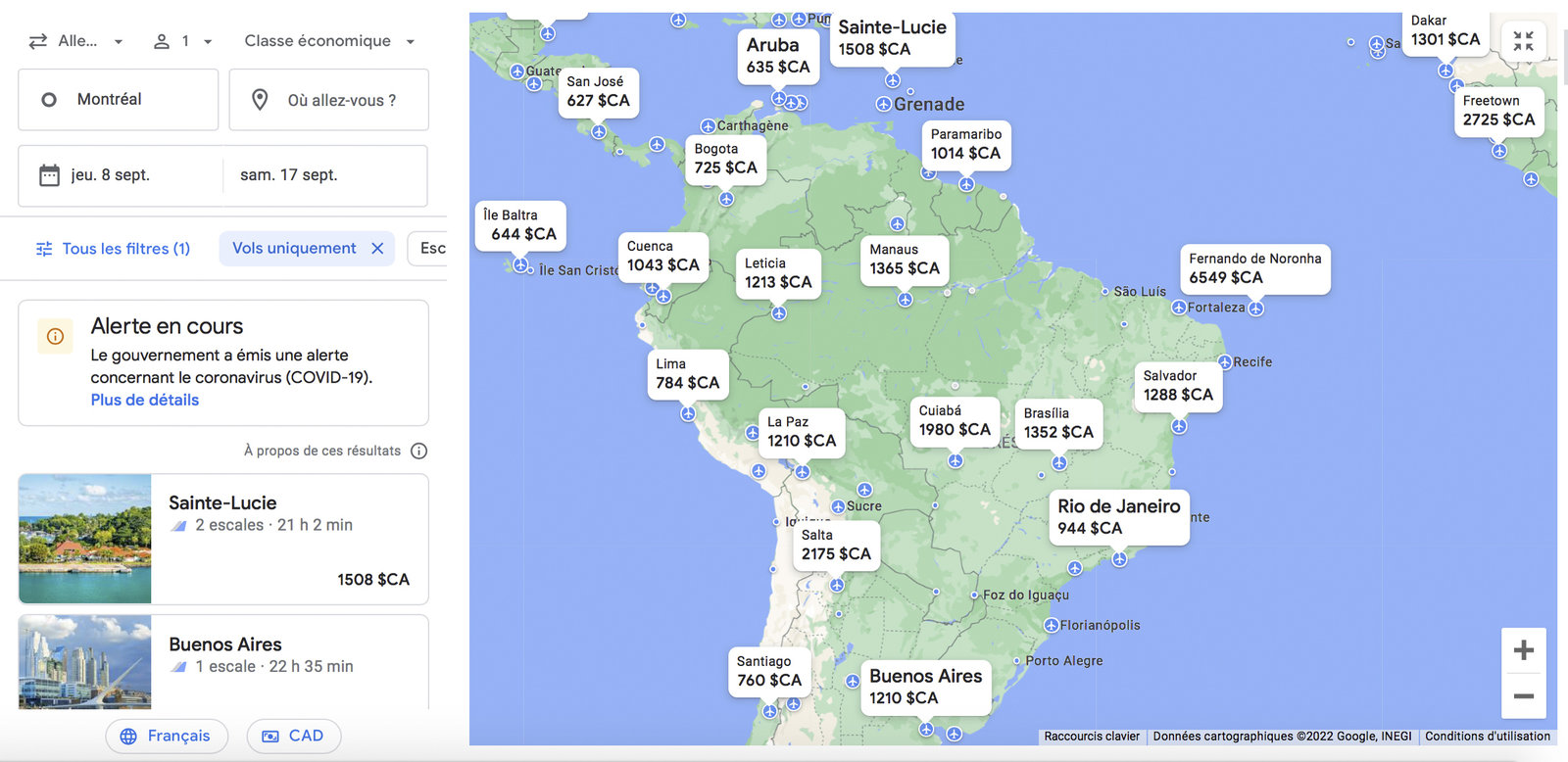
The “exploration” tab of Google Flights also allows you to browse the map and zoom in on the area you like. For example, following an exploration, you might decide to postpone your vacation to Saint Lucia and go visit the Galapagos Islands or Costa Rica instead!
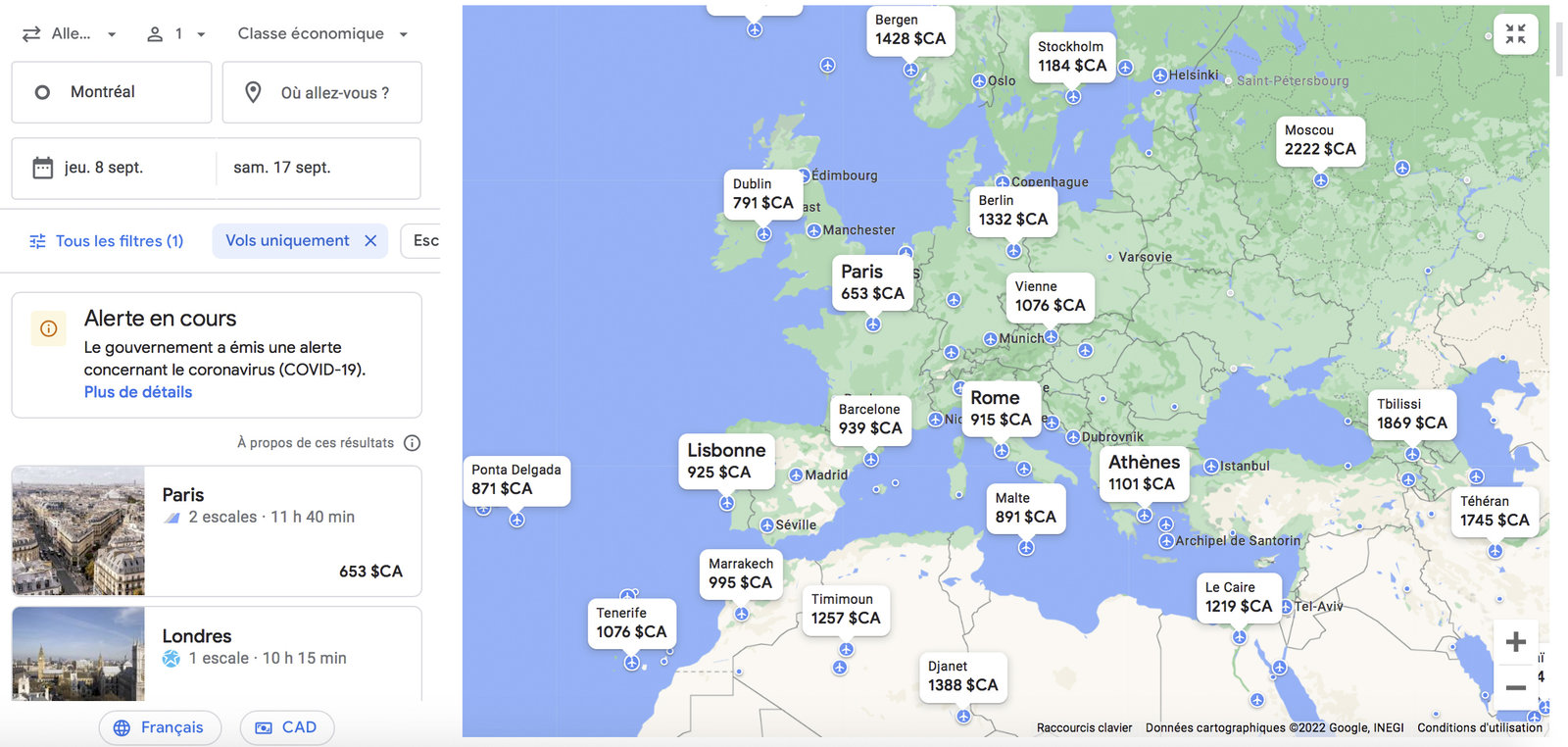
I have often used this tool to go to Europe or Asia; I just need to find an entry point at the price that suits me and there you go! Once there, I use low-cost carriers to get precisely where I would like to spend my vacation.
In this example, I would buy a ticket to Paris to go to Greece with a low-cost airline.
Finally, if you are not only flexible on the destination, but on the dates as well, you are served! Google Flights allows you to search for example for an airline ticket for two weeks of vacation anywhere and anytime in the next 6 months.

Google is also testing Flight Deals, an AI-powered search where you describe your trip in plain language (for example, "a week somewhere warm in February") and the tool suggests destinations with fares below their usual price. Google still classes it as an experimental, beta feature, and Canada is among the countries where it has rolled out: check whether it shows up in your account.
Points Path is a Google Flights extension that facilitates the search for award ticket rates.
By installing it on your computer, or in Safari on iPhone and iPad, you can immediately view award ticket prices in points during your searches on Google Flights.
Points Path is officially compatible with Chrome, Safari on Mac, iPhone and iPad (via the App Store), Microsoft Edge, Brave, Opera, and Arc.
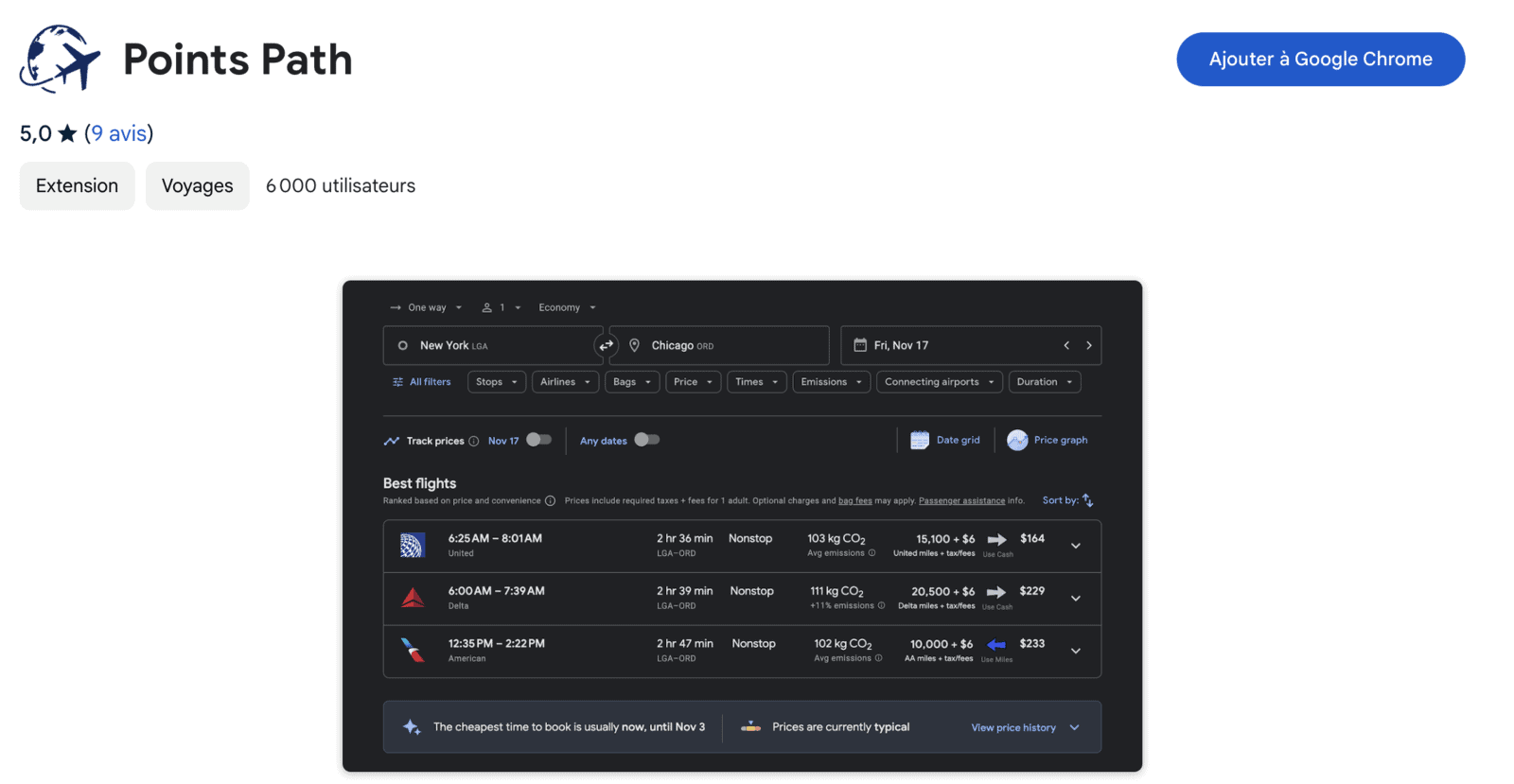
Since its launch, Points Path has expanded its coverage. The free version now includes American Airlines AAdvantage, Atmos Rewards (formerly Alaska Mileage Plan), Delta SkyMiles, JetBlue TrueBlue, and United MileagePlus programs. The Pro version (paid) adds several international programs, including Air Canada Aeroplan, Emirates Skywards, Qantas Frequent Flyer, Virgin Atlantic Flying Club, Virgin Australia Velocity, Air France/KLM Flying Blue, Etihad Guest, Avianca LifeMiles, Aer Lingus AerClub, Qatar Airways Privilege Club, TAP Miles&Go and Turkish Airlines Miles&Smiles. It also adds points price alerts and a 7-day award availability calendar. Points Path retrieves points prices at the same time as cash results, offering a quick comparison.
American Express Membership Rewards credit cards and RBC Avion credit cards in Canada are also very useful to have on hand when using the Points Path extension. Indeed, these cards allow you to obtain Delta SkyMiles, American Airlines AAdvantage miles, and Aeroplan points via point transfers. Thus, you can book directly within these programs without having to worry about whether the same flight is available elsewhere or not.
To use the extension, just do your usual Google Flights search.
The wheels next to the cash prices indicate Points Path’s work, and an arrow guides you to the best option between “Use miles” or “Use cash.” Points Path is designed to be simple; the extension does not analyze all the factors involved, such as the different fare classes or your personal points valuation. Therefore, to maximize your points, it is preferable to push the thinking further than what Points Path suggests in order to be certain of making the right choice. Finally, Points Path’s suggestion according to their valuation is more accurate when you select the currency in US dollars.
After a few seconds, you’ll get the points rates for each supported program. Additionally, if a flight is not available with points or miles, Points Path will inform you.
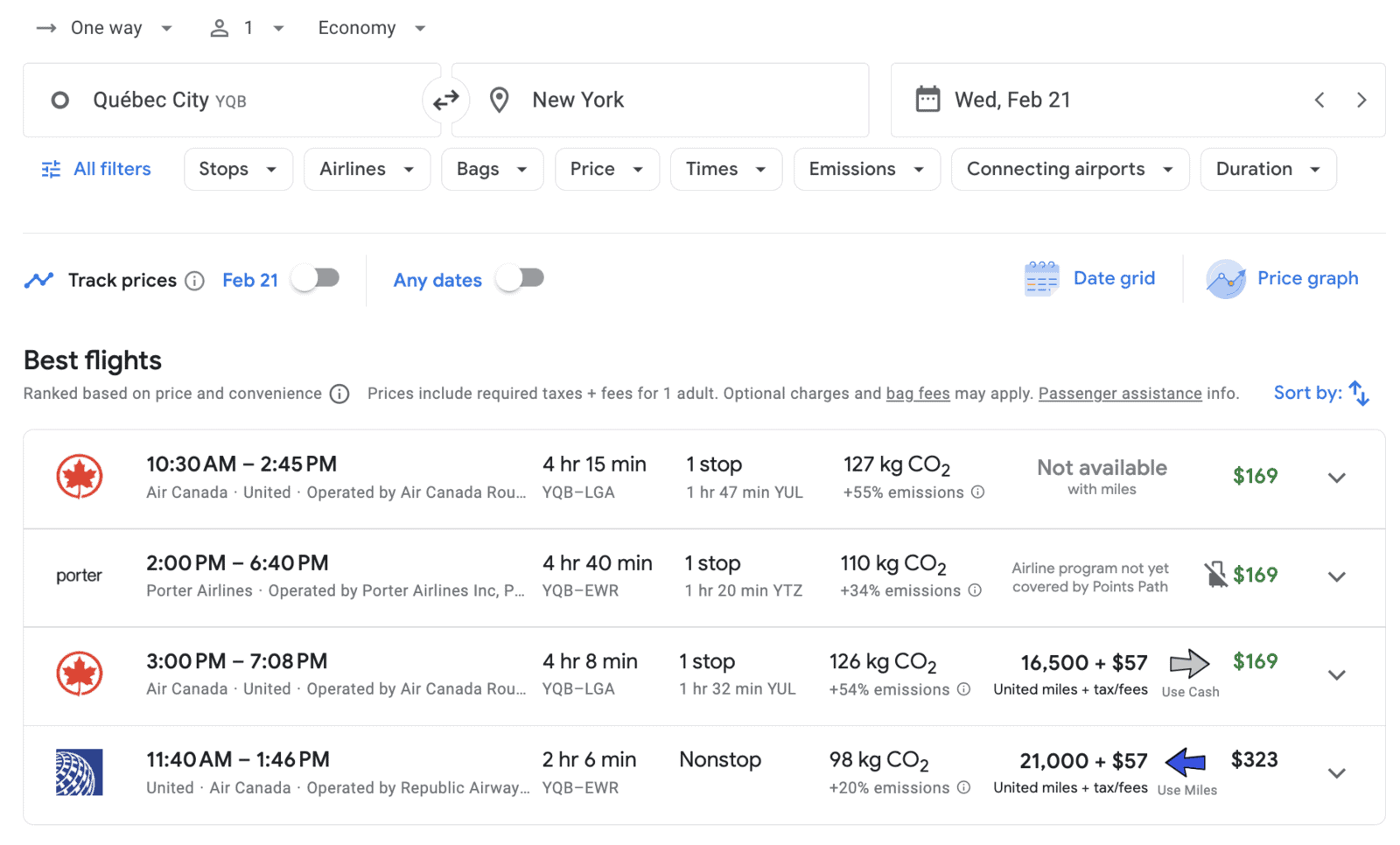
You can also be directed to the airline’s website to book your chosen flight.
Points Path thus simplifies the process of searching for and booking award flights, covering frequent flyer programs for direct flights as well as associated partners.
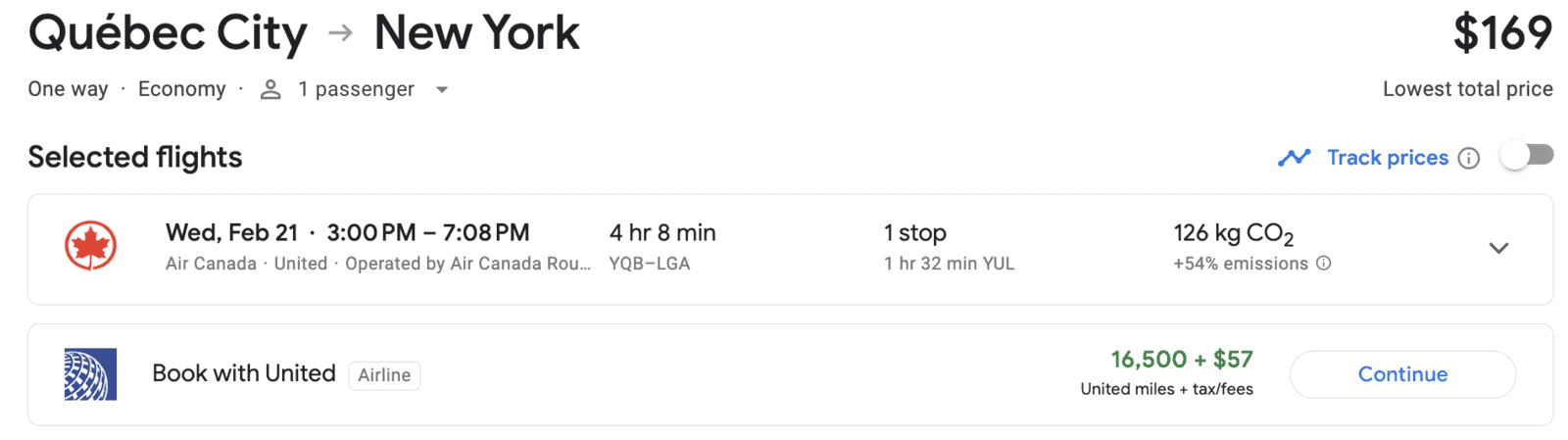
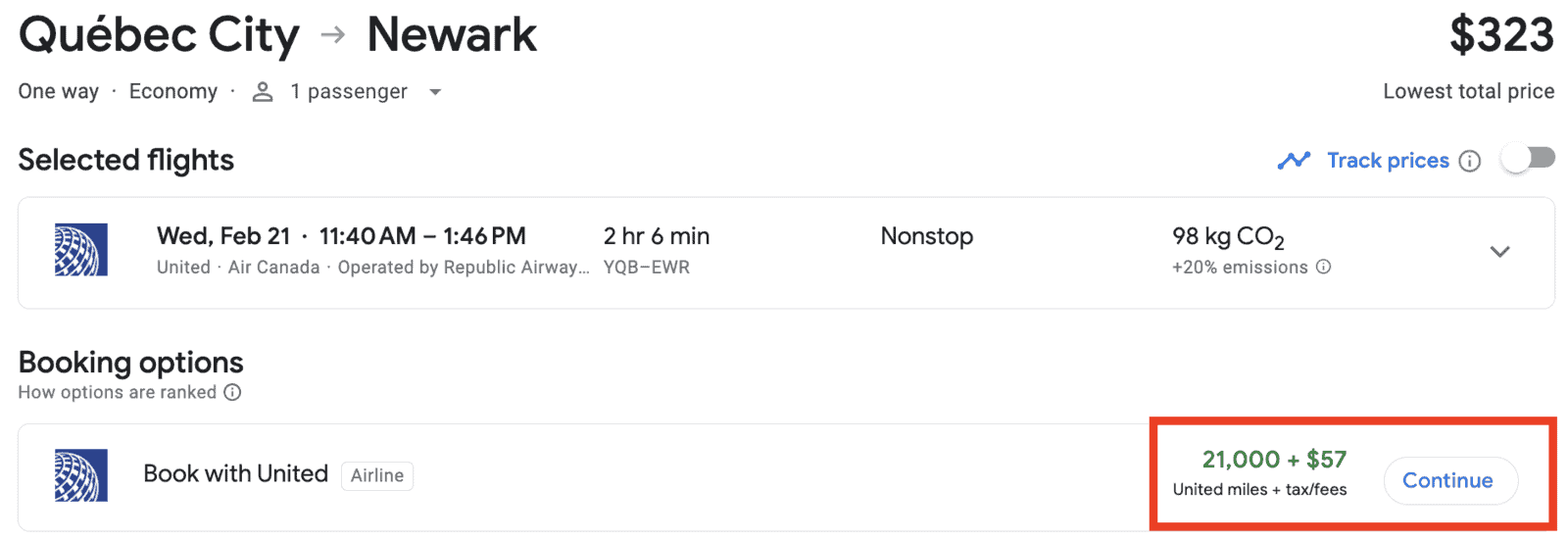
The fact that United is included in the free version is good news for Aeroplan users, since award availability is often similar (Aeroplan and United share Star Alliance flight inventory).
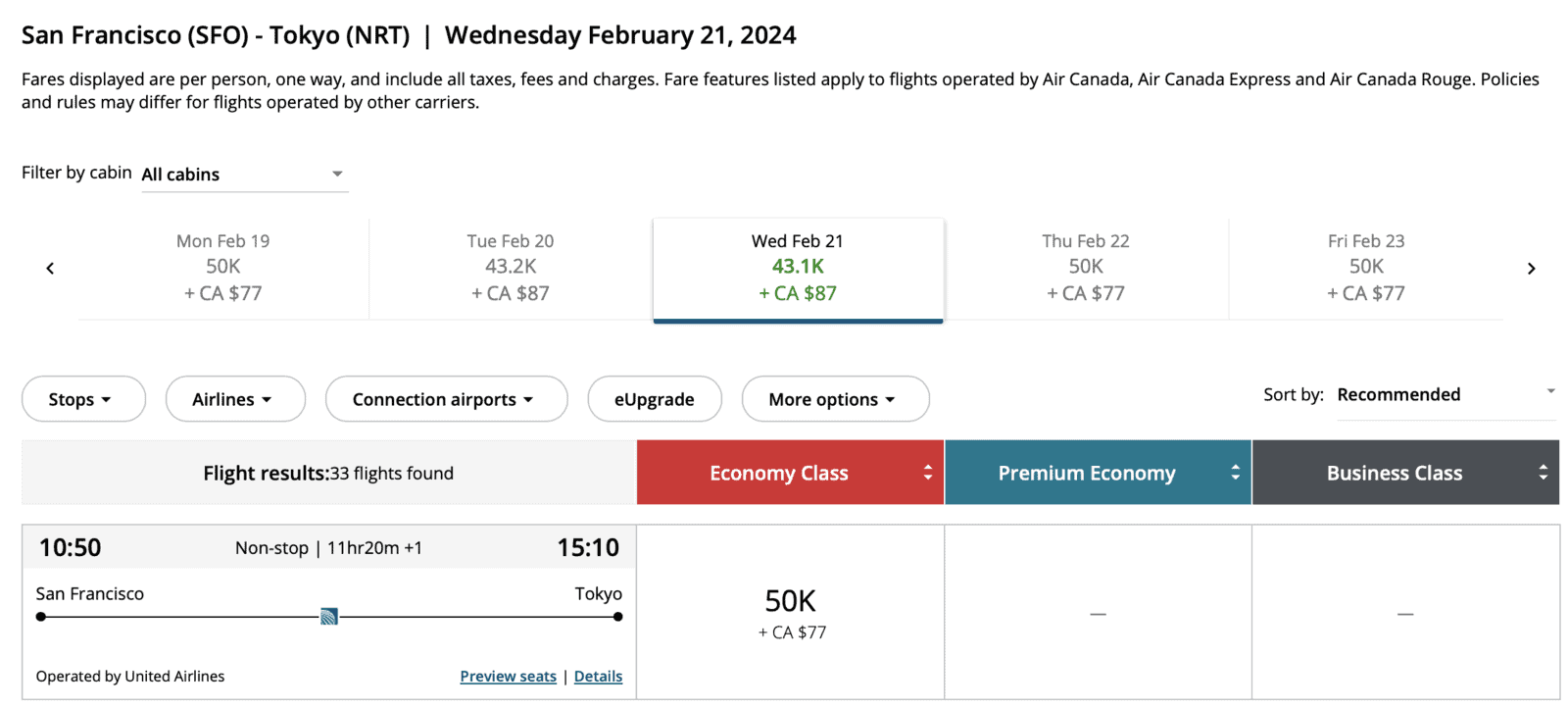
Here is an example where we were able to find award availability on United between San Francisco and Tokyo.
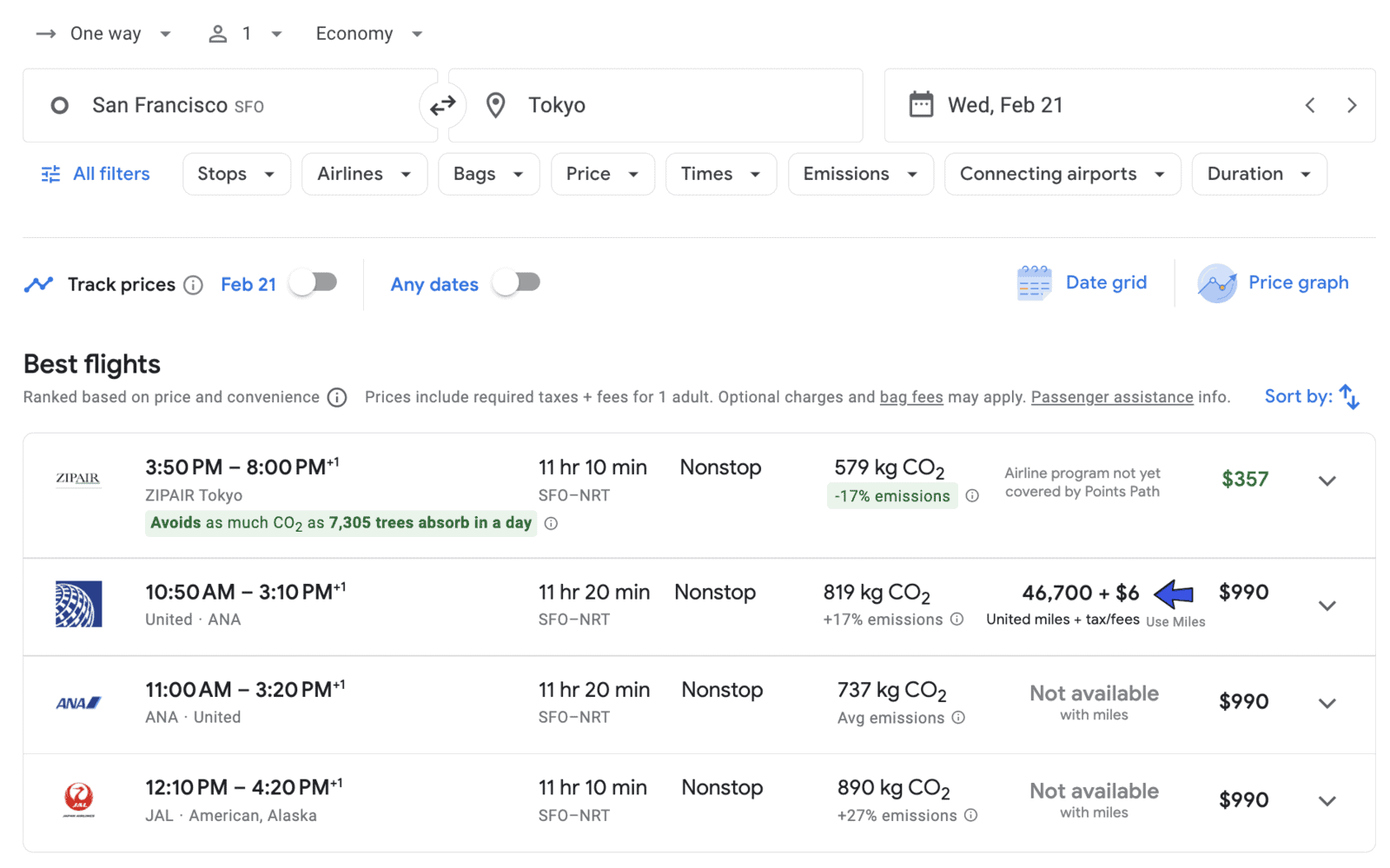
The same flight is available on the Air Canada website and you can book it with your Aeroplan points!
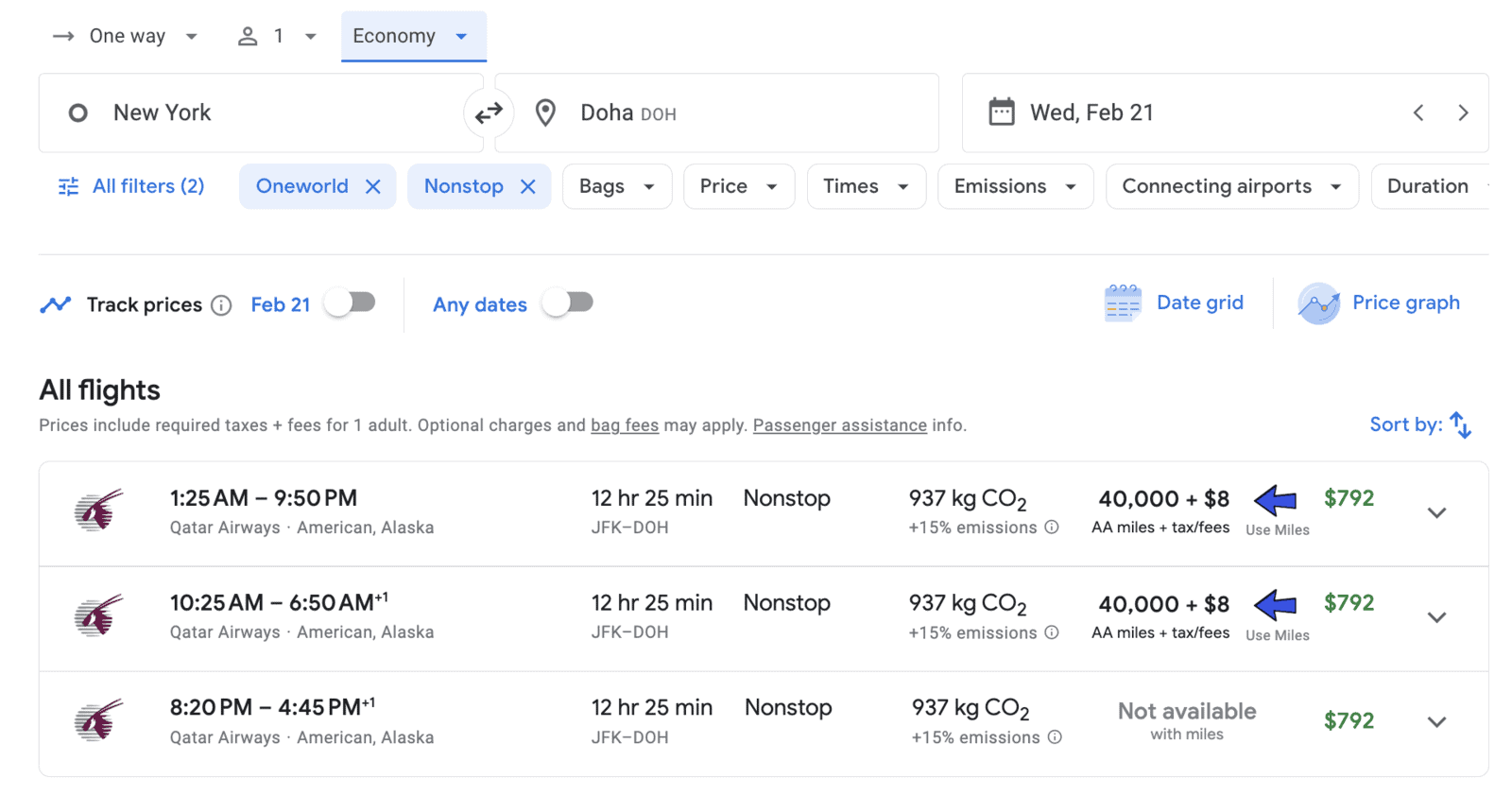
Similarly, you can use Google Flights and Points Path to find availability on British Airways Executive Club. Indeed, if there is award availability on American Airlines, especially for partners, it will surely be similar for using your Avios on British Airways.
Here is an example:
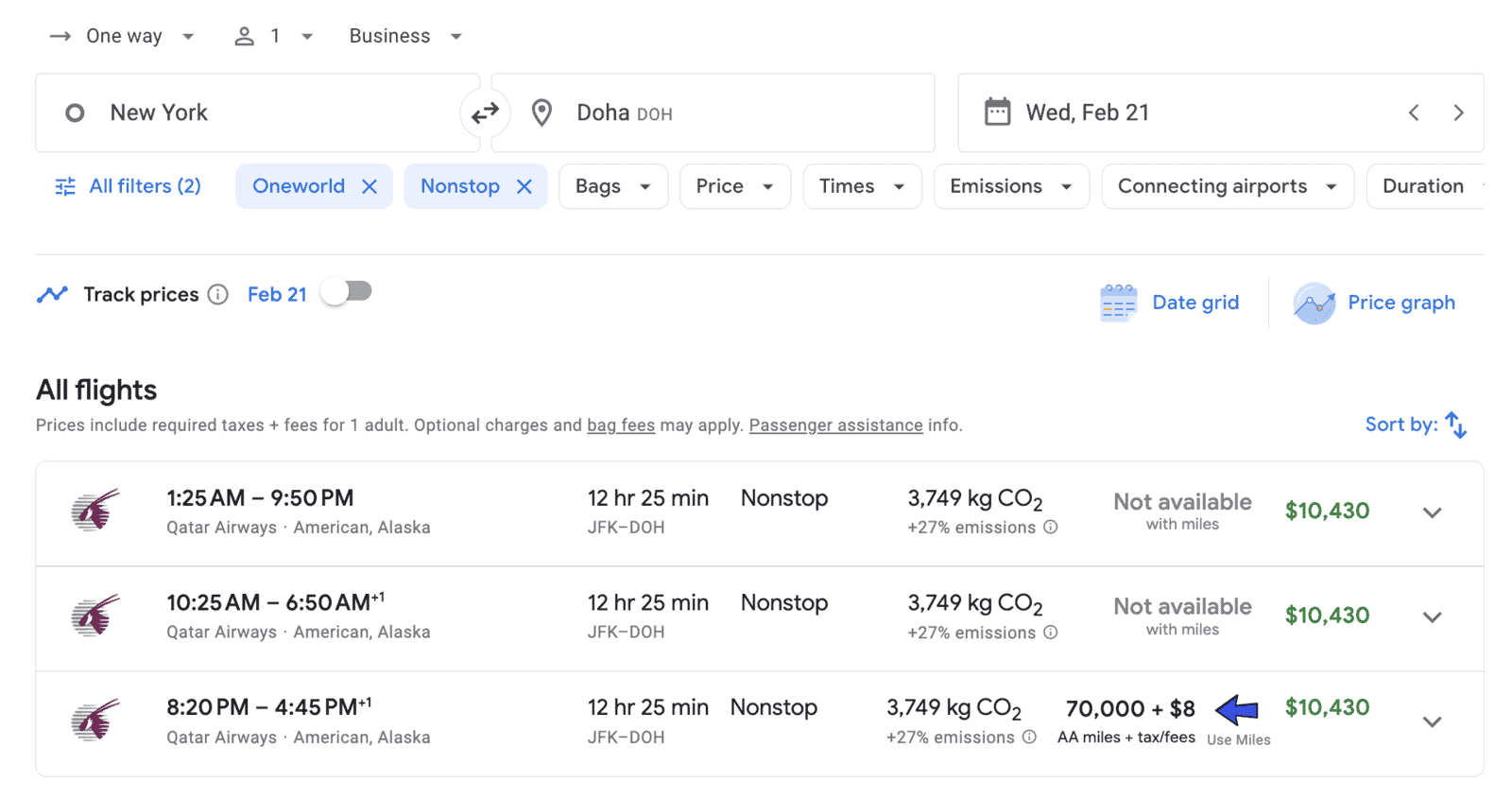
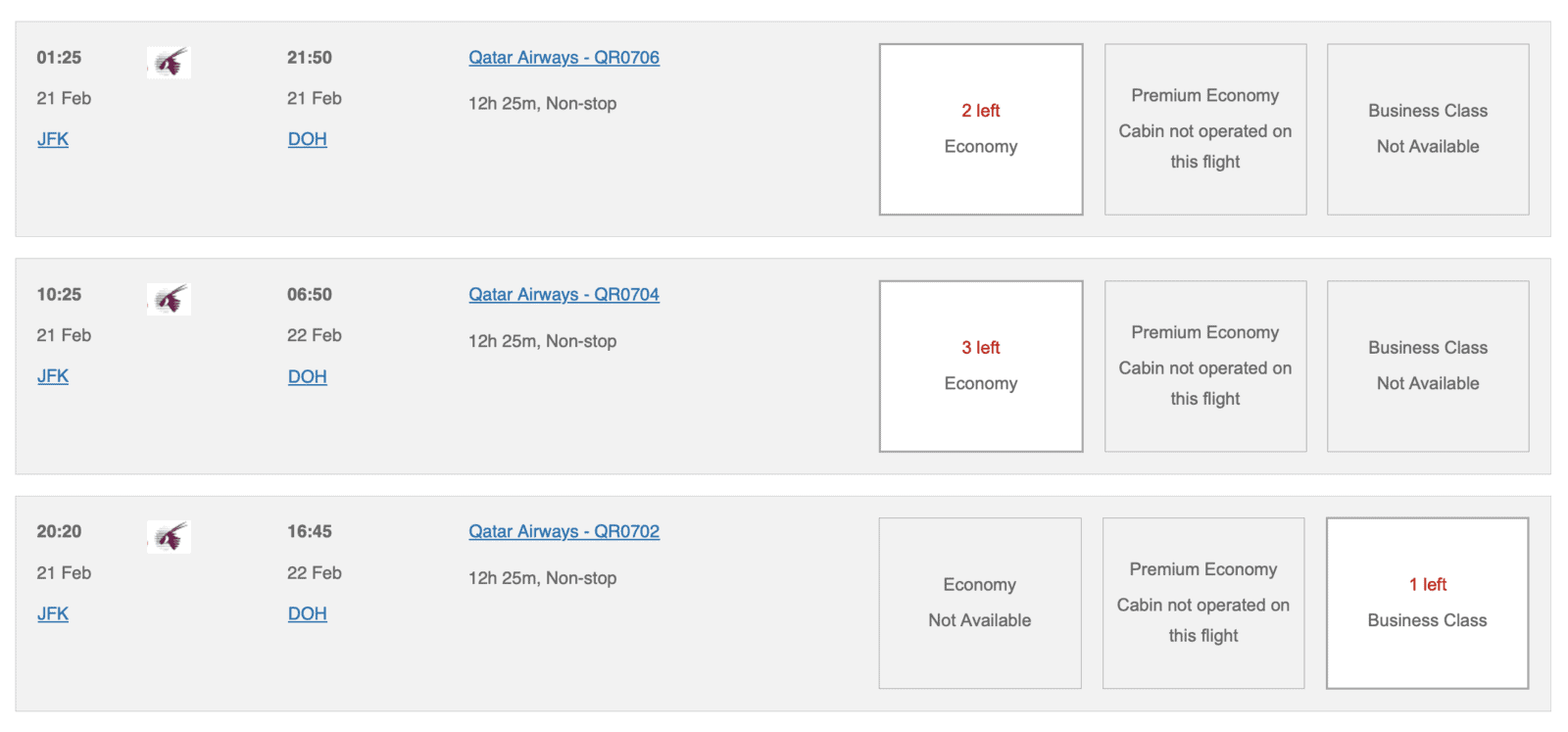
And confirmation of the premium inventory of the same flights on British Airways (very useful for finding availability in Qsuite!):

It’s with the various Google Flights filters that we can optimize our searches and travel planning; since it’s a search engine, we want it to find what we’re looking for!
You can select one or more filters at the same time either :
The first filter you can select is the one that indicates the number of stops on your itinerary. By default, Google Flights will search for flights without focusing on the number of stops; sometimes, the least expensive flights have multiple segments.
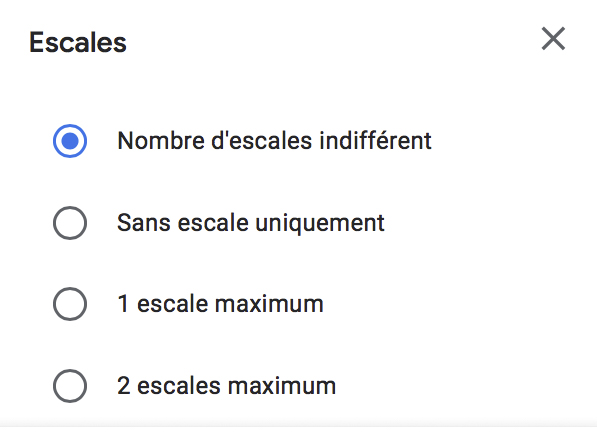
So, it is practical to be able to sort the results to bring out only direct flights, whether by preference or convenience to reduce the risks of missing your connection following a flight delay!
On the other hand, if you want to take advantage of Aeroplan stopover sweet spots or a Oneworld multi-partner ticket, you can see the routes that can be done and determine whether you would like to stop there or not along the way.
A stopover is the time you spend at the airport between two flights while a connection is a flight you must take to reach your final destination in the absence of a direct flight. For example, on an airline ticket between Montreal-Paris-Nice, you have a stopover in Paris while you wait for your (connecting) flight to Nice.
The “airline” tab allows you to choose the display of results based on airline alliances or to include and exclude certain airlines.
This filter is particularly advantageous when booking using points. Indeed, since the rate on partners is fixed in the Aeroplan program, it can be interesting to use Google Flights to find all the options to get there by excluding Air Canada from the results.

For tickets with points, you should not focus on the ticket price, but only on the possible routes; we don’t intuitively think to look at certain itineraries especially when they are positioned far down the list because of prices.
However, the cash cost doesn’t matter if we’re targeting award tickets and it’s a good way to discover connections. On the other hand, Flight Connections also provides this information and presents it in a more visual way.
With the baggage filter, Google Flights readjusts the prices according to your choice.
For example, when looking for a flight for a weekend in New York, we can see that the price without any baggage is displayed at $350; adding a carry-on bag does not change the cost.
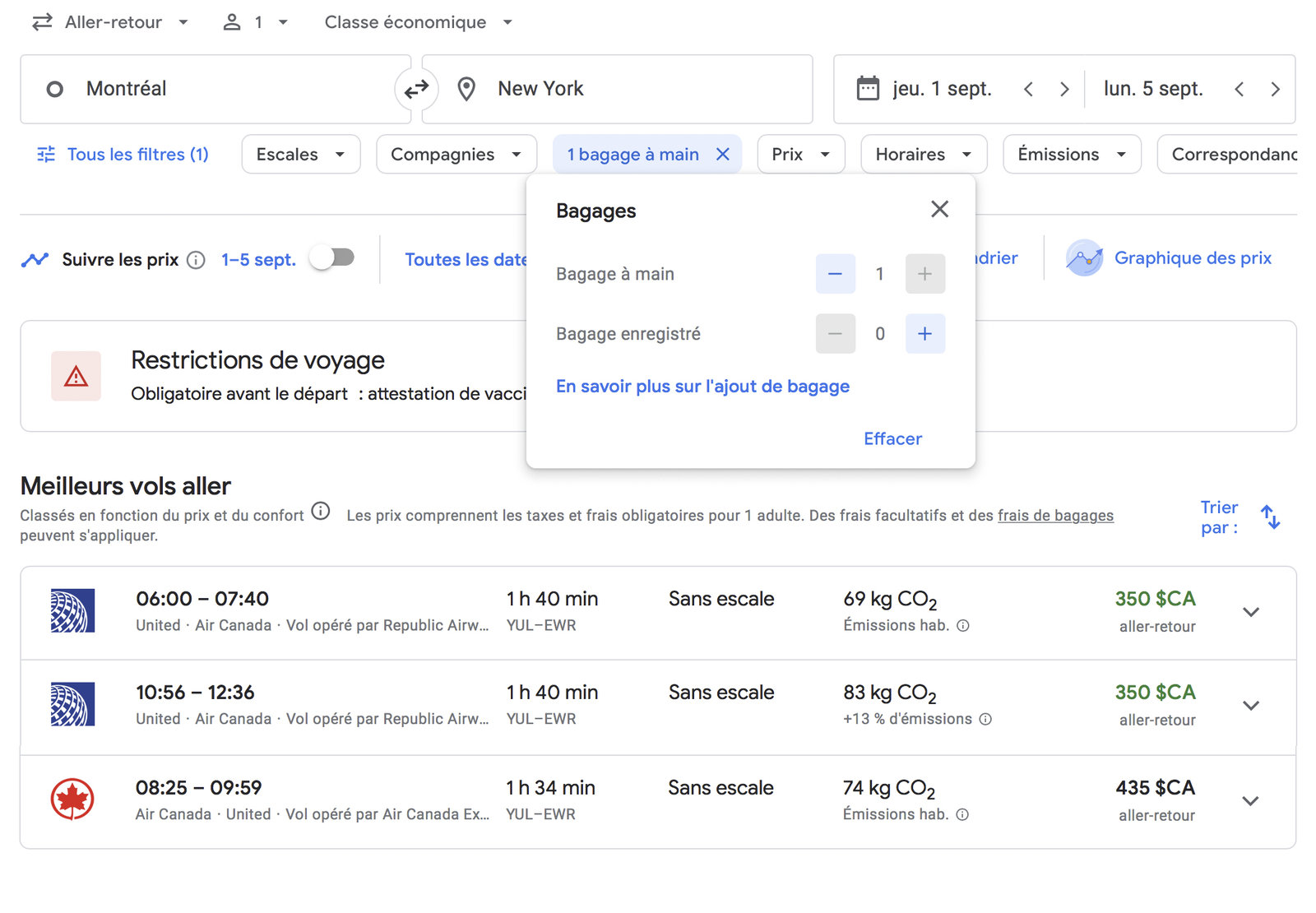
However, one checked bag changes the fare on the same flight to $419.
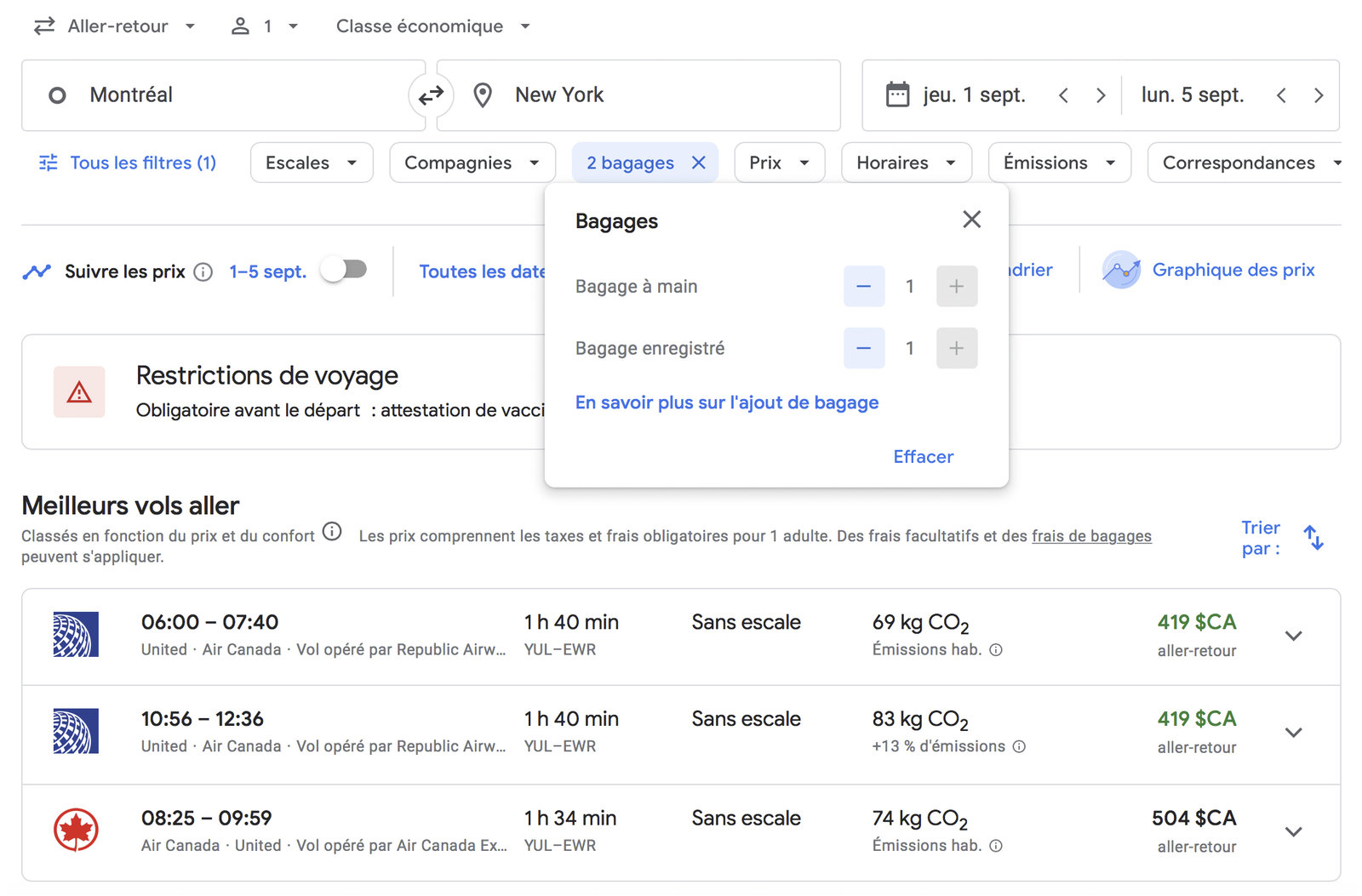
So, you can save by traveling with a carry-on bag only or buy your airline ticket at the lowest rate and pay for baggage fees with the travel credits from the National Bank World Elite Mastercard.
On international flights, a checked bag is usually included starting from the standard fare. So, the checked bag option disappears from the filter on these flights; only the carry-on bag option can be selected.
However, be sure to read the terms of the ticket you have selected on the Google Flights flight summary page; the basic fare does not always include a checked bag, even on an international flight.

Finally, if you hold a Canadian Aeroplan credit card and are traveling on a flight operated by Air Canada, you can choose the lowest fare without having to pay for a checked bag! Indeed, a card like the TD® Aeroplan® Visa Infinite* Card offers a free checked bag as a benefit!
This is actually a very good card to keep for the long term; the $139 annual fee more than makes up for it. You can always take the cheapest flight and you will save on luggage for every flight! Additionally, this benefit applies to you and up to 8 people on your reservation!
| Credit card | Annual fee | Welcome offer | |
|---|---|---|---|
| $150 | |||
| $0 | |||
| $0 |
You can also filter the results of Google Flights according to your budget. You simply need to set a price limit for your airline ticket.
Google Flights also allows you to sort the flights that best suit your schedule. For example, you might want to leave in the evening after your work day or at times that are more convenient for traveling with children.
Personally, I have always used this Google Flights feature to maximize my time at the destination by taking a flight that arrives in the morning and brings me home late in the evening.

When Google Flights displays results, we can note that there are certain flights that are classified as “less polluting” and others that are a bit more; it’s up to you to choose whether the carbon footprint is a decision factor or not.
Inevitably, having a connecting flight increases our carbon footprint since you take two flights to get there.
Google Flights calculates carbon emissions this way:
CO₂ emission estimates take into account the flight’s origin and destination, the type of aircraft, and the number of seats in each class. Certain factors, such as fuel-efficient aircraft and shorter routes, generally generate lower CO₂ emissions.
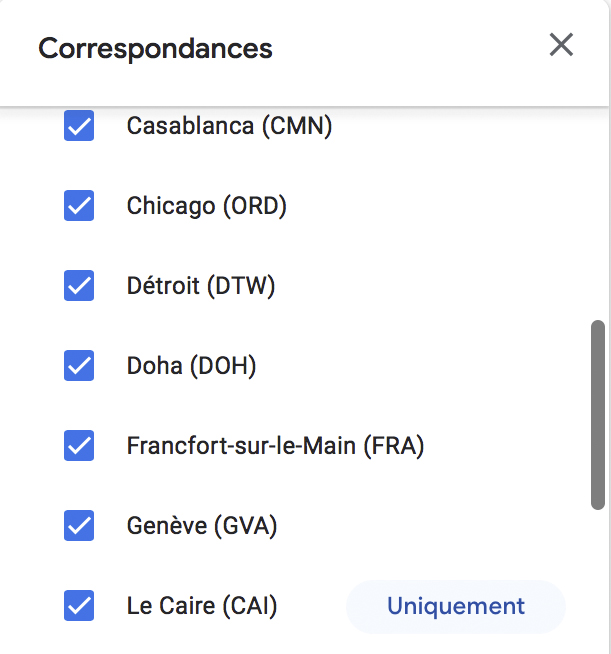
Here, you can choose to pass through or avoid certain airports on your route. The connections filter is especially interesting when you want to make a stop in a particular city.
For example, you could intentionally put a stopover in Cairo while you are on your way to a trip to Turkey. Thus, you can take advantage of this stop to go see the pyramids in Egypt! The filter allows you to deselect all other airports with a single click.
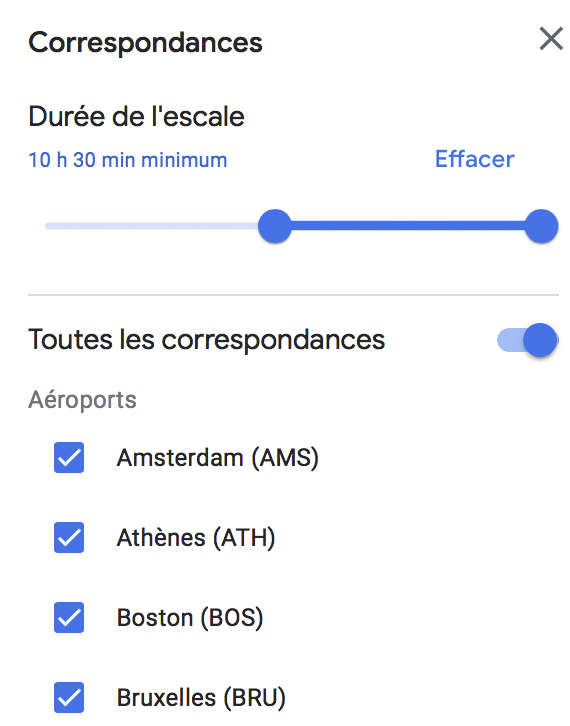
All flights are displayed on Google Flights, this includes flights with 3 stops that take you to Portugal in 35 hours compared to a direct flight of 7 hours.
You can then determine the maximum number of acceptable hours for your trip.

Finally, the last filter you can choose on Google Flights is ticket separation; whether it’s a one-way ticket, round-trip, or multi-city ticket, Google Flights will find the most economical combinations for you.
So, it is possible that the most optimal way to book your ticket is to buy two separate segments; that is, two separate tickets.

Ticket separation is enabled by default on Google Flights; if this feature does not interest you and you prefer to always buy your tickets on the same reservation, you can uncheck it.
Google Flights also indicates whether it is possible to purchase these two tickets on the same reservation or not. However, when you buy two separate tickets on the same reservation, it is often third-party sites and I strongly suggest booking directly with the airlines. In case of a problem, it will be easier to manage without an intermediary (the third party site).

If you buy airline tickets on different reservations, the carriers have no obligations to each other; in case of missing the connecting flight, you will have to contact insurance.
Credit card travel insurance usually offers trip cancellation/interruption insurance in case of flight delay.
Be sure to space your flights adequately to be eligible for coverage. For example, the insurance of the National Bank World Elite Mastercard protects against such a situation if the first flight is scheduled to arrive at least 4 hours before the departure of the next flight.
Similarly, if you are building a points itinerary with an Aeroplan stopover, Google Flights will help you determine the possibilities. Unlike the “stops” function which dictates the number of flight segments, this filter takes care of selecting (or avoiding) certain airports.
Google Flights is a free, powerful, and very easy-to-use tool for any traveler looking to find airfare at a good price. By using its features to their full potential, you can save not only money, but also time and effort when planning your next trip.
If you use it a lot, you can master it very quickly. As experts in rewards programs and travel, Google Flights has always been an essential part of our arsenal when planning our trips.
Have a great flight!
on TD's website
Check out our other articles on Google tools:
on BMO's website
Our reviews and rankings are based on an objective assessment. Advertisers do not influence our content. We may receive compensation through some links; our analysis and opinions remain independent.