GCMap (Great Circle Mapper): Distances and the Price of Your Award Tickets

Loading article…
Great Circle Mapper (gcmap.com) is a free website that calculates the shortest distance between airports and draws it on a map: type YUL-ZRH and it shows 3,736 miles. It is the go-to tool for estimating the price of an award ticket when the program sets it by distance flown.
I regularly use Great Circle Mapper, also known as GCMap or GCM, to plan my trips with points. Beyond distances, it gives you a wealth of airport information: codes, coordinates and headings between two cities.
Your award ticket costs more or fewer points depending on distance in several loyalty programs: Aeroplan for its partner flights and The British Airways Club for its Avios. To build up those Avios, the RBC Avion Visa Infinite Card converts its Avion points at a 1:1 ratio.
You can also use it to show an itinerary on a map, a habit well established among members of the Milesopedia community.
Depending on what you need, GCMap draws a route, measures a distance or plots a radius around an airport. Here is how to write each query.
You type your queries in the bar at the top of every GCMap page. Four characters cover most maps:
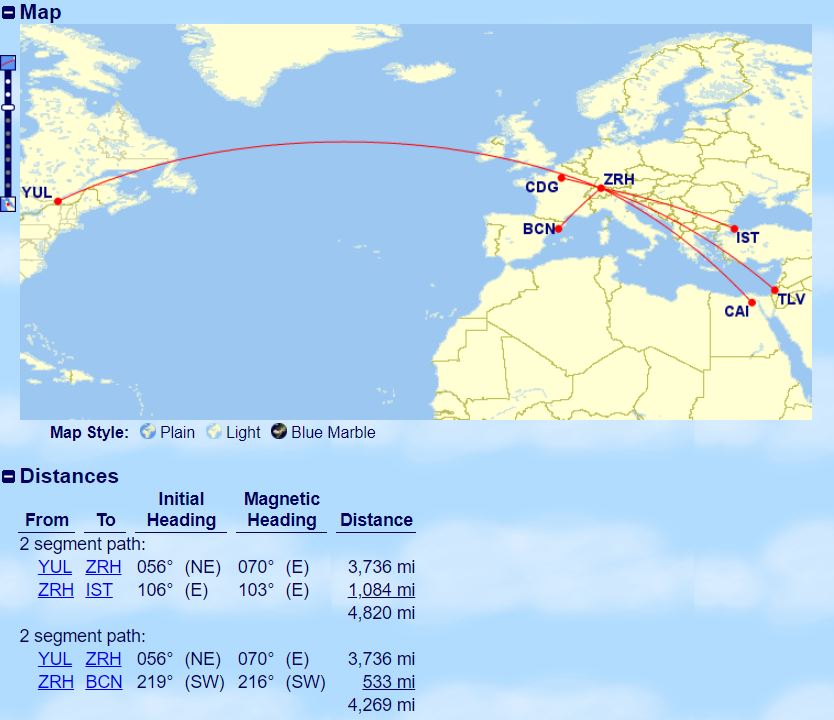
To measure a trip, you join airport codes with a hyphen, separate routes with a comma and add several destinations from the same origin with a slash. GCMap shows each segment, its heading and its distance, then the total.
Here are the queries to copy into GCMap:
| Goal | Example |
|---|---|
| Travel between 2 airports – one way | YUL-ZRH |
| Travel between 2 airports – round trip | YUL-ZRH-YUL |
| Travel between 2 airports – one way (different departure point) | YUL-ZRH,YYZ-ZRH |
| Travel between several one-way destinations | YUL-ZRH-IST |
| Travel between several return destinations | YUL-ZRH-IST-YUL |
| Travel between several destinations – multi-city | YUL-ZRH,ZRH-IST,IST-YUL |
| Travel to several destinations from one airport | YUL-MIA/MSY/DFW/EWR/YYZ/DEN |
| Travel between several destinations – multi-city from an airport | YUL-ZRH-IST/BCN/CDG/TLV/CAI |
To draw a circle around an airport, you combine the at sign "@" with a distance, for example 1500mi@YUL for 1,500 miles around Montreal-Trudeau.
Here are the queries to copy into GCMap:
| Goal | Example |
|---|---|
| Radius from an airport | 1500mi@YUL |
| Multiple radiuses from an airport | 500mi@YUL,1500mi@YUL,2750mi@YUL |
| Travel to several destinations from one airport | YUL-YYZ/EWR/MSY/MIA/DFW/DEN/SFO |
Once your radiuses are in, anything you add to the search bar is drawn on top of them. You see at a glance which cities stay within a given distance of your home airport.
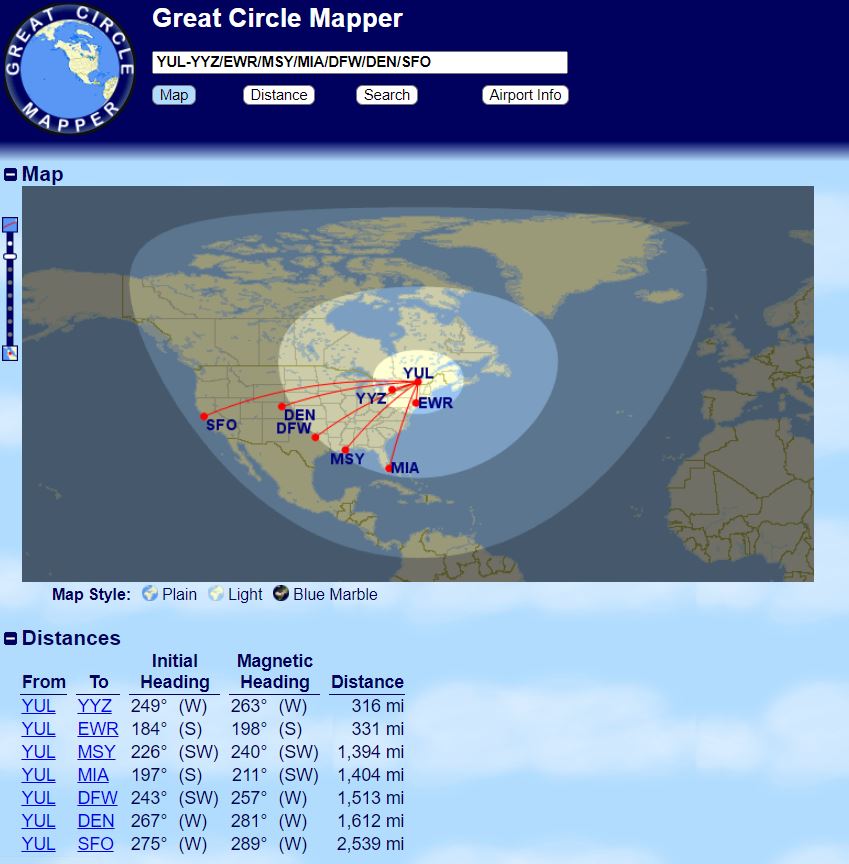
The 500-, 1,500- and 2,750-mile radiuses are no accident: they are the band limits of the Aeroplan chart for partner flights within North America. According to the chart published by Air Canada, points are based on the actual distance flown between origin and destination. With the radiuses on the map, you see at a glance which band your destination falls into.
| Distance flown | Aeroplan points (all other partners) | Example from Montreal |
|---|---|---|
| 0 to 500 miles | 6,000 points | Montreal-Toronto: 316 miles |
| 501 to 1,500 miles | 10,000 points | Montreal-Miami: 1,404 miles |
| 1,501 to 2,750 miles | 12,500 points | Montreal-Denver: 1,612 miles; Montreal-Vancouver: 2,295 miles |
| 2,751 miles and over | 22,500 points | The longest trips on the continent |
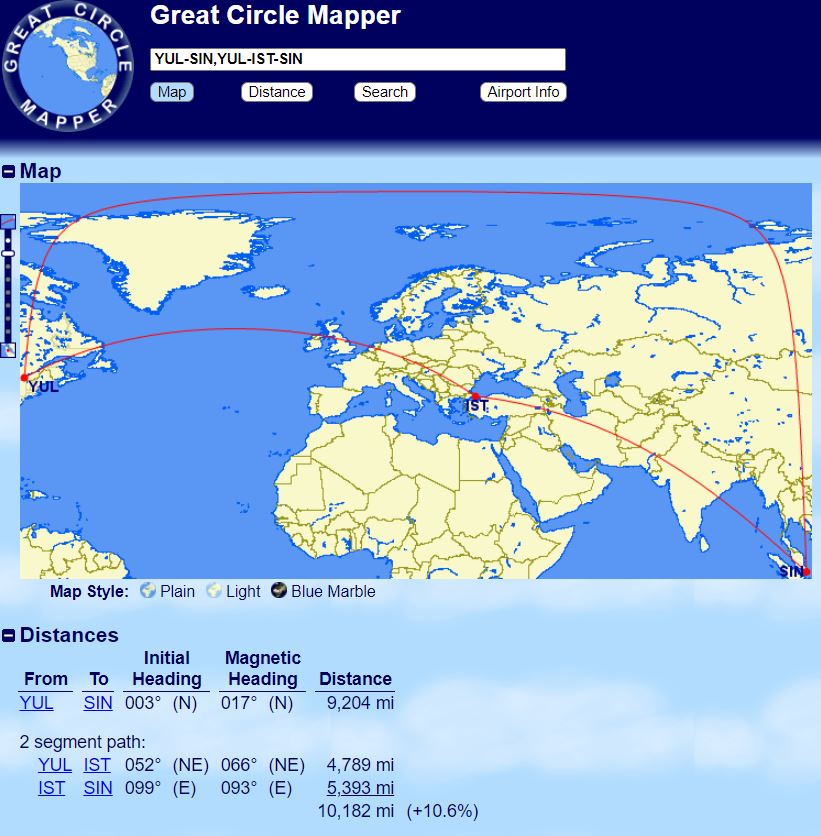
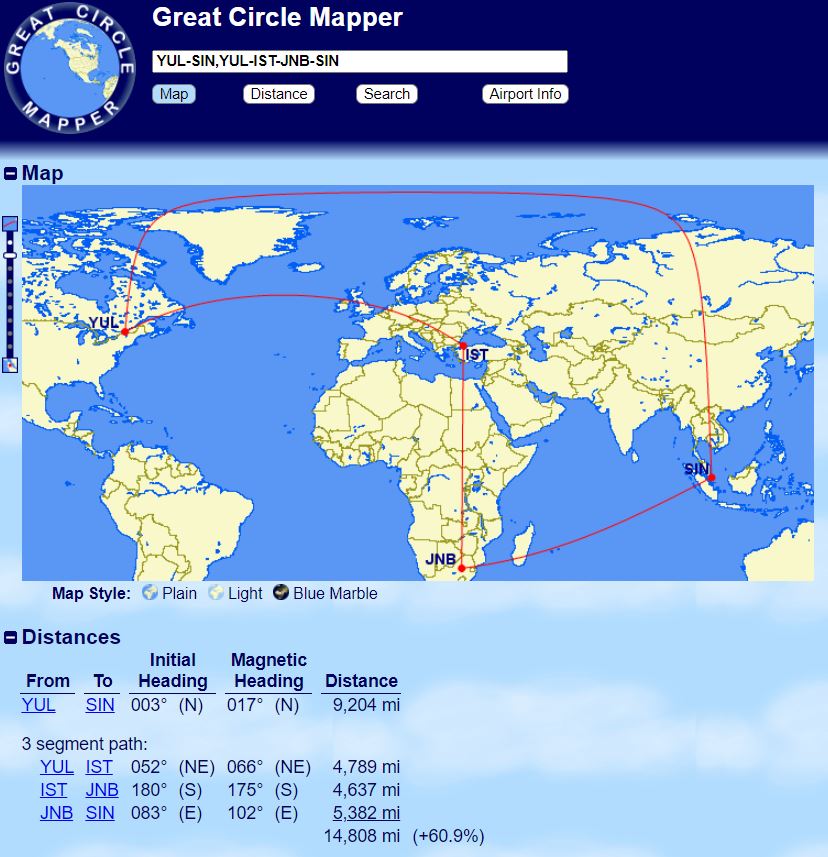
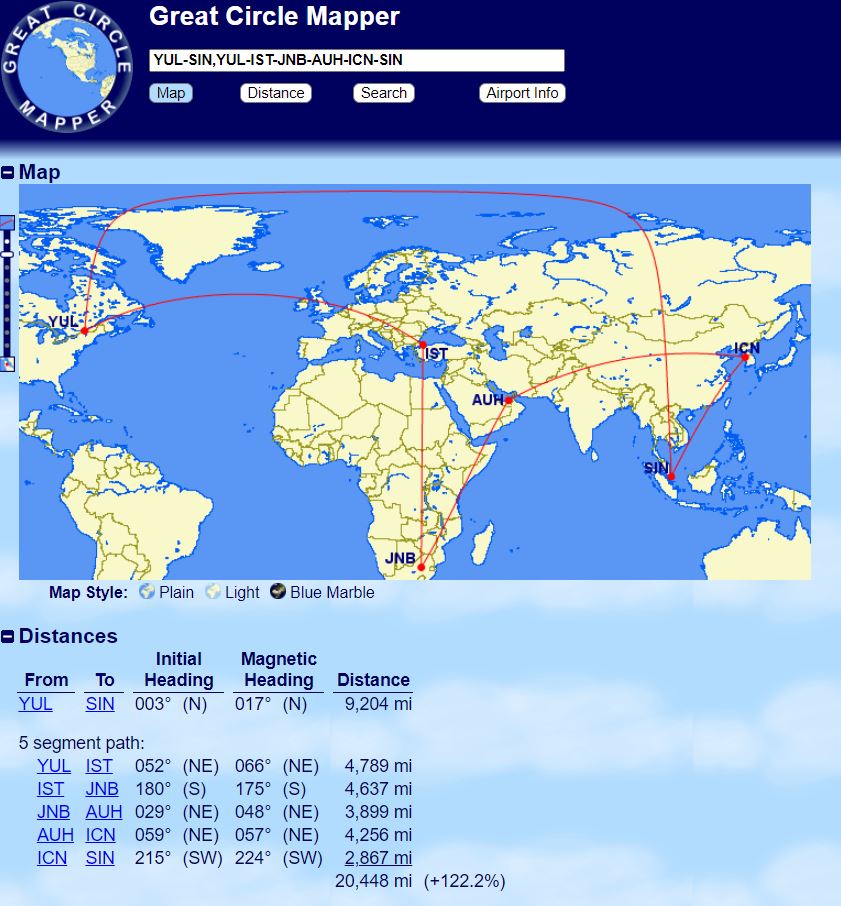
Torn between a nonstop flight and a connecting itinerary? Separate the two routes with a comma: GCMap shows the distance of each and the percentage of detour. That extra distance is what can push your award ticket into the next price band.
Here are the queries to copy into GCMap:
| Goal | Example |
|---|---|
| Travel between 2 airports – one-way vs. connections (+10.6%) | YUL-SIN,YUL-IST-SIN |
| Travel between 2 airports – one-way vs. connections (+60.9%) | YUL-SIN,YUL-IST-JNB-SIN |
| Travel between 2 airports – one-way vs. connections (+122.2%) | YUL-SIN,YUL-IST-JNB-AUH-ICN-SIN |
With these four characters, you cover most of your award-ticket calculations. GCMap also offers path colours, several map projections and a choice of units: you will find them in the options below the map.
Pair GCMap with the tools below to find award availability and pick your seat. And to get our next points strategies and members-only offers, create your free Milesopedia member account.
Once you know the distance, you still need the points. The RBC Avion Visa Infinite Card converts each Avion point into 1 Avios in The British Airways Club: its 70,000-point welcome offer becomes 70,000 Avios, for a $120 annual fee. The American Express Cobalt Card gives you access to Membership Rewards transfers to Aeroplan and to Avios.
on BMO's website
Our reviews and rankings are based on an objective assessment. Advertisers do not influence our content. We may receive compensation through some links; our analysis and opinions remain independent.