PC Optimum Points Value: What’s Your Stash Worth?

Loading article…
PC Optimum is a popular Canadian rewards program that lets you earn points when you shop at Loblaws-banner grocery stores, Shoppers Drug Mart/Pharmaprix, gas stations likes Esso and Mobil, and more.
You can also earn PC Optimum points on all your day-to-day spending by using one of PC Financial’s 4 available credit cards, making it easy to build up your account balance.
That said, once you’ve earned a bunch of PC Optimum points, you may look at your accumulated stash and wonder: What’s the dollar value of my PC Optimum points?
To answer this question, let’s go over the different redemption options and their individual PC Optimum points value.

PC Optimum points can be earned and redeemed at over 4,500 locations across Canada, giving every type of shopper an opportunity to take advantage of this valuable program.
Now, to see what your hard-earned points are worth, let’s dig in to the redemption value that you can get for your PC Optimum points at each of the participating merchants around the country.
The PC Optimum program actually began its life as a merger between the Loblaws Companies Ltd. PC Plus program and Shoppers Optimum program, so it’s no surprise that these two companies represent the most popular and most valuable redemption options.
At Shoppers Drug Mart and Pharmaprix, you can redeem 10,000 PC Optimum points for $10 off your purchases, giving you a value of 0.1 cents per point.
Additionally, these stores often have redemption promotions that offer increased value. For example, during a recent bonus redemption event, you could redeem 70,000 PC Optimum points for $80 off your purchase. That’s $10 in bonus value!

For anyone looking to save on their grocery bill, PC Optimum points can be a great help.
Similarly to the redemptions available at Shoppers Drug Mart and Pharmaprix, you can redeem 10,000 PC Optimum points for $10 off at participating grocery stores like Loblaws, No Frills, Maxi, Provigo, and many more. You can also save when you order groceries for pick-up or delivery using PC Express.
Additionally, you can maximize your PC Optimum points value by timing your redemption with one of the bonus redemption events that typically happen a few times a year.
Another great way to save money on daily expenses is to use your PC Optimum points for valuable savings at the gas pump.
With this option, you can redeem 4,000 PC Optimum points for a 10-cent savings on up to 40L of gas. Plus, at participating locations, you can also redeem 10,000 points for any car wash — showcasing a particularly good way to maximize your PC Optimum points value since many car washes cost more than the usual $10 you’d get for this amount of points.
If you’re looking to freshen up your closet, you can also enjoy your PC Optimum points value at Joe Fresh, exchanging 10,000 points for $10 off clothing, accessories, and more.

One final way you can cash in on your PC Optimum points value is by redeeming 10,000 points for a $7 statement credit on your eligible PC Financial credit card.
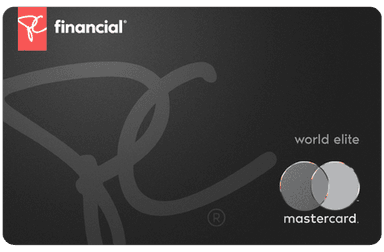
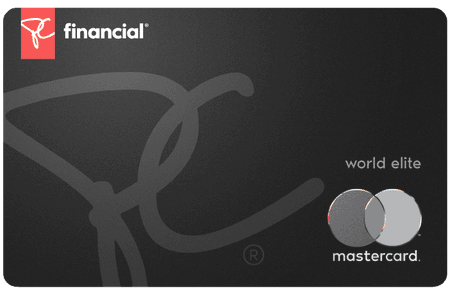
This option is available to anyone who has one of the following PC Financial credit cards:
| Credit card | Annual fee | Welcome offer | |
|---|---|---|---|
| $0 | |||
| $0 | |||
| $0 | |||
| $0 |
The PC Optimum program offers members good value when they redeem their PC Optimum points, which are easy to earn thanks to co-branded PC Financial credit cards, promotional events, partnered merchants, personalized offers, and an abundance of participating locations.
Plus signing up for the program is incredibly easy and free! Just head to the PC Optimum website, click « Register, » and fill in the necessary information. Also, if you’ve got a DoorDash account, this is a great time to link to PC Optimum so you can earn when you order delivery.
Once you’re all set, check out some of our additional articles on how the PC Optimum program works and our best tips for earning and redeeming. You can also read our head-to-head comparison to see how the PC Optimum program stacks up against Scene+, giving you insight in to another powerful rewards program.
For recurring spending (groceries, online purchases, restaurants), a cash back credit card makes a real difference. Use our credit card comparator to filter through 200+ Canadian offers, or browse the best credit cards in Canada, updated monthly by the Milesopedia team. To maximize your PC Optimum points, consider the PC World Elite Mastercard, which earns 30 points per dollar at Loblaw banner grocery stores, including Provigo and Maxi, and 45 points per dollar at Shoppers Drug Mart and Pharmaprix.
on PC Financial's website
In general, PC Optimum points are worth 0.1 cents each when redeemed for free groceries, beauty products, clothing, and more at a rate of 10,000 points = $10.
However, you can get more dollar value for your PC Optimum points by redeeming them at an eligible merchant during a special redemption event.
You can redeem your PC Optimum points when you pay for your purchases at a participating merchant location. As long as you have at least 10,000 points (or 4,000 points to save on gas), you can simply tell the cashier that you’d like to redeem your points or select the « redeem points » option during self-checkout.
No, PC Optimum points don’t expire; however, if there is no activity on your account for over 24 months, the program can close the account. To keep your account active, make sure to earn or redeem PC Optimum points at least once every 24 months.
Adding your PC Optimum card to your Apple wallet is easy! Simply open the PC Optimum app, tap on « Card » (located at the bottom of the screen), select « Add to Apple Wallet, » and follow the prompts to confirm.
on BMO's website
Our reviews and rankings are based on an objective assessment. Advertisers do not influence our content. We may receive compensation through some links; our analysis and opinions remain independent.