

Overview
The PC Optimum program is Canadians’ flagship loyalty program, allowing you to earn redeemable points at Loblaws, Maxi, Shoppers Drug Mart, and Esso.
Whether you live in Quebec or elsewhere in Canada, you can earn points with every purchase and redeem them for savings on your everyday shopping.
This page explains in detail how to earn, use, and maximize your points, while also presenting PC Optimum credit cards and detailed guides to help you get the most out of the program.
What is PC Optimum?
PC Optimum was created from the merger of the PC Plus and Shoppers Drug Mart Optimum programs. It is a Canadian loyalty program that rewards customer loyalty by offering points for every purchase made at participating retailers.
Points are automatically earned when you scan your PC Optimum card or use the mobile app when shopping in-store or online.
The program is designed to simplify points management and provide tangible value for your everyday spending.
What is the value of PC Optimum points?
Each 10,000-point increment equals $10. Therefore, 20,000 points are worth $20, 50,000 points are worth $50, and 100,000 points equal $100. This fixed value makes it easier to plan your purchases and redeem points.
You can use your points as soon as you reach 10,000, with no additional minimum.
Promotions and special events may offer extra points, speeding up accumulation.
Where can you use your PC Optimum points?
PC Optimum points can be used at several stores across Canada, including:
- Loblaws / Provigo
- Maxi / Maxi & Co.
- Shoppers Drug Mart / Shoppers Drug Mart
- Esso
You can use your points in-store or online depending on the banner. Points can also be combined with other promotions and coupons to maximize your savings. In Quebec and in other provinces, these banners offer a consistent experience that is compatible with the program.
How do you earn PC Optimum points?
You can earn PC Optimum points in several ways:
- Regular purchases: every dollar spent at participating retailers earns points.
- Offers and promotions: some promotions offer bonus or double points.
- PC Optimum credit cards: these cards let you earn additional points on all your purchases.
- Partners: certain gas stations, restaurants, and partners offer points on your transactions.
- Special events: seasonal events or anniversaries may offer additional points.
It is important to check the PC Optimum app to activate certain offers and take full advantage of personalized promotions.
How to redeem PC Optimum points with your PC Optimum card
Redeeming your points is simple and flexible:
- In-store: present your card or app at checkout.
- Online: use the app or website to pay with your points.
- Minimum: redemptions are available starting at 10,000 points ($10).
You can combine your points with other payment methods to pay for your entire purchase. In addition, the PC Optimum app lets you track your transactions and plan your redemptions to take advantage of the best offers.
PC Optimum credit cards
PC Optimum credit cards let you earn points even faster:
These cards offer exclusive promotions, discounts on gas, and access to partner events. Using these cards wisely helps you optimize your points accumulation.
| Credit card | Annual fee | Welcome offer | |
|---|---|---|---|
| $0 | |||
| $0 | |||
| $0 |

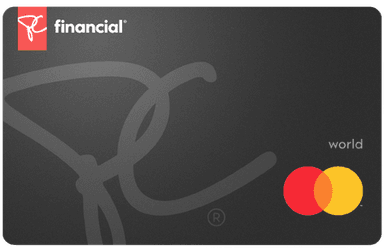
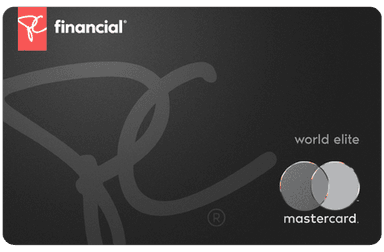
Carte MastercardMD PCMD
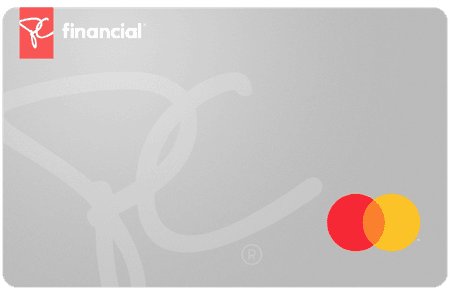
The PC Mastercard offers a 50,000 PC Optimum™ welcome bonus after you spend $100 at participating stores within 60 days of approval, all with no annual fee. It’s an ideal entry-level card to start earning points within the Loblaw ecosystem.
- 1% back in points at Loblaw banner grocery stores, including LoblawsMD, No FrillsMD, Real Canadian SuperstoreMD, MaxiMD, and other locations3.
- At least 3¢ per litre back in points on fuel at Esso and Mobil stations
- 2.5% back in points at Shoppers Drug Mart and Pharmaprix
- 1% back in points at Joe Fresh
- 1% back in points everywhere else
This way, you earn between 1% and 3% back on your purchases at PC Optimum stores. Your points can then be redeemed for discounts at checkout or a $7 credit per 10,000 points applied directly to your card balance.
With its 90-day purchase assurance, extended warranty, and Mastercard Global Service, this card offers valuable protections for a no-annual-fee card.

- Annual fee
- $0
- Our valuationMilesopedia first-year estimate First-year valueWelcome bonus$50Total$50Rewards on your spending are not included. The calculator that adds them from your own profile is on the card's page.
- $50
- Welcome offerAfter $100 in 60 days
- 50,000 points
on PC Financial's website
Carte World MastercardMD PCMD
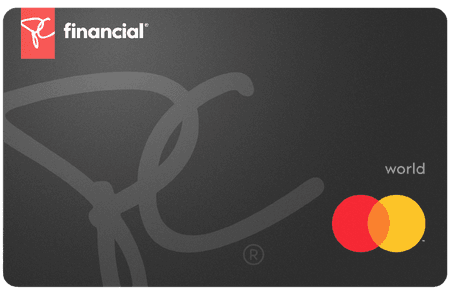
With a welcome bonus of 50,000 PC Optimum points after spending $100 at participating stores within 60 days of approval and no annual fee, the PC World Mastercard is a solid option for regular customers in the Loblaw ecosystem. Here’s what it offers:
- 3.5% back in points at Shoppers Drug Mart and Shoppers Drug Mart
- At least 3¢ per litre back in points at Esso and Mobil stations
- Earn 2% back in points at Loblaw banner grocery stores including Loblaws®, No Frills®, Real Canadian Superstore®, Maxi® and more3.
- 1% back in points everywhere else
In practical terms, this represents between 1% and 3.5% back on your purchases at PC Optimum partner stores. Your points can be redeemed for discounts at checkout or converted into a $7 statement credit for every 10,000 points.
The card also includes a 24/7 concierge service, 90-day purchase assurance, an extended warranty, and Mastercard Global Service in case of emergency — all without paying a single dollar in annual fees.
- Annual fee
- $0
- Our valuationMilesopedia first-year estimate First-year valueWelcome bonus$50Total$50Rewards on your spending are not included. The calculator that adds them from your own profile is on the card's page.
- $50
- Welcome offerAfter $100 in 60 days
- 50,000 points
on PC Financial's website
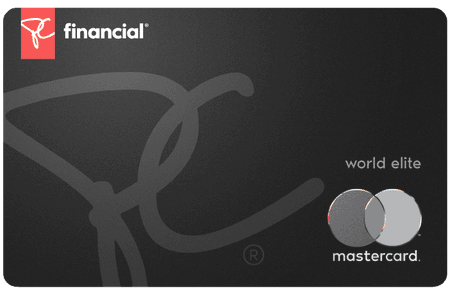
Carte World EliteMD MastercardMD PCMD
The PC World Elite Mastercard currently offers a 50,000 PC Optimum points welcome bonus after spending $100 at participating stores within 60 days of approval, with no annual fee. With this Card:
- 4.5% back in points at Shoppers Drug Mart® and Pharmaprix®5
- Get 3% back in points at Loblaw banner grocery stores including Loblaws®, No Frills®, Real Canadian Superstore®, Maxi® and at Joe Fresh.
- At least 3¢ per litre back in points on fuel at Esso and Mobil
- 1% back in points per dollar spent everywhere else
This means you get between 1% and 4.5% back on your purchases made at PC Optimum stores. You can then use your points for discounts at checkout or convert them into $7 credit per 10,000 points directly on your card balance.
Additionally, this card includes travel medical insurance, rental car collision insurance, a concierge service, and 90-day purchase assurance—rare benefits for a no-annual-fee card.
- Annual fee
- $0
- Our valuationMilesopedia first-year estimate First-year valueWelcome bonus$50Total$50Rewards on your spending are not included. The calculator that adds them from your own profile is on the card's page.
- $50
- Welcome offerAfter $100 in 60 days
- 50,000 points
on PC Financial's website
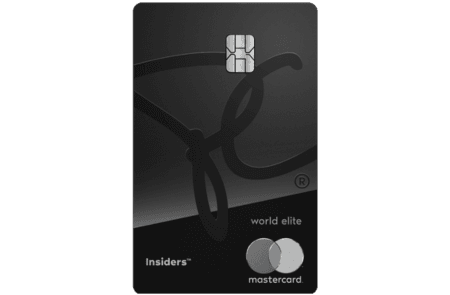
PC Optimum Insiders: paid membership
The PC Optimum Insiders membership was a paid option that allowed members to earn points faster and access exclusive offers, with bonus points on certain purchases, subscriber-only offers, and special promotions. New sign-ups to this membership are no longer accepted: PC Financial has replaced it with the PC Insiders World Elite Mastercard, which carries over some of these benefits for new customers.
For members already enrolled, membership is easily managed via the PC Optimum app. Fees are annual and membership renews automatically for existing members.
- Annual feeNo annual fee the first year
- $0 $120
- Our valuationMilesopedia first-year estimate First-year valueAnnual fee rebated$120Total$120Rewards on your spending are not included. The calculator that adds them from your own profile is on the card's page.
- $120
- Welcome offer$120 annual fee rebated
- First Year Annual Fee Rebate
on PC Financial's website
How to maximize your PC Optimum points
To get the most out of PC Optimum:
- Combine promotions and personalized offers with your regular purchases.
- Use your PC Optimum credit cards for all your purchases.
- Plan your purchases during bonus points events.
- Keep an eye on points that are about to expire and redeem them regularly.
- Take advantage of partnerships to earn additional points.
These strategies will help you turn your everyday spending into tangible savings and get the most out of the program.
Articles
Bottom Line
The PC Optimum program is a powerful tool for saving on your purchases in Canada.
By earning points through your purchases and credit cards, and by following our maximization strategies, you can turn your everyday spending into tangible savings.
Take advantage of our guides and detailed articles to plan your purchases and redeem your points at the most advantageous time.
PC Optimum – FAQ
How can I check my PC Optimum points balance?
You can check your balance via the PC Optimum app or on the official website.
Do PC Optimum points expire?
Yes, they expire if no redemption or accumulation takes place for 24 months.
Can I use my PC Optimum points in all stores in Canada?
Yes, at Loblaws, Maxi, Shoppers Drug Mart, and Esso across Canada.
Which credit cards allow you to earn PC Optimum points?
The PC Mastercard, PC World Mastercard, and PC World Elite Mastercard offer bonus points.
Can PC Optimum points be combined with other promotions?
Yes, you can combine your PC Optimum points with in-store offers or personalized promotions.
How can I earn PC Optimum points quickly?
Activate offers in the app and use your PC Optimum credit cards for all your purchases.
Can I use my PC Optimum points for gas at Esso?
Yes, points can be used to buy gas or products at Esso stations.
Are there bonus points for special events?
Yes, certain seasonal events or anniversaries offer additional points.
How do I know which offers are personalized for me?
Log in to the PC Optimum app to see your personalized offers and active promotions.
Point values
| Redemption type | ¢ / point | Confidence |
|---|---|---|
| General valuedefault | 0.10 | Medium |
Read next
Articles
 ReviewPresident’s Choice: PC Mastercards
 ReviewReview: PC World Elite Mastercard
 TutorialPC Optimum Offers: More Ways to Earn Rewards
 TutorialPC Optimum Points: How the Program Works and Maximizing Your Savings
 TutorialPC Express Pass: What Is It and How Does It Work?
 TutorialHow to Redeem PC Optimum Points
