Looking for the best PC Optimum Credit Cards in Canada? The right choice depends on your spending, annual fees and the benefits you will actually use.
Compare the 4 cards in our selection below. Interested in a card? Click Read review to read our full analysis.
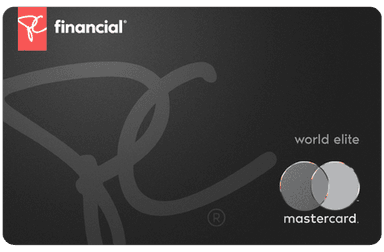
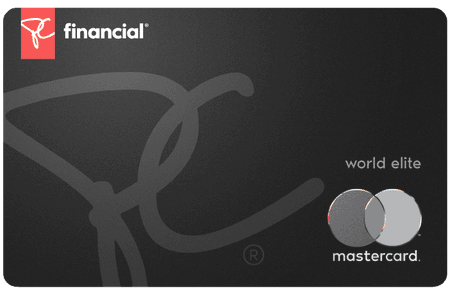
The PC World Elite Mastercard currently offers a 20,000 PC Optimum points welcome bonus after spending $50 in the first two months, with no annual fee. With this Card:
- 4.5% back in points at Shoppers Drug Mart® and Pharmaprix®5
- Get 3% back in points at Loblaw banner grocery stores including Loblaws®, No Frills®, Real Canadian Superstore®, Maxi® and at Joe Fresh.
- At least 3¢ per litre back in points on fuel at Esso and Mobil
- 1% back in points per dollar spent everywhere else
This means you get between 1% and 4.5% back on your purchases made at PC Optimum stores. You can then use your points for discounts at checkout or convert them into $7 credit per 10,000 points directly on your card balance.
Additionally, this card includes travel medical insurance, rental car collision insurance, a concierge service, and 90-day purchase assurance—rare benefits for a no-annual-fee card.
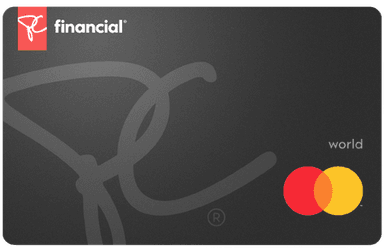
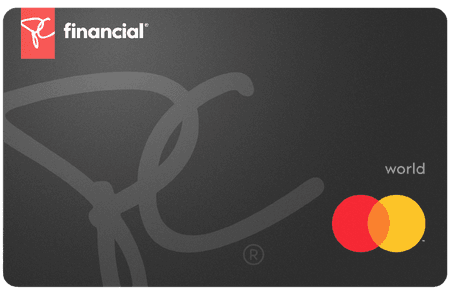
With a welcome bonus of 20,000 PC Optimum points after spending $50 in the first two months and no annual fee, the PC World Mastercard is a solid option for regular customers in the Loblaw ecosystem. Here’s what it offers:
- 3.5% back in points at Shoppers Drug Mart and Shoppers Drug Mart
- At least 3¢ per litre back in points at Esso and Mobil stations
- Earn 2% back in points at Loblaw banner grocery stores including Loblaws®, No Frills®, Real Canadian Superstore®, Maxi® and more3.
- 1% back in points everywhere else
In practical terms, this represents between 1% and 3.5% back on your purchases at PC Optimum partner stores. Your points can be redeemed for discounts at checkout or converted into a $7 statement credit for every 10,000 points.
The card also includes a 24/7 concierge service, 90-day purchase assurance, an extended warranty, and Mastercard Global Service in case of emergency — all without paying a single dollar in annual fees.
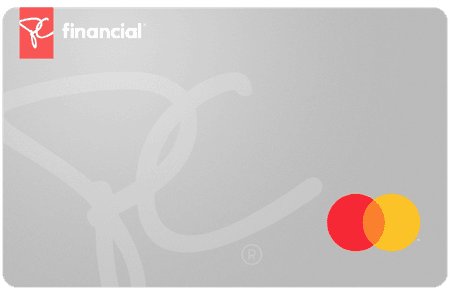
The PC Mastercard offers a 20,000 PC Optimum™ welcome bonus after you spend $50 in the first two months, all with no annual fee. It’s an ideal entry-level card to start earning points within the Loblaw ecosystem.
- 1% back in points at Loblaw banner grocery stores, including LoblawsMD, No FrillsMD, Real Canadian SuperstoreMD, MaxiMD, and other locations3.
- At least 3¢ per litre back in points on fuel at Esso and Mobil stations
- 2.5% back in points at Shoppers Drug Mart and Pharmaprix
- 1% back in points at Joe Fresh
- 1% back in points everywhere else
This way, you earn between 1% and 3% back on your purchases at PC Optimum stores. Your points can then be redeemed for discounts at checkout or a $7 credit per 10,000 points applied directly to your card balance.
With its 90-day purchase assurance, extended warranty, and Mastercard Global Service, this card offers valuable protections for a no-annual-fee card.
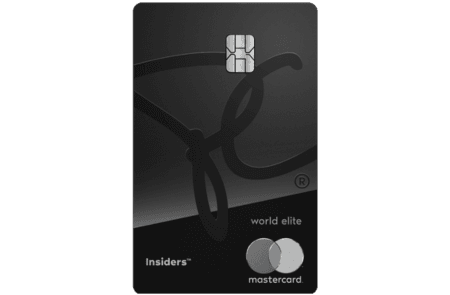
With the PC Insiders™ World Elite Mastercard®, you get:
- 50 PC Optimum points per dollar spent at Shoppers Drug Mart
- 40 PC Optimum points per dollar spent at Loblaws and Joe Fresh stores
- 30 PC Optimum points per litre of gas at Esso and Mobil
- 10 PC Optimum points per dollar of purchases everywhere else
This means you get between 1% and 5% on your purchases made at PC Optimum stores. You can then use your PC Optimum points for rebates at the checkout of these PC Optimum stores. Plus, the first year is free!
In addition, you can get unlimited grocery deliveries and pickups for $0 with a free PC Express Pass subscription (an annual value of $99.99), valid for eligible orders of $35 or more.
Compare the terms specific to this selection
For PC Optimum, compare fees, eligible transactions and the benefits you need. Where rewards points are offered, check redemption options, transfer possibilities and program conditions.
Assess costs beyond the welcome offer
When choosing a credit card in this category, distinguish temporary incentives from ongoing terms. Compare annual fees, transaction charges and benefit requirements.
Use the table for an initial comparison. Read the review of the card that interests you, then the issuer’s terms before applying.
Frequently asked questions — PC Optimum
How do I compare cards in PC Optimum?
Compare each offer using the same budget and spending needs. Then review detailed terms to check limits, exclusions and the benefits you can actually use.
How should I choose from the PC Optimum selection?
Start with your spending and priorities, then compare fees and benefits relevant to your situation. The ranking helps identify options; the best choice can differ from person to person.
Can terms change after publication?
Yes. Offers, fees and eligibility requirements can change. Before applying, check the issuer’s terms linked from the application button, including dates and exclusions.