

Midway: the tool for finding a meeting point

You live in Montreal and your best friend lives in Toulouse. You’re looking for a place to meet without losing half a day on a layover, somewhere in the middle. But where?
Traditional booking sites don’t answer this question: they assume you’ve already chosen your destination. Google Flights, Skyscanner, Kayak: all start from the premise that you’re looking for a flight from A to B. No one answers the reverse question: « here’s where we live, find us a meeting point. »
That’s exactly the problem Midway solves, a new meetup tool I designed. I’m passionate about travel and points, and I’m excited to introduce this recently imagined and developed project to the community. The article below introduces it: it explains how Midway works and why I was led to create this tool.
Enjoy reading, and don’t hesitate to also check out our Google Flights: How to Find the Best Flights and Fares to go further in your planning.
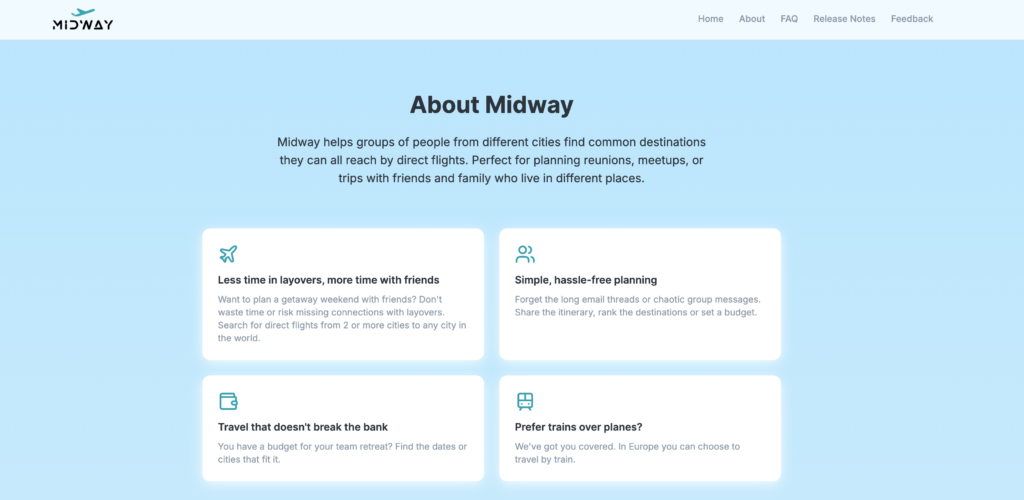
Why I created Midway
Midway was designed to help you meet your loved ones easily at a location that will be halfway or most suitable for everyone.
You enter your departure cities, and the tool displays all destinations accessible by direct flight for each traveler. Moreover, no approximate suggestions like those from ChatGPT: the results are based on actual air routes, month by month.
It is a problem I know well. In fact, I created Midway precisely because I could not figure out where to meet that friend from Toulouse without risking wasting time on a layover. Now, let us see how it works.
Introduction to Midway
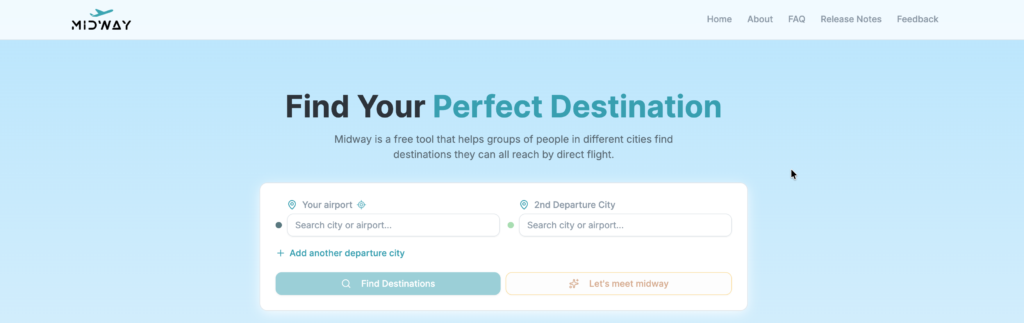
The Midway interface remains easy to use. First, you enter the departure cities. Then, a map displays the different airports connected to those cities by a direct flight. The results are also available as a table listing each destination. Finally, you can filter and share these results with your group.


- Annual fee
- $0 $139No annual fee the first year
- No annual fee the first year
- Our valuation
- $939Milesopedia first-year estimate First-year valueWelcome bonus$800Annual fee rebated$139Total$939Rewards on your spending are not included. The calculator that adds them from your own profile is on the card's page.
- Milesopedia first-year estimateFirst-year valueWelcome bonus$800Annual fee rebated$139Total$939Rewards on your spending are not included. The calculator that adds them from your own profile is on the card's page.
- Welcome offer
- Up to 160,000 points
- + First Year Annual Fee Rebate
on TD's website
How to Use Midway
Choose your departure cities
First, you select your group’s departure airports. You can enter up to 6 different departure cities by clicking the “Add departure city” button. In addition, the geolocation icon displays a list of airports near you.
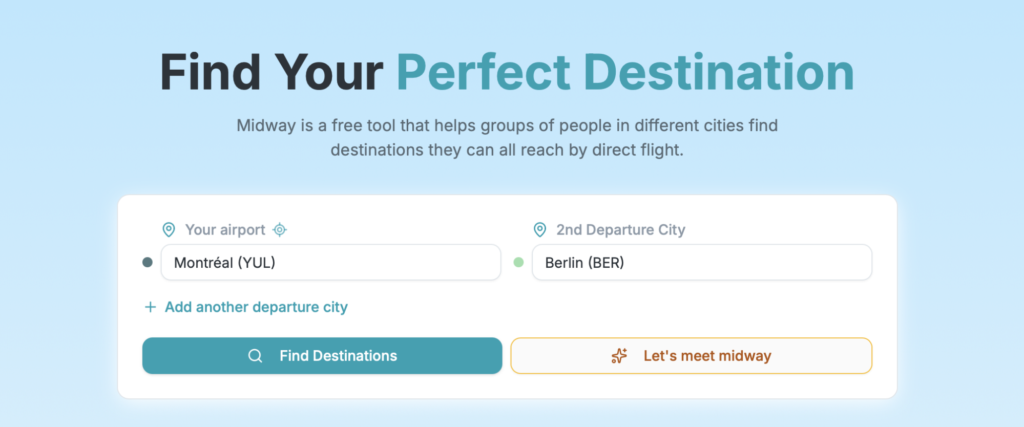
Two display modes
Next, you have two ways to view the results. On the one hand, “Let’s meet midway” identifies the halfway airport for each departure city. On the other hand, you can simply view all destinations without highlighting this “midway” point.
By clicking on a destination, you can see the time and distance from each departure city, as well as the months when flights are available. You can also start a flight search from this page or share it with your group.
Table view
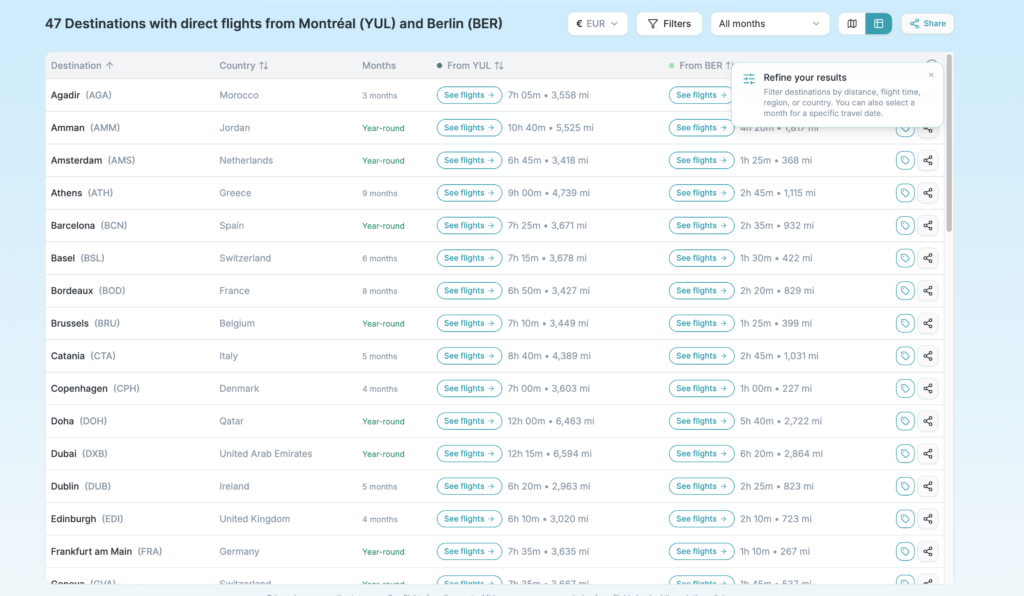
In addition, search results are also available as a table. You can sort airports by name, country, distance, or flight time.
Filter results
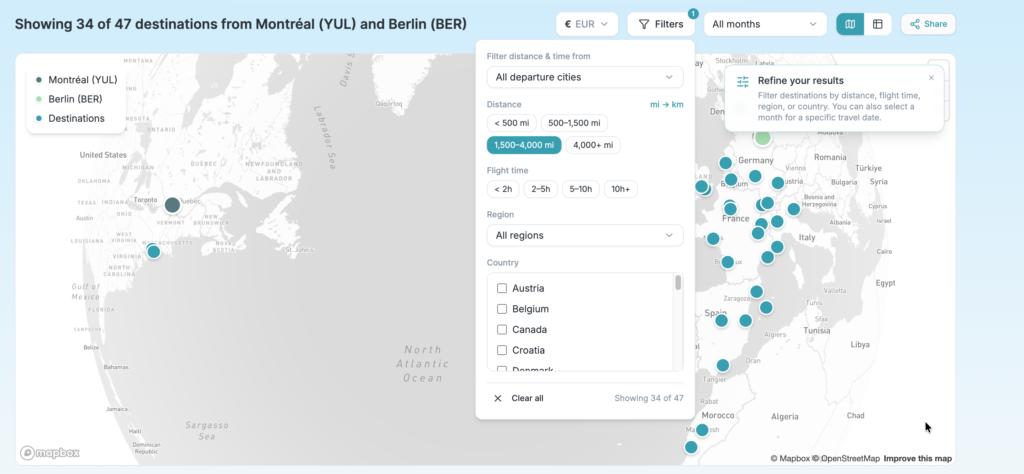
The list of candidate cities can be extensive. Therefore, a filtering function helps you narrow down the results:
- By month: to account for the seasonality of air routes
- By flight time: to limit travel time
- By distance: to prioritize nearby or farther destinations
- By world region: Europe, South Asia, Latin America, etc.
- By country: to target a specific destination
In addition, these filters can be applied to a single departure city or to all of them at the same time.
Share Results
Finally, you can share all results or a specific destination with your travel companions. This way, everyone can give their Review before making a collective decision.

Example: the family reunion
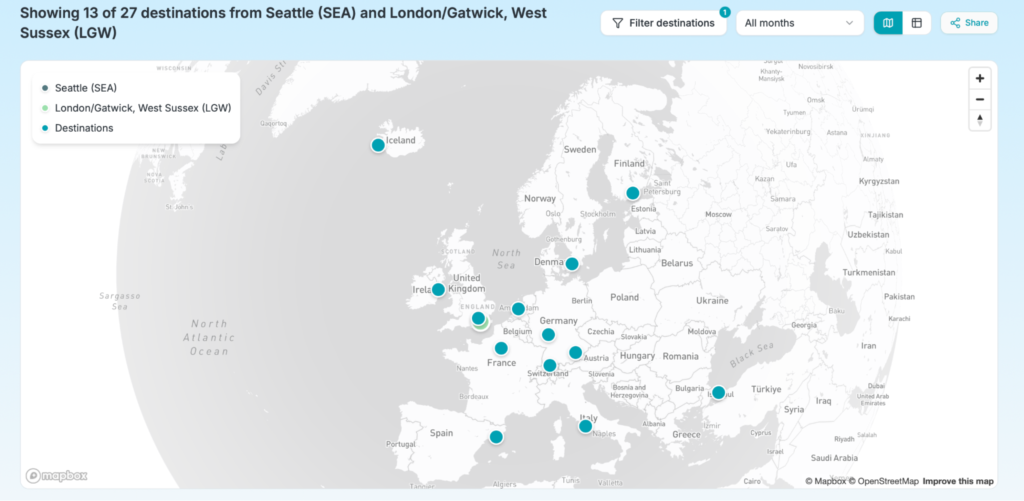
Your daughter has just moved to London to study abroad. You and your partner are at home in Seattle. You miss her, and you want to visit her. The instinct is to book a flight to Heathrow. That is perfectly logical for the first trip. However, it may also be an opportunity to discover Europe with her on subsequent visits.
Here’s a map of accessible destinations:
By filtering the results, you can focus on Europe. This way, your daughter does not miss classes because of a flight or an overly long time difference.
Example: meeting up with a friend
You live on the East Coast of North America. Your best friend from your student days now lives on the West Coast. However, she is too busy with work to allow herself a long trip. At the same time, she wants a change of scenery.
In this case, Midway makes it possible to quickly find a destination reachable by direct flight from New York (LGA) and Los Angeles (LAX). This way, you limit the time spent in the air and enjoy your time together more.
Make the most of Midway with your points
Once your meeting point has been identified with Midway, your points and miles come into play to book direct flights. Here are a few Canadian credit cards that are particularly useful for this step:
- Best Aeroplan cards (for direct flights on Air Canada and Star Alliance)
- Best Flying Blue cards (ideal for Air France and KLM flights to Europe)
- Best Avios cards (for British Airways and oneworld flights)
- Best travel credit cards (flexible rewards transferable to multiple programs)
| Credit card | Annual fee | Welcome offer | |
|---|---|---|---|
| $0 | |||
| $0 | |||
| $120 | |||
| $150 | |||
| $0 |




To compare all options available in Canada, also see our page on the best credit cards. In addition, to track price fluctuations on the routes Midway suggests, take a look at our guide on Google Flights and flight price tracking.
Conclusion
Midway does not replace your favourite booking site. Rather, it comes earlier—at the step no one covers: figuring out where to meet. Once your destination is identified, your points come into play. Check award-seat availability on the routes suggested by Midway, compare programs, and maximize your rewards on a flight you know is direct.
Whether it is to meet up with a friend, organize a family reunion, or plan a team retreat, try Midway with your own departure cities. The results are often surprising.
To keep up with new features, sign up for the Midway newsletter. And if you have questions or suggestions, the contact form is there for that. Finally, so you do not miss any points-and-miles deals in Canada, also subscribe to the Milesopedia newsletter.
Midway Meeting Tool – Frequently Asked Questions
Is Midway Free?
Yes, Midway is completely free. The tool is funded through flight-search links that redirect to partner booking sites.
Does Midway Show Flight Prices?
Not yet. For now, Midway focuses on identifying destinations reachable by direct flight. To compare prices or check award-seat availability, you can start a flight search directly from a destination page.
How Many Departure Cities Can You Enter?
Up to six departure cities. This is particularly useful for family reunions or team retreats where participants are scattered across multiple cities.
Do Results Include Connecting Flights?
No, Midway displays only destinations reachable by direct flight from each departure city. This is a deliberate choice: the point of the tool is precisely to find destinations that everyone can reach easily, without wasting time on connections.
Is Flight Data Up to Date?
Midway uses real air-route data, updated regularly. Results can be filtered by month to reflect route seasonality. For example, some routes operate only in summer. These are therefore not predictions or AI-generated suggestions, but routes actually served by airlines.
Does Midway work for departures from Canada?
Yes. Midway covers major airports worldwide, including Montreal (YUL), Toronto (YYZ), Vancouver (YVR), Calgary (YYC), and many other Canadian cities. You can therefore combine a Canadian departure with any other city in the world.
Our featured card
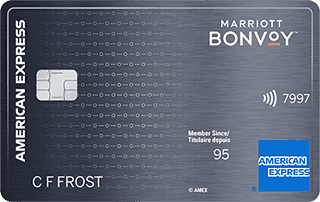

- Annual fee
- $120
- Our valuation
- $990Milesopedia first-year estimate First-year valueWelcome bonus$990Total$990Rewards on your spending are not included. The calculator that adds them from your own profile is on the card's page.
- Milesopedia first-year estimateFirst-year valueWelcome bonus$990Total$990Rewards on your spending are not included. The calculator that adds them from your own profile is on the card's page.
- Welcome offer
- Up to 110,000 points
- Ends Sep 22, 2026
on American Express's website
Apply with confidence — no impact on your credit scoreApply with confidenceCheck whether your application will be approved before you submit it, with no impact on your credit score*When you apply for a personal American Express Credit Card, we will tell you whether you are eligible without affecting your credit score. So you can apply with confidence.*Instant decisions are only available for consumer Card applications (also called “personal Cards”).
Our editorial integrity
Our reviews and rankings are based on an objective assessment. Advertisers do not influence our content. We may receive compensation through some links; our analysis and opinions remain independent.