Folks HR Management: The HRIS for Canadian SMBs

Loading article…
Folks HR Management is an HRIS for Canadian SMBs, developed in Quebec. The module replaces leave spreadsheets, contract binders and follow-up emails with a single platform. It is the foundation of the Folks product: the Payroll, Recruitment and Performance modules plug into it.
This article breaks the module down feature by feature, with prices and what we observed using it. For an overview of the two main modules, read our full Folks HR review instead.
An HRIS, or human resources information system, centralizes your employee data and automates the processes around it. Put simply, it is the software that replaces the paper file cabinet, the vacation spreadsheet and the inbox where requests get lost.

Each employee has a profile with their contact details, position, salary, history and documents. Everything sits in one place, so you stop searching through three different systems.
Self-service simply means employees manage their own information without going through a manager or HR. They update their address or emergency contact directly in the app, between two shifts, and check their leave balance without emailing anyone.
Permissions are set by role. A manager sees their team's files, but not the salaries of the rest of the organization. Leadership sees everything, and each employee sees their own profile.
This matters more than it seems. In a shared spreadsheet, everyone sees everything. In Folks, you control confidentiality.

Nobody needs to enter profiles one by one during implementation. You import an Excel (.xlsx, .xls) or CSV file, and first name, last name and hire date are the only truly required fields.
This is the feature our team uses most often, and the one that most visibly changes daily life in an SMB. Here is how it works, step by step, when an employee asks for a few days off.
The module also covers timesheets and overtime requests. Automatic reminders flag deadlines, which helps you avoid oversights during busy periods.

An employee who pays a business expense out of pocket submits the claim directly in Folks, instead of by email or with an envelope of paper receipts. They upload the invoice as a PDF or simply take a photo with their phone, right when the expense happens.
You no longer chase receipts and supporting documents two weeks later. The claim arrives with its proof attached, ready for the responsible manager to approve.

Once approved, the expense is reimbursed directly through the payroll module, rather than by a separate cheque or transfer. For the full details on that module, see our Folks Payroll review.
You upload a contract, a policy or a form, and the employee signs it electronically in their profile. The signed document stays attached to their file, dated and accessible. A new hire can even sign their contract before their first shift.
This feature replaces the usual back-and-forth: print, sign, scan, file. You can also customize the employee portal to group your internal policies and resources.
You create an onboarding plan with tasks, owners and deadlines, then assign it to each new hire. The same mechanism applies to departures. Here is how it works, step by step, when a new hire joins the team.
For an SMB that hires a few people a year, the main gain is consistency. Every new hire gets the same path, without anyone having to remember it.
The platform builds an org chart from the reporting lines you set up. A directory gathers every colleague's contact details, so new hires find their way quickly.
The module tracks training hours and budget per employee. It also records certifications and their expiry dates, then shows career progression.
Dashboards show your HR indicators in real time: turnover, absenteeism, headcount distribution and seniority. You can customize the reports, then export them.
Folks reports that automating HR tasks led to $175,000 in savings over one year and 4,000 fewer work hours for a manufacturing SMB with about 100 employees. These figures come from the company, so treat them as an order of magnitude rather than a guarantee.
The app lets employees request and approve time off and view profiles, documents and the directory. For a field team without a fixed workstation, it is often the only access point they use.
Folks holds SOC 2 Type 2 certification, a recognized standard for security and confidentiality controls. Your data is hosted in Canada.
This point deserves your attention. An HRIS holds social insurance numbers, salaries and medical absence records, so check the certifications of every vendor you evaluate.
As of August 2026, Folks HR Management starts at $6 per employee per month. The final price depends on the number of employees, the plan chosen and any added modules. For a team of 25 employees, the bill comes to about $150 per month before implementation fees.
| Team size | Estimated monthly cost | Estimated annual cost |
|---|---|---|
| 15 employees | $90 | $1,080 |
| 30 employees | $180 | $2,160 |
| 50 employees | $300 | $3,600 |
| 100 employees | $600 | $7,200 |
Two useful details. First, Folks offers adapted pricing for non-profits, which you need to ask for explicitly. Second, you can move to a higher plan mid-subscription without redoing the implementation.
After several months of use, the time-off workflow is what saves us the most time. Requests, approvals and balances run without supervision, and support replies within a few hours.
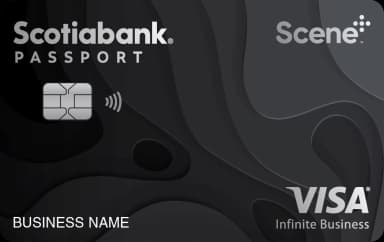
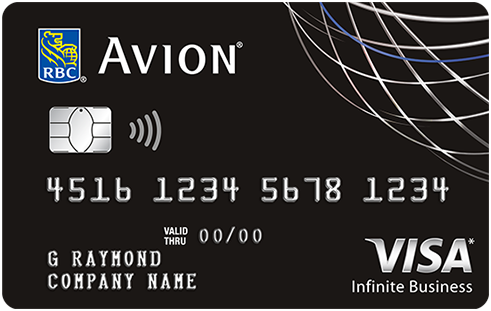
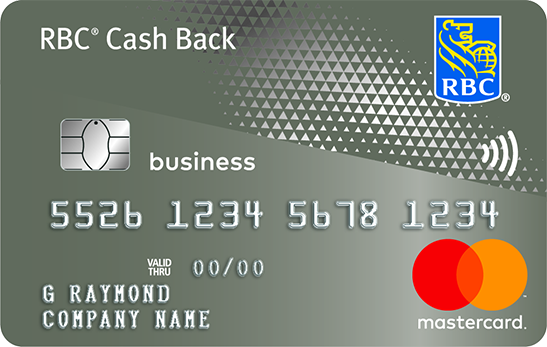
An HRIS subscription is a stable, predictable monthly expense. That makes it a good fit for a business credit card that earns points or cash back.
For a 30-person team, you pay at least $2,160 per year. At 2% cash back, that is about $43 back. Add your other software subscriptions, and the total climbs.
| Credit card | Annual fee | Welcome offer | |
|---|---|---|---|
| $0 | |||
| $199 | |||
| $0 | |||
| $0 |
The Folks HR module does one specific thing well: it brings scattered HR data together and automates approval workflows. For an SMB with 15 to 500 employees and no full HR department, the value shows up quickly.
Before you sign, request a quote with your actual number of employees and ask for the detailed implementation fees. For the overview of both modules, read our full Folks review, and if payroll interests you too, see our article on the payroll module.
To get our next analyses of business tools, create your free Milesopedia account.
Our reviews and rankings are based on an objective assessment. Advertisers do not influence our content. We may receive compensation through some links; our analysis and opinions remain independent.