Scene+ Card: How to Get It, Find Your Number and Use It
How to get your Scene+ card, keep it in the app, find your member number and link it to an eligible payment card.

Your Scene+ card comes in two forms: a digital card in the Scene+ app and a free physical card you can order online. The fastest way to start is to create your account on sceneplus.ca or in the app, then scan the barcode at the till at partner stores. We focus here on the card and the account. To learn how to earn points, see our guide to the 6 best ways to earn Scene+ points, and for what a point is worth, the Scene+ program page.

Getting your Scene+ card
You can sign up in three ways:
- Online: on sceneplus.ca or in the Scene+ app.
- In store: by picking up a physical Scene+ card at a partner.
- By QR code: by scanning the code displayed at a partner.
Some partner stores, mostly grocery and home improvement, hand out cards at the till. An unregistered card is worth nothing until you register it.
You may already have an account
If you hold an eligible Scotiabank Scene+ debit or credit card, you already have a Scene+ account. You do not need to sign up again. The same goes if you were a member of Scene or of the Scotiabank rewards program: the two programs merged in 2021.
Signing up online
- Go to sceneplus.ca or open the app, then tap Sign up or Become a Scene+ member.
- Enter your email address and create a password.
- Answer the question "Did you pick up a card in store?" Choose Yes if you have a physical card, No if you do not.
- Accept the terms, then enter your 16-digit card number and the 5-digit activation code (physical card only).
- Enter your personal details and communication preferences, then tap Finish.

Your card number then appears on screen and you receive a confirmation email. You can earn and redeem points right away. Give accurate information: Scene+ uses it to verify your identity and reset your password, and some partners may ask for ID at redemption.
Digital card or physical card
The two work the same way. The physical card is free and earns and redeems points at the same partners as the digital card.
- Digital card: it lives in the app, under the Card tab at the bottom right. It is available as soon as you sign up.
- Physical card: you order it on the website, under Profile, My Card, then Request a physical card. It arrives by Canada Post in up to 5 weeks.
- Limit: up to two physical cards per account, per calendar year.

While you wait, your digital card keeps working. Only one Scene+ card can be used per transaction at some partners, such as Cineplex.
Adding the card to Apple Wallet or Google Wallet
In the app, open the Card tab and tap Add to Apple Wallet (iOS) or Add to Google Wallet (Android). You can then scan without opening the app. This option exists only in the app, not on the website.

Downloading the Scene+ app
Open the App Store (iPhone) or the Google Play Store (Android), search for "Scene+" and install the app that carries the Scene+ logo. When it opens, sign in if you are already a member, or tap the sign-up button to create an account. The permissions it asks for are recommended by Scene+ so the app works properly.


Finding your Scene+ card number
Your member number has 16 digits. You can find it in four places:
- In the Scene+ app: under the Card tab, below the barcode.
- On the website: sign in, open Profile, then My Card.
- On the physical card: on the back.
- In the Scotiabank app: in the Scene+ Rewards section of the home page, next to your member number.
If you lose your physical card, call Member Services at 1-866-586-2805 to protect your points and request a new one.
Linking your card to a payment card
The official site suggests linking your Scene+ card to an eligible payment card to earn faster. Eligible cards come from Scotiabank and Tangerine. The principle is simple: you scan your Scene+ card at the partner, then pay with the eligible card. You then earn the partner's points and the payment card's points. According to Scene+, some categories earn up to 6X points.
The official pages we reviewed do not detail the steps for making this link in your account. If you already hold a Scotiabank Scene+ card, your account already exists and the number is visible in the Scotiabank app. In other cases, confirm the steps with Member Services or with your bank.
Two examples of eligible cards:
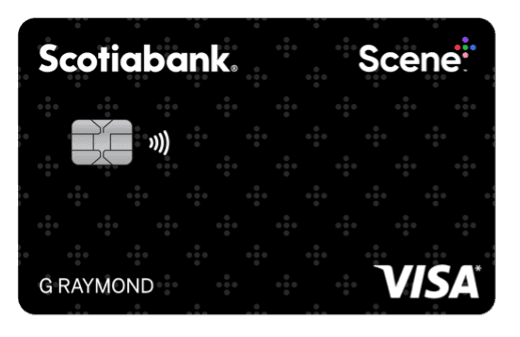
- Scotiabank Scene+ Visa* Card: $0 annual fee. It earns 2 Scene+ points per dollar on eligible purchases at participating grocery stores, Home Hardware and Cineplex, and 1 point per dollar everywhere else.
- Scotiabank Passport Visa Infinite +* Card: up to 3X Scene+ points on eligible grocery, dining and entertainment purchases, with a $150 annual fee.
For current welcome offers, read our summary of Scotiabank Scene+ card offers. You can also check the Scotiabank Scene+ Visa Card page and our best credit cards page.

Where to use the Scene+ card
Here is where you earn and redeem your points:
- Grocery: Sobeys, Safeway, IGA, FreshCo, Foodland, Thrifty Foods and other banners. Redemption: 1,000 points are worth $10 of groceries.
- Movies and entertainment: Cineplex, The Rec Room and Playdium. Redemption at Cineplex: 100 points for $1 off.
- Fuel: Shell. You earn 1 point per litre. Redemption: 1,000 points for $10 off. See our article on Scene+ at Shell.
- Restaurants: Harvey's, Swiss Chalet, East Side Mario's and more. Redemption: 500 points for $5 off.
- Home improvement: Home Hardware. Redemption: 1,000 points for $10 off.
- Online shopping: Scene+ Rakuten, with cash back paid out in points every quarter.
Scene+ Travel and tracking your points
Scene+ Travel, powered by Expedia, covers hotels, car rentals and activities. The base rate is 3 points per dollar spent, and redemption is at 100 points for every dollar off your next stay. For the details of the portal, see our Scene+ Travel tutorial. To compare with Aeroplan, read Scene+ vs Aeroplan. To redeem your points on a trip, our guide to using Scene+ points walks you through it.
Your balance appears in the app and on the website. To see your transactions, tap Card, Recent Activity, then View points transactions in the app, or click your balance on the website.
On our program page, Milesopedia values a Scene+ point at 1 cent. It is a benchmark for comparing, not a guarantee: the real value depends on the redemption you choose.
Avoiding lost points
The main risk is inactivity:
- Registered account: closed after 24 months of inactivity.
- Unregistered account: closed after 6 months of inactivity.
In both cases, you lose the points you have earned. Register your card as soon as you get it, and keep the account active with a purchase at a partner from time to time.
To get the program's best news every week, subscribe to our newsletter.
Scene+ card frequently asked questions
Is the physical Scene+ card free?
Yes. According to Scene+, the physical card is a free addition to your wallet and works exactly like the digital card in the app. You can request up to two per account, per calendar year. The annual fees you see on some cards apply to Scotiabank or Tangerine credit cards, not to the membership card. For what points are worth, see Milesopedia's Scene+ program page.
Where do I find my Scene+ card number?
Your number has 16 digits. It is in the Scene+ app under the Card tab, below the barcode, and on the website under Profile, then My Card. It is also printed on the back of the physical card. Scotiabank cardholders can see it in the Scotiabank app, in the Scene+ Rewards section, next to the member number.
Can I use the Scene+ card without the app?
Yes. You can manage your account on sceneplus.ca and use a physical card to earn and redeem points at partners. The app is still handy: it shows your digital card and lets you add it to Apple Wallet or Google Wallet. That option is not available on the website.
Do my Scene+ points expire?
The help pages we reviewed do not give a fixed expiry date, but inactivity closes the account. A registered account is closed after 24 months of inactivity if it is not linked to an active Scotiabank card, and an unregistered account after 6 months. The points are then lost. Keep your account active with a purchase at a partner from time to time.
Which credit cards earn Scene+ points?
Scene+ names eligible payment cards from Scotiabank and Tangerine, including the Scotiabank Scene+ Visa Card, the Passport Visa Infinite, the Gold American Express and the Tangerine World Elite Mastercard. Rates vary by card and purchase category. Always check the terms with the issuer before you apply.