

10 iPhone Travel Tips: Optimize your Trips like a Pro

Smart Tips for Connected Globetrotters

Whether you’re an urban explorer, an adventurer, or a frequent business traveller, here are 10 essential tips to simplify every stage of your journey, Milesopedia style: practical, efficient, and savvy!
1. Manage Time Zones with Ease
Master Digital Jet Lag!
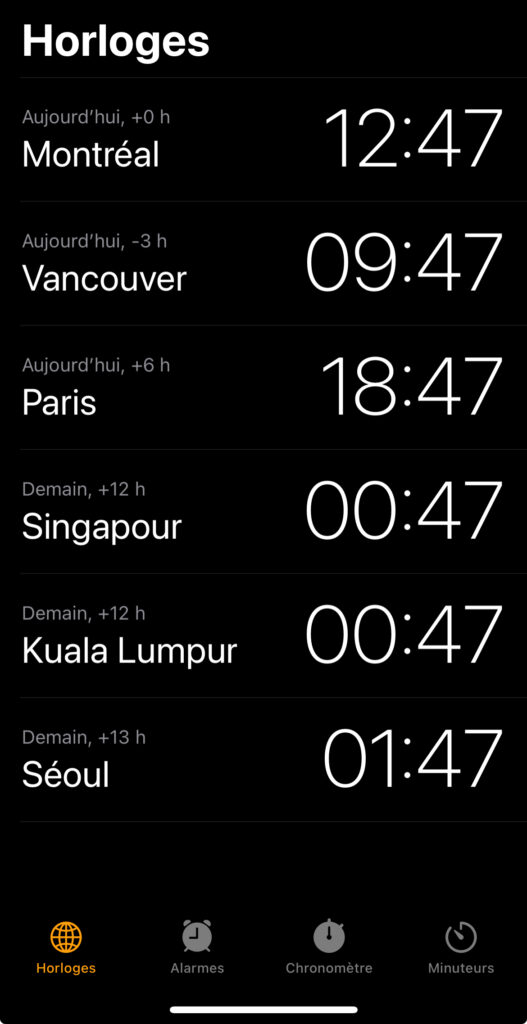
The iPhone offers a handy but often overlooked feature: you can add multiple clocks in the Clock app. Before you leave, add your destination city to easily keep track of the local time at a glance. Handy for anticipating FaceTime calls or planning your appointments. The Calendar app also automatically adjusts to the time zone of your current location, avoiding confusion when booking activities or flights.
2. Calculate Exchange Rates Directly in Your Calculator
Forget External Converters!
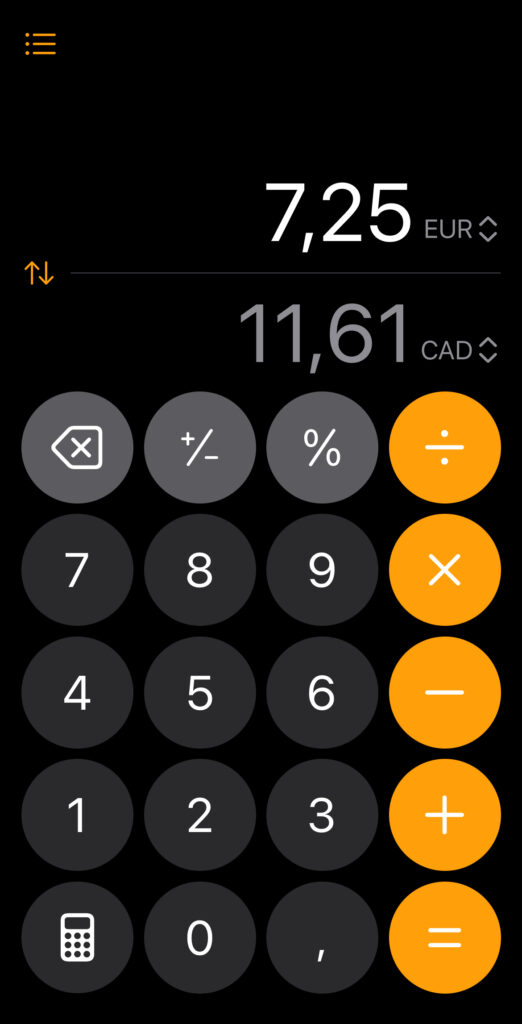
Did you know that your iPhone’s calculator has a built-in currency converter? Simply activate the convert option in the calculator, and amounts will be automatically converted.

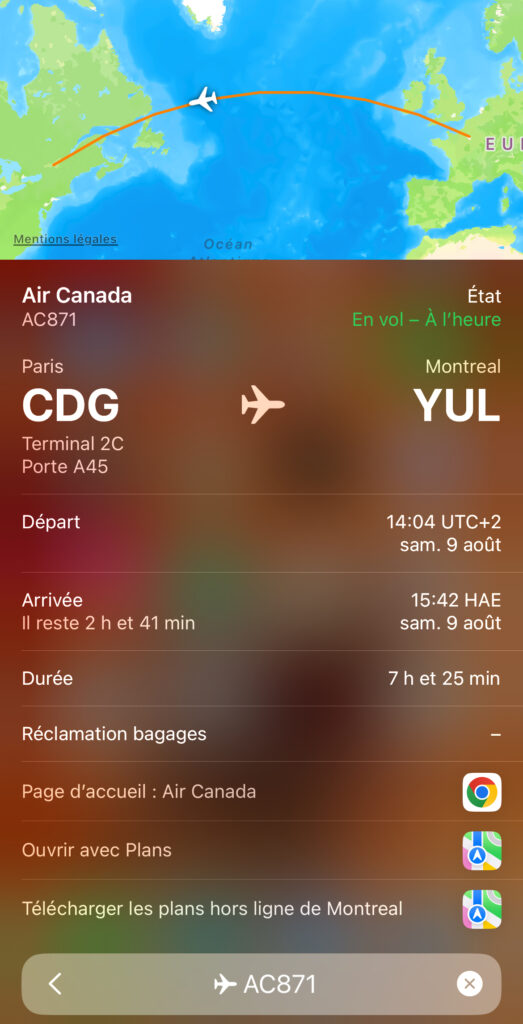
3. Find Your Flight Information in Search
Your Flights at your Fingertips
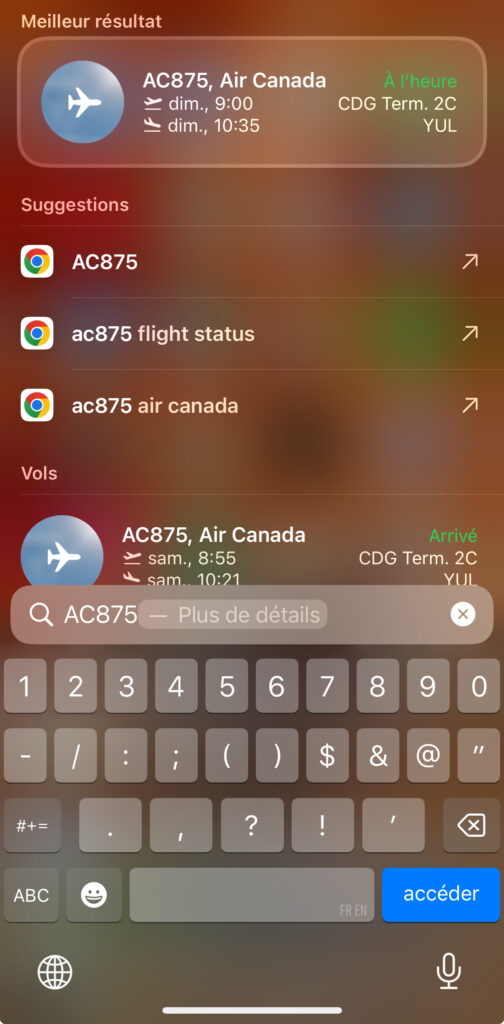
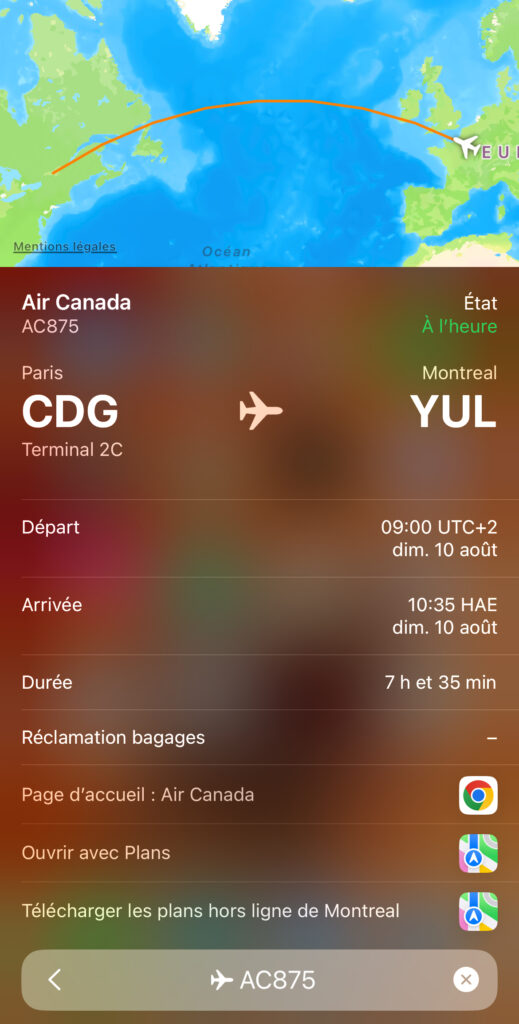
Simply enter your flight number in the search bar to access real-time details like terminal, gate, schedule, and any delays. Ideal for efficient tracking, without having to use a multitude of airline apps.
4. Use eSIM to Simplify International Connectivity
Switch Networks Hassle-Free
No more tedious SIM card handling! With iPhone eSIM, you can download a local data plan as soon as you arrive, often directly through a QR code or partner app. This helps you avoid roaming charges and ensures a reliable connection for work or leisure. Plus, you can keep your regular phone number active at the same time, so you stay reachable.
What is an eSIM? Discover everything you need to know and compare eSIM cards available to choose the best option for your needs.
Several credit cards offer free eSIM plans, for example Mastercard offers FlexiRoam and Visa offers GigSky.
5. Never Run Out of Power Thanks to Magnetic Power Banks
Worry-Free Charging
The magnetic portable chargers, MagSafe-compatible, attach to the back of the iPhone for fast, cable-free charging. They allow you to continue using your iPhone while it charges, making them essential for long sightseeing days, when the camera, navigation, and 5G connection drain the battery. Choose a compact, high-power model and slip it into your backpack for peace of mind, even if you forget your regular charging cable at the hotel.
For other essential travel items, consult our guide on our favorite travel accessories.
6. Use FaceTime Instead of Traditional Calls
Communicate Smart and Save Money
Phone calls abroad are expensive. Opt for FaceTime calls (audio or video) via Wi-Fi or your data plan: sound quality is often better, and the call is free, regardless of distance. This tip is perfect for staying in touch with family or coordinating meetups with fellow travellers. Make sure to set up FaceTime before you leave and check your internet connection for smooth, uninterrupted calls.
Another good alternative is to use WhatsApp if your contact doesn’t have an iPhone. Both people simply need to use the app to call each other, using Wi-Fi or data.
7. Download Your Google Maps Offline
Never get Lost Again
Before leaving the hotel’s Wi-Fi, open Google Maps and download the area you plan to explore. This way, even with a weak signal or no network, you’ll be able to navigate and locate points of interest. This tip is especially useful in the mountains, countryside, or underground subways where mobile signal is limited. Don’t forget to update your maps to get the latest traffic information.
8. Add Your Public Transit Cards to Apple Wallet
Travel Light, without Paper Tickets
Many cities now offer the integration of transit cards into Apple Wallet. With an iPhone, you can buy, top up, and validate your transit passes using NFC. This is available in cities like Paris, Tokyo, and many others. No more hunting for ticket counters and collecting paper tickets; everything is managed from your screen. Check your destination’s compatibility before departure for a seamless experience.
Additionally, many cities now let you pay for your transit rides directly with a physical credit card or one stored in your digital wallet, instead of purchasing a separate ticket. For example, in Singapore, all your trips are tallied, and your credit card is charged at the end of the day. This is much simpler and more cost-effective when you’re only staying in a city for a few days.
9. Secure Your Connection with a VPN
Protect your Sensitive Data
Connecting to public Wi-Fi networks in hotels, cafes, or airports exposes your data to risks. Install a reliable VPN app before you leave: it encrypts your connection and protects your privacy. Ideal for banking transactions or accessing confidential documents. It’s also essential while travelling if you want to keep accessing certain websites or apps by setting your location to Canada with a VPN.
Our secure VPN recommendation: NordVPN.
10. Keep an Eye on Your Luggage with AirTags
Travel with Peace of Mind
Apple’s AirTags, small and discreet, can be slipped into your suitcase, backpack, or even your toiletry bag. Connected to the Find My app, they let you track your belongings in real time, receive notifications if they move away from you, and quickly locate a lost item at a hotel or airport. Ideal for preventing loss and theft, especially during layovers or on public transport.
Bottom Line: The iPhone, a Modern Traveller’s Trusted Companion
Equipped with an iPhone, you have a technological Swiss Army knife that makes your travels simpler, safer, and more enjoyable. By following these tips, inspired by Milesopedia’s practical approach, you’ll make the most of every feature and turn your phone into the hub of your travel experience. Get ready for your trip, set up your device, and explore the world with peace of mind!
Also discover the best travel apps in our complete guide.
Don’t have an iPhone? Discover our best tips to save and get maximum rewards on an iPhone purchase.
Safe travels!
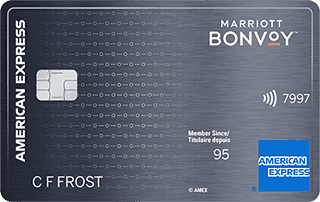
Our featured card

- Annual fee
- $120
- Our valuation
- $990Milesopedia first-year estimate First-year valueWelcome bonus$990Total$990Rewards on your spending are not included. The calculator that adds them from your own profile is on the card's page.
- Milesopedia first-year estimateFirst-year valueWelcome bonus$990Total$990Rewards on your spending are not included. The calculator that adds them from your own profile is on the card's page.
- Welcome offer
- Up to 110,000 points
- Ends Sep 22, 2026
on American Express's website
Apply with confidence — no impact on your credit scoreApply with confidenceCheck whether your application will be approved before you submit it, with no impact on your credit score*When you apply for a personal American Express Credit Card, we will tell you whether you are eligible without affecting your credit score. So you can apply with confidence.*Instant decisions are only available for consumer Card applications (also called “personal Cards”).
Our editorial integrity
Our reviews and rankings are based on an objective assessment. Advertisers do not influence our content. We may receive compensation through some links; our analysis and opinions remain independent.