

Bookkeeping for the Self-Employed 2026: QuickBooks or an Alternative?

Are you self-employed and finding that your accounting is taking up more time than expected? Between invoices, expenses, receipts, and GST/QST remittances, choosing the right bookkeeping tool can save you several hours each month. However, you still need to know if QuickBooks is truly the best choice for your situation.
Bookkeeping for the self-employed is not just about preparing your tax return. It also helps you track your profitability, better manage your cash flow, and avoid unpleasant tax surprises.
In this guide, we compare QuickBooks, Wave, FreshBooks, Xero, Momenteo, and Excel to help you choose the tool that truly meets your needs.
If you’re already using QuickBooks or planning to, also check out our roundup of the best credit cards to connect to QuickBooks Canada to sync your transactions automatically and earn more cash back or points on your business spending.
Why Your Choice of Software Matters
Good bookkeeping software allows you to centralize your income, expenses, and taxes in one place. You save time, reduce errors, and gain a better overview of your business.
Conversely, an ill-suited system can quickly become a source of frustration. Some self-employed individuals pay for features they never use. Others try to save a few dollars but spend several hours each month performing repetitive tasks.
Furthermore, rigorous bookkeeping simplifies the preparation of your tax return. You can also more easily identify eligible expenses that could reduce your tax bill.
If you operate a business or a freelance activity, you may also wish to consult our guide to personal finance to better structure your overall financial situation.
How to choose bookkeeping software
Before comparing the different platforms, take a few minutes to assess your actual needs.
Invoicing
If you send several invoices each month, look for a tool that can automate certain tasks. Payment reminders, recurring invoices, and online payments can save you a considerable amount of time.
Conversely, if you invoice only a few regular clients, a simpler solution may be sufficient.
Expense Management
Most self-employed workers need to track expenses, such as software subscriptions, travel expenses, telecommunications, or office supplies.
Good software makes it possible to quickly categorize transactions and keep a digital copy of receipts.
GST and QST
When your revenue exceeds $30,000 over four consecutive calendar quarters, you generally must register for GST and QST.
Your software should therefore be able to automatically calculate taxes on your invoices and generate useful reports when it is time to remit them.
Bank connection
Bank synchronization is one of the features that provides the greatest time savings.
Rather than entering each transaction manually, you can automatically import transactions from your financial institution.
Financial reports
Even if you are not an accountant, you should be able to easily view:
- Your income
- Your expenses
- Your net profit
- Taxes to remit
- Your month-to-month trend
This information allows you to make better business decisions.
Actual cost
Price should never be the only criterion.
A $20 or $30 per month subscription can be worthwhile if it allows you to save several hours each month. Conversely, free software becomes costly if you constantly have to work around its limitations.
Bookkeeping software for self-employed workers
QuickBooks: the Canadian benchmark
QuickBooks Online is probably the best-known accounting software in Canada. Developed by Intuit, it is used by both self-employed workers and small businesses.
Its popularity is due in particular to its comprehensive ecosystem and its compatibility with most accountants and tax professionals.
Highlights:
- Connects with multiple Canadian financial institutions
- Full invoicing
- GST and QST management
- Detailed financial reports
- Easier collaboration with an accountant
- Many third-party integrations
QuickBooks also lets you automate many repetitive tasks. Categorization rules and bank reconciliations significantly reduce manual work.
Limitations:
- More expensive than many alternatives
- Interface can be complex for beginners
- Some features go beyond the needs of a solo self-employed worker
For a business that generates few transactions each month, QuickBooks may be more powerful than necessary.
QuickBooks is especially well suited for:
- Established consultants
- Service professionals
- Self-employed workers with several dozen transactions per month
- People who work closely with an accountant
Wave: the budget-friendly option
Wave is often seen as the natural entry point into cloud accounting software.
Its main advantage is its cost. Core features are available for free, which attracts many self-employed workers early on.
Highlights:
- Free version for essential needs
- Simple interface
- Integrated Billing
- Expense Management
- Basic reports
For a relatively simple business, Wave generally covers the essentials.
Limitations:
- Less detailed reports than QuickBooks
- Some advanced features are paid
- Less suited to significant growth
Wave is particularly appealing for:
- Beginner self-employed workers
- Content creators
- Freelancers
- Entrepreneurs on a limited budget
FreshBooks: ideal for professional services
FreshBooks was originally designed for consultants, freelancers, and service businesses.
The platform puts a strong emphasis on user experience and invoicing.
Strengths:
- User-friendly interface
- Advanced invoicing
- Built-in time tracking
- Receipt management
- Effective mobile app
If you bill by the hour or by project, FreshBooks can simplify your administrative process.
Limitations:
- Less comprehensive financial reports than QuickBooks
- Cost increases as your needs grow
- Some limitations depending on the plan you choose
FreshBooks is especially well suited for:
- Consultants
- Graphic designers
- Writers
- Professionals who bill for their hours
Xero: for more advanced needs
Xero is an international platform known for its many features and integrations.
It’s often appreciated by businesses that work with multiple currencies or already use different digital tools.
Strengths:
- Multi-currency management
- Many integrations
- Advanced automation
- Detailed reports
- Powerful bank rules
Entrepreneurs with clients in the United States or elsewhere in the world often find it a major advantage.
Limitations:
- Steeper learning curve
- Less common among Quebec accounting professionals
- Pricing comparable to QuickBooks
Xero may be a good fit for:
- International consultants
- Self-employed service exporters
- Growing businesses
Momenteo: the Quebec alternative
Momenteo is a solution developed in Quebec that mainly targets self-employed workers, freelancers, and small service businesses.
Its approach is intentionally simpler than some competitors’.
Strengths:
- French-language interface
- GST and QST management
- Efficient invoicing
- Local support
- Generally affordable pricing
For many Quebec entrepreneurs, that simplicity is a major advantage.
Limitations:
- Fewer integrations
- More limited reports
- Less advanced features than QuickBooks or Xero
Momenteo can be an excellent choice for:
- Self-employed workers in Quebec
- Freelancers
- Consultants
- Professionals who prefer a simple tool
Excel or Google Sheets: still relevant?
Specialized software isn’t mandatory.
For some very simple activities, Excel or Google Sheets can still do the job.
This approach is especially appealing when you have few clients and few transactions.
Advantages:
- Very low cost
- Full control of your data
- No dependency on a subscription
- Great flexibility
Drawbacks:
- No automation
- Manual entry
- Higher risk of errors
- No automatic bank reconciliation
In practice, many self-employed workers start with a spreadsheet before moving to software as their business grows.
Software comparison table
| Criteria | QuickBooks | Wave | FreshBooks | Xero | Momenteo | Excel |
|---|---|---|---|---|---|---|
| Ease of use | Good | Excellent | Excellent | Average | Excellent | Low |
| Invoicing | Comprehensive | Good | Excellent | Very good | Very good | Basic |
| Expenses | Excellent | Good | Very good | Excellent | Good | Basic |
| GST/QST | Excellent | Good | Good | Good | Excellent | Manual |
| Bank | Excellent | Good | Variable | Excellent | Limited | None |
| Reports | Excellent | Basic | Basic | Excellent | Simple | Limited |
| Cost | High | Free* | Medium | Mid-to-high | Low | Very low |
| Ideal for | Growth | Beginner | Freelancer | International | Quebec | Micro-business |
*Wave offers basic accounting for free. Fees apply for advanced features like payroll and certain payment services.
Which software should you choose based on your profile?
After comparing the main options, one question remains: which one should you choose? The answer depends less on features than on your reality as a self-employed worker.
You’re just starting out as a self-employed worker
If you’re launching your business and your income is still modest, there’s no need to pay for a very advanced solution.
Wave is often an excellent starting point thanks to its free version. If your transaction volume is very low, Excel or Google Sheets can also work.
The goal is to adopt a method you’ll actually use every week.
You mainly bill for services
Consultants, writers, graphic designers, and other service professionals often have different needs.
In this context, FreshBooks stands out thanks to its invoicing tools, time tracking, and ease of use.
If your priority is to create invoices quickly and track your projects, it’s probably one of the best options.
You regularly work with an accountant
If your accountant is actively involved in your bookkeeping or tax preparation, QuickBooks deserves special attention.
Its popularity in Canada makes collaboration easier and can sometimes reduce the time spent preparing financial statements or your tax return.
Even if it costs more, the time saved can justify the investment.
You have international clients
When you invoice in multiple currencies, things get complicated quickly.
In that case, Xero generally offers more flexibility. Multi-currency management and many integrations can simplify your administration.
You’re looking for a Quebec solution
Some entrepreneurs prefer to use a platform developed locally.
Momenteo meets that need well. Its French-language interface, simplicity, and Canadian tax management make it an attractive option for many self-employed workers in Quebec.
You have fewer than twenty transactions per month
Not all self-employed workers need specialized software.
If you have a few regular clients, few expenses, and a low transaction volume, a well-designed spreadsheet may be enough.
What matters most is keeping your supporting documents and keeping your records up to date.
A Concrete Example
Let’s take the example of a digital marketing consultant.
- Annual income: $60,000
- Four regular clients
- About fifteen transactions per month
- No product sales
- No employees
In this situation, QuickBooks could work perfectly. However, many of its features may go unused.
Wave, Momenteo, or even a well-structured Excel file could offer better value for money.
Conversely, a consultant who invoices several dozen clients each month and works with an accountant would benefit more from QuickBooks.
So the best solution isn’t necessarily the most popular one. It’s the one that fits your reality.
Set up your bookkeeping in 60 minutes
Have you chosen your bookkeeping tool? Here’s a simple method to get off to a good start in under an hour.
- 0 to 10 minutes: create your account and add your business information.
- 10 to 20 minutes: set up GST and QST.
- 20 to 30 minutes: create your main expense categories.
- 30 to 40 minutes: connect your bank account.
- 40 to 50 minutes: customize your invoice template.
- 50 to 55 minutes: add your main clients.
- 55 to 60 minutes: schedule a weekly 30-minute appointment for your bookkeeping.
Conclusion
Bookkeeping for self-employed workers doesn’t necessarily require the most comprehensive or most expensive software. In many cases, a simple solution tailored to your reality will be more effective than a platform packed with unused features.
QuickBooks remains a go-to in Canada thanks to its power and compatibility with accountants. However, Wave, FreshBooks, Xero, Momenteo, and even Excel can be better options depending on your transaction volume, budget, and goals.
Before making a decision, honestly assess your needs. The best software is the one you’ll use consistently throughout the year.
To go further with your financial management, also check out our personal finance guides, strategies to pay less tax in Canada, and the tax implications of points and rewards for businesses.
Bookkeeping for self-employed workers – FAQ
Does a self-employed worker need to use accounting software?
No. You can use software, a spreadsheet, or any other method, as long as you maintain complete and accurate records.
Is QuickBooks too expensive for a self-employed worker?
Not necessarily. If you have a high volume of transactions or work with an accountant, the cost of QuickBooks can be largely offset by the time saved.
Is Wave really free?
The basic features are free. However, some advanced features and additional services are paid.
Can I do my bookkeeping with Excel?
Yes. This option remains relevant for self-employed workers with few transactions and relatively simple needs.
Which software is the easiest to use?
FreshBooks, Wave, and Momenteo are generally recognized for their ease of use.
How often should I do my bookkeeping?
Ideally every week. About thirty minutes per week is often enough to keep your records up to date.
Which software is best suited for self-employed workers in Quebec?
Momenteo is an interesting option thanks to its French-language interface and its adaptation to Canadian tax realities.
Our featured card
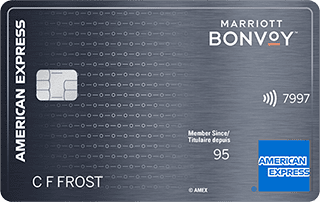

- Annual fee
- $120
- Our valuation
- $990Milesopedia first-year estimate First-year valueWelcome bonus$990Total$990Rewards on your spending are not included. The calculator that adds them from your own profile is on the card's page.
- Welcome offer
- Up to 110,000 points
Milesopedia first-year estimateFirst-year valueWelcome bonus$990Total$990Rewards on your spending are not included. The calculator that adds them from your own profile is on the card's page.
Ends Sep 22, 2026
on American Express's website
Apply with confidence — no impact on your credit scoreApply with confidenceCheck whether your application will be approved before you submit it, with no impact on your credit score*When you apply for a personal American Express Credit Card, we will tell you whether you are eligible without affecting your credit score. So you can apply with confidence.*Instant decisions are only available for consumer Card applications (also called “personal Cards”).
Our editorial integrity
Our reviews and rankings are based on an objective assessment. Advertisers do not influence our content. We may receive compensation through some links; our analysis and opinions remain independent.