

Saily eSIM Review: Is It Worth It?

Staying connected and enjoying the helpful convenience of cellphone data while you’re travelling is now the norm for most travellers, but using the roaming feature through your home service provider can easily cost $15+ a day!
Luckily companies like Saily are offering an alternative to this option with their array of affordable and easy-to-install eSIM cards that let you access data around the world without fuss.
Continue reading to learn about our review on Saily’s eSIMs, and how they give you data at your fingertips, making your travels easier, safer, and more comfortable.
Saily eSIM Review – What Are Saily eSIMs?
Gone are the days of having to switch out physical SIM cards to get data access in a new country. In 2016, cellphones started becoming eSIM compatible, and now most smartphones have this option, giving travellers more ease of access to their data just about anywhere in the world.
Saily eSIMs work just like a physical SIM card but without the need to physically replace or add a SIM card. Using preinstalled software on your device, an eSIM can be installed in minutes, giving you near instant connectivity in over 200 destinations.
Plus Saily is under the umbrella of Nord Security, which also owns NordVPN, one of the best and most trusted VPN services in the world, and this lets you know that this is a brand worth your confidence.

Saily eSIM Review – Benefits of Saily eSIMs
Saily’s eSIMs help you stay connected when you travel, offering the following benefits:
- avoid roaming fees while travelling
- available in 200+ destinations
- ability to have multiple eSIMs, giving you access to multiple carriers and phone numbers at the same time
- easy to switch between service providers
- available with smartphones, tablets, and smartwatches
- can’t get lost like a physical SIM card
- ability to download and set up your eSIM before you leave so that it will automatically activate when you land in your destination

Saily eSIM Review – Saily eSIM Options
With Saily eSIMs, you can choose between 3 types of eSIMs:
- country-specific eSIM
- region-specific eSIM
- global eSIM
Plans range from 7 days to 365 days, giving you options for both a short trip and a longer sojourn. Plus you can always buy an extension package or purchase another eSIM if you’re staying longer or require extra data.
Saily country-specific eSIMs
Saily offers eSIMs for over 200 destinations around the world, with prices ranging based on the country, the amount of data, and the length of time you’ll use the eSIM.
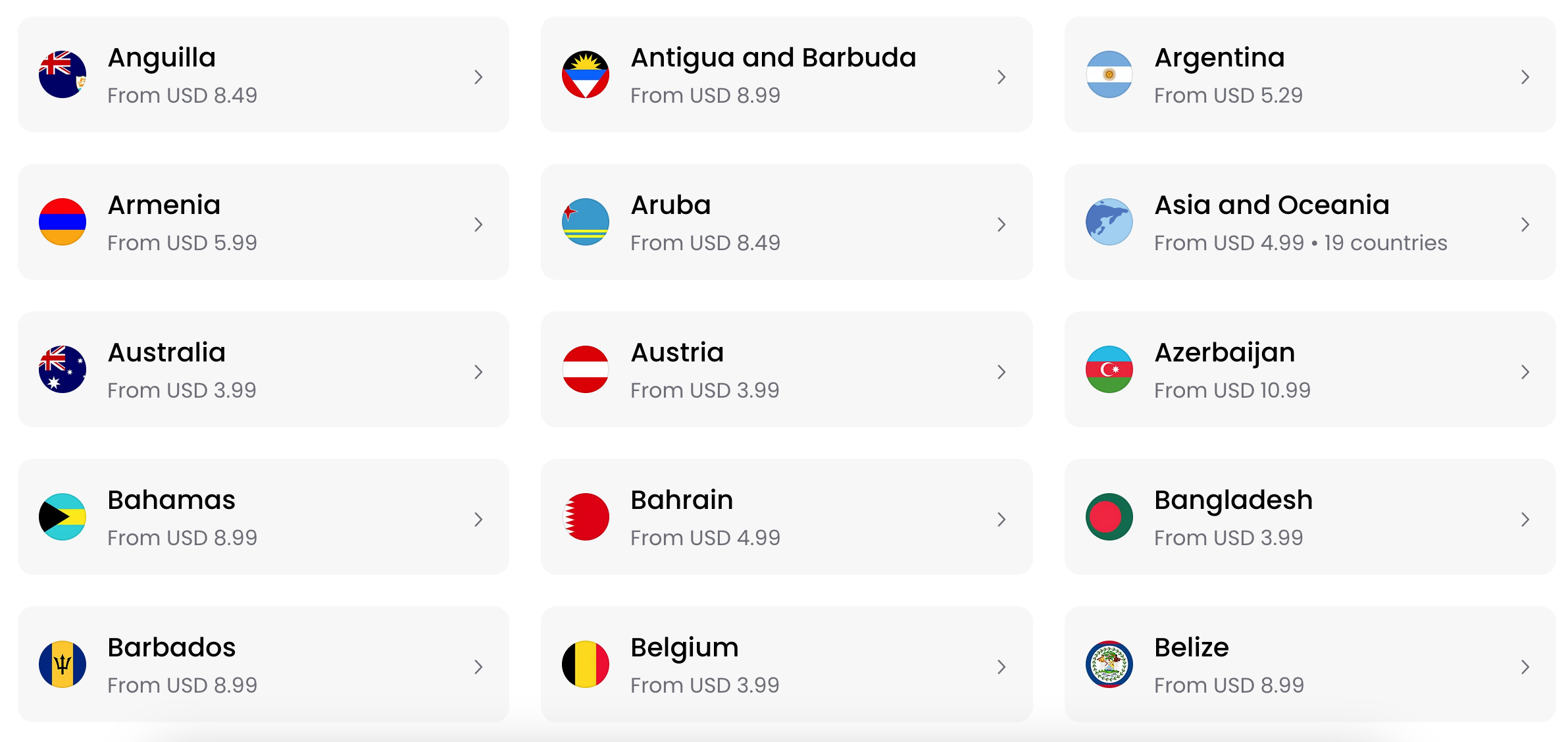
To give you an idea of the pricing and data packages available, here are the Saily eSIM options available for Mexico:
| Data | Period of Validity | Price |
| 1 GB | 7 days | $5.99 USD |
| 3 GB | 30 days | $14.99 USD |
| 5 GB | 30 days | $22.99 USD |
| 10 GB | 30 days | $39.99 USD |
| 20 GB | 30 days | $69.99 USD |
Saily region-specific eSIMs
Saily also offers 7 region-specific eSIM options:
- Africa (34 countries supported)
- Asia and Oceania (19 countries supported)
- Caribbean Islands (29 countries supported)
- Europe (35 countries supported)
- Latin America (12 countries supported)
- Middle East and North Africa (19 countries supported)
- North America (2 countries supported)
Let’s look at what’s on offer in Europe to give you an idea of pricing:
| Data | Period of Validity | Price |
| 1 GB | 7 days | $4.99 USD |
| 3 GB | 30 days | $12.49 USD |
| 5 GB | 30 days | $19.49 USD |
| 10 GB | 30 days | $35.99 USD |
| 50 GB | 90 days | $95.99 USD |
| Unlimited GB | 10–30 days | $35.99–71.99 USD |
Saily global eSIM
Saily’s global eSIM is set up to work in 113 countries, and you can choose from the following package options:
- 1 GB for 7 days for $8.99 USD
- 2 GB for 15 days for $16.49 USD
- 5 GB for 60 days for $33.99 USD
- 10 GB for 180 days for $56.99 USD
- 20 GB for 365 days for $66.99 USD
Enjoy safer browsing
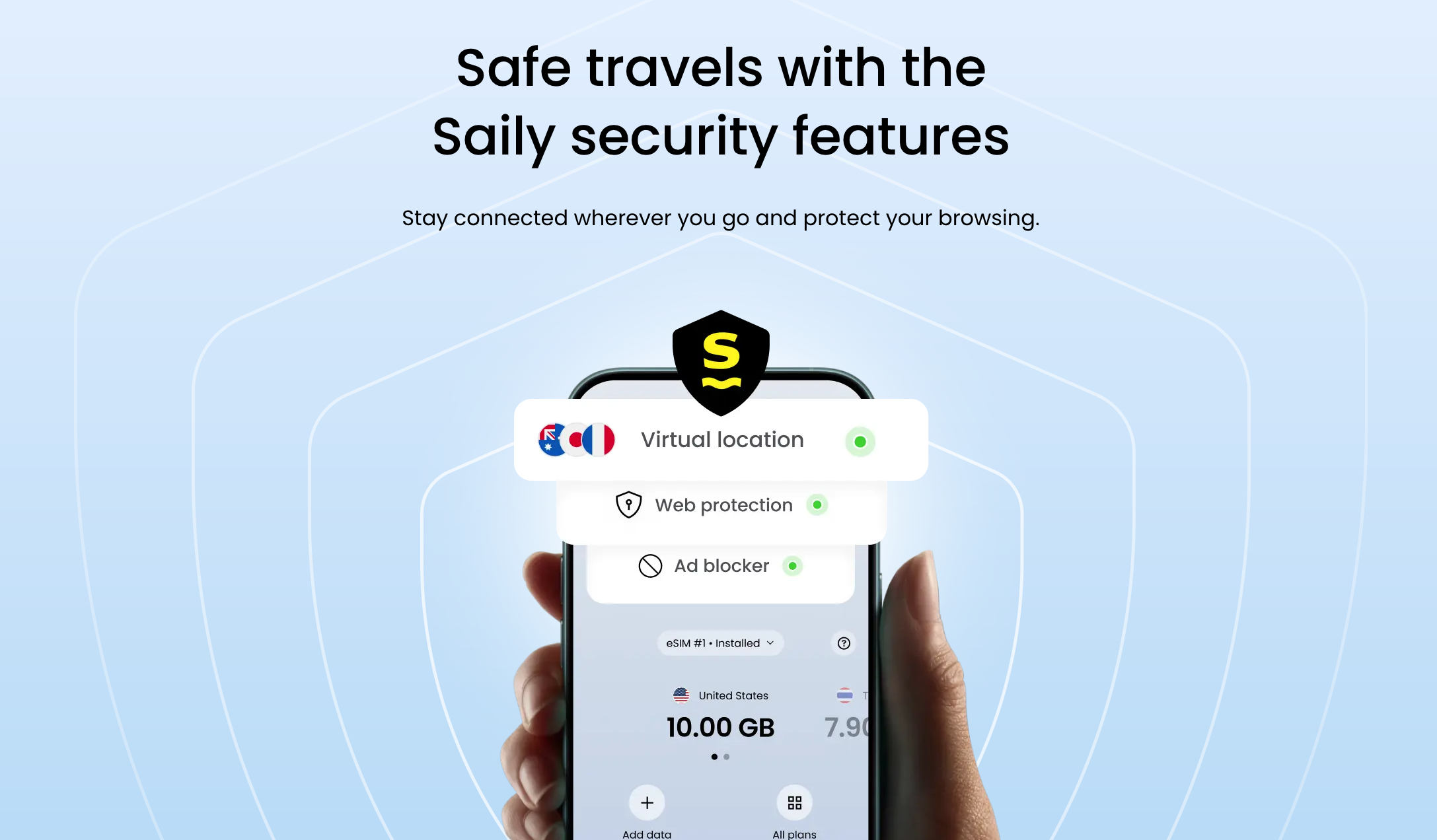
One of the benefits of choosing a Saily eSIM is that you will enjoy security features like ad-blocker, virtual location selection, and web protection.
These features are certain to be top-of-the-line thanks to Saily’s parent company Nord Security which also runs NordVPN. Given that NordVPN is one of the best ways to keep your data secure while travelling, it makes a ton of sense to see related security options available with Saily’s eSIMs.
Save money with coupon codes
If you’re looking to save money on your next Saily eSIM purchase, we recommend keeping your eyes open for one of the company’s frequent coupon offers.
You can almost always find a coupon for a 5% discount or more on all of Saily’s eSIMs, and sometimes you can find coupons for even bigger discounts on eSIMs for specific destinations.

Refer a Friend
Once you’ve got a Saily eSIMs account open, you can start referring the products to your friends to earn Saily Credits that you can use for your next purchase.
Every friend that you refer will get $5 USD off their first purchase, and once they’ve made that purchase, you get a $5 USD Saily Credit that’s good for your next eSIM.

Best credit card for Saily eSIM
Saily eSIMs are priced in US dollars, so your best option when purchasing is to use a credit card that doesn’t charge foreign transaction (FX) fees. By choosing the right card, you can not only save the 2.5% FX fee, but you can also earn valuable rewards.
To get you started, here are the three best no-foreign-transaction-fee credit cards in Canada:
| Credit card | Annual fee | Welcome offer | |
|---|---|---|---|
| $150 | |||
| $120 | |||
| $399 |


Saily eSIM Review – How to Use a Saily eSIM
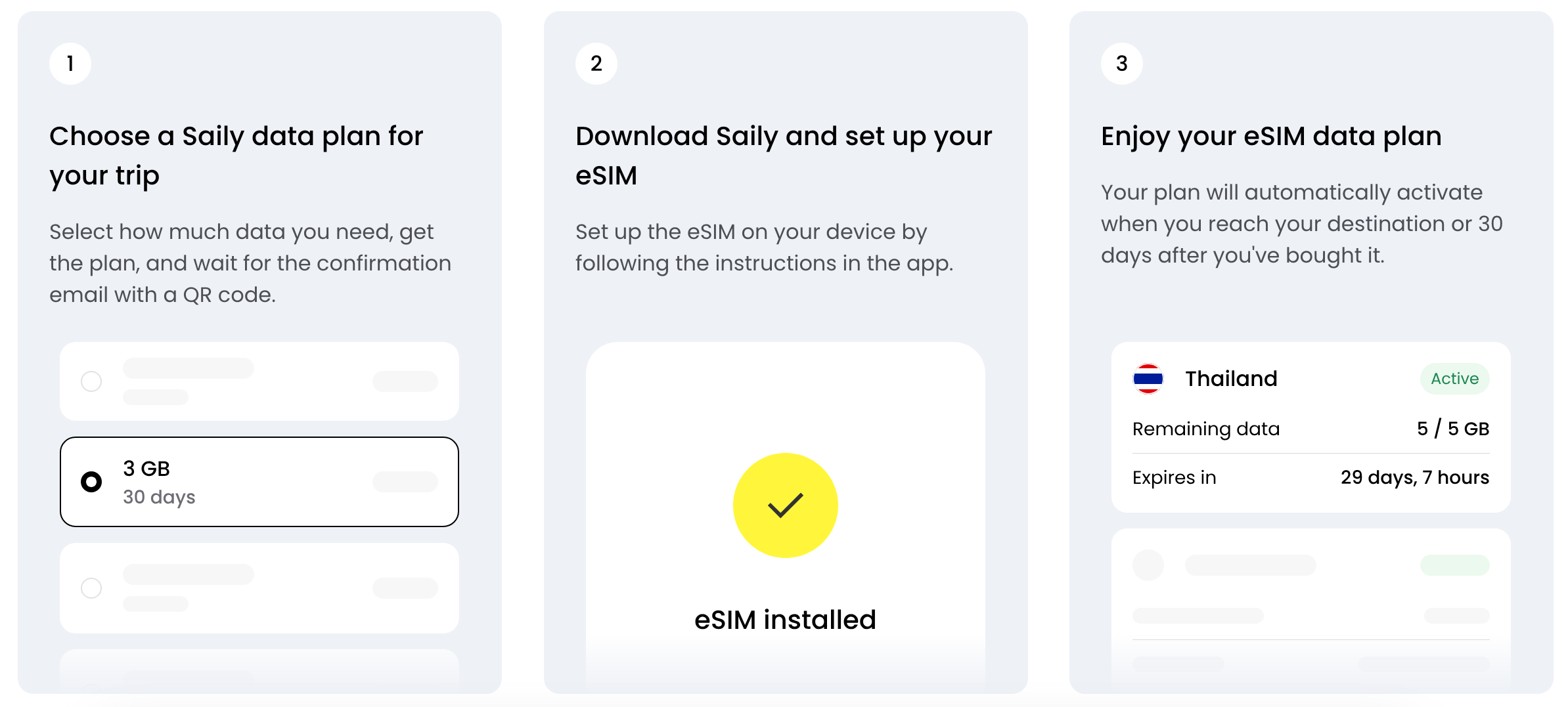
After you’ve purchased your Saily eSIM, there are just a few easy steps to get it set up. The steps vary a bit for each brand of phone, but to give you an idea of the process, we’ll share the iPhone set-up:
- Go to “Settings” on your iPhone and select “Cellular.”
- Add/install your eSIM. Instructions for each compatible phone type can be found on Saily’s website, and you can also download the Saily app to simplify the installation process further.
- When you’re boarding your flight from home, set your main number to “Off” and your new Saily eSIM to « On. »
- Make sure that you also turn on data roaming for your new eSIM.
- Once you get to your destination, disable airplane mode and your Saily eSIM should connect automatically to the local network.
By keeping your home number turned off, you won’t incur any roaming charges.
If you have any trouble with your eSIM when you land, you can check out Saily’s FAQs for some troubleshooting options.
Our Saily eSIM Review
After thoroughly testing Saily eSIM service across multiple destinations, this Saily eSIM review highlights why it stands out in the competitive travel connectivity market. The platform delivers exceptional value for money, particularly when you factor in the robust security features and reliable internet connections inherited from parent company Nord Security.
What impressed me most was the seamless activation process. When you download the app and choose your plan, the setup takes less than five minutes on compatible devices. The QR code method is foolproof, and having the eSIM activate automatically upon landing eliminates the stress of arriving in a new country without mobile data connectivity.
The data plans demonstrate real understanding of traveler needs. Regional plans offer significant savings for multi-country trips, while the Global plan provides excellent value for frequent travelers visiting multiple continents. Coverage in over 200 destinations means you’re unlikely to encounter connectivity gaps, even in emerging markets.
Security-conscious travelers will appreciate the built-in ad-blocker and web protection features – a unique advantage that competitors don’t offer. The mobile data speeds I experienced in Europe, Asia, and North America were consistently reliable for navigation, communication, and light streaming.
The Saily eSIM customer support team proves responsive when issues arise, though I rarely needed assistance thanks to the intuitive platform design. The referral program and frequent discount codes make it even more economical. While voice calling isn’t available, data-based messaging through WhatsApp and similar apps works flawlessly with their reliable internet connections. For modern travelers who rely primarily on connectivity, this eSIM service delivers professional-grade performance at consumer-friendly prices.
Bottom Line
Saily eSIMs are a great way to keep you connected almost everywhere in the world. Whether you’re looking up restaurants, finding your way around a new city, or keeping in touch with friends back home via data-messaging, having immediate and reliable connectivity is tremendously valuable.
When travelling, don’t forget to also sign up for a VPN to make sure your data is secure and to ensure you’re able to access all the online services you enjoy.
Saily eSIM Review – FAQs
How do Saily eSIMs work?
Saily eSIMs are digital SIM cards that use your compatible device’s preinstalled software to provide you with data access while you travel.
To use a Saily eSIM, you will need to purchase an eSIM, install it onto your device, and activate it in order to access the data network in the destination you are visiting.
Can I make phone calls with a Saily eSIM?
No. Currently Saily eSIMs are focused exclusively on providing data in 200+ destinations around the world. You are not currently able to use your Saily eSIM for phone calls or non-data texting.
What devices are compatible with Saily eSIMs?
Saily eSIMs are compatible with most eSIM-enabled smartphones, tablets, and smartwatches, including most iPhones and many Android phones.
You can find the complete and up-to-date list of compatible phones on their website. Compatible brands include:
- iPhone
- Samsung
- Huawei
- Xiaomi
- Motorola
- Oppo
- Sony
- Nokia
- Rakuten
- Nuu
- Sharp
- Surface
- Honor
- Fairphone
- OnePlus
- Hammer
- Vivo
- T-mobile
- Tcl
- and more
Are Saily eSIMs trustworthy?
Yes, Saily eSIMs are very trustworthy. Saily is owned by Nord Security, the company behind NordVPN, one of the best and most secure VPNs in the world.
When should you install a Saily eSIM?
The best time to install your Saily eSIM is a couple days before you leave on your trip. By installing it before you depart, you can make sure you understand the installation process and troubleshoot any issues that arise.
Additionally, by having your eSIM installed and ready to go, it will be ready to automatically activate when you land in your destination and disable airplane mode.
How do you activate a Saily eSIM?
To activate your Saily eSIM, follow the installation instructions that are provided when you make your purchase.
Once you arrive in your destination, if you’ve followed the instructions correctly, your eSIM should automatically connect to the local network when you turn off airplane mode. It’s worth noting that your eSIM will not be fully activate until it connects to an eligible cellular network abroad, so you don’t need to worry about your eSIM data or validity period being used up prior to arriving at your destination.
Our featured card
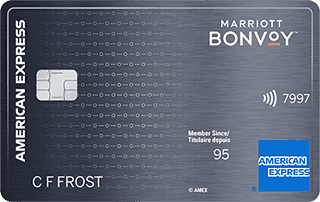

- Annual fee
- $120
- Our valuation
- $990Milesopedia first-year estimate First-year valueWelcome bonus$990Total$990Rewards on your spending are not included. The calculator that adds them from your own profile is on the card's page.
- Milesopedia first-year estimateFirst-year valueWelcome bonus$990Total$990Rewards on your spending are not included. The calculator that adds them from your own profile is on the card's page.
- Welcome offer
- Up to 110,000 points
- Ends Sep 22, 2026
on American Express's website
Apply with confidence — no impact on your credit scoreApply with confidenceCheck whether your application will be approved before you submit it, with no impact on your credit score*When you apply for a personal American Express Credit Card, we will tell you whether you are eligible without affecting your credit score. So you can apply with confidence.*Instant decisions are only available for consumer Card applications (also called “personal Cards”).
Our editorial integrity
Our reviews and rankings are based on an objective assessment. Advertisers do not influence our content. We may receive compensation through some links; our analysis and opinions remain independent.